

If you’re diving into the world of music recording, you’ll need more than talent - you’ll need the right tools. Whether you’re a budding artist, a seasoned producer, or someone looking to start a podcast, choosing the best software can make or break your sound. Let’s explore the 10 best software for music recordings that cater to various needs, budgets, and expertise levels.

Why Choosing the Right Music Recording Software Matters
Sound Quality Is Everything
In music, poor sound quality is a deal-breaker. The right software ensures your tracks sound polished and professional, no matter your setup.
Your Workflow Depends on It
Good music recording software simplifies complex processes like layering tracks, editing audio, and adding effects. It’s your creative assistant, ensuring your focus stays on the music, not technical hurdles.
1. Ableton Live: The Performer’s Paradise
Ableton Live is known for its versatility, particularly among electronic music producers and live performers.
Key Features
- Real-time performance tools
- Extensive MIDI editing
Pros
- Ideal for live performances
- Wide range of plugins and sound libraries
Cons
- High learning curve for beginners
- Premium price
2. Pro Tools: The Industry Standard
Pro Tools dominates professional studios and is ideal for large-scale productions.
Key Features
- Powerful editing tools
- High compatibility with studio hardware
Pros
- Exceptional audio quality
- Tailored for professionals
Cons
- Expensive subscription plans
- Steep learning curve
3. GarageBand: Apple’s Gift to Beginners
If you’re a Mac user, GarageBand is an excellent starting point. It’s simple, yet surprisingly powerful.
Key Features
- Preloaded loops and instruments
- Easy-to-use interface
Pros
- Free for Mac users
- Perfect for beginners
Cons
- Limited advanced features
- Exclusive to Apple devices
4. FL Studio: The Beatmaker’s Favorite
FL Studio, also known as FruityLoops, is perfect for creating beats and electronic tracks.
Key Features
- Intuitive piano roll
- Real-time effects
Pros
- User-friendly interface
- Lifetime free updates
Cons
- Limited for recording live instruments
- Advanced features require practice
5. Logic Pro X: Professional Yet Accessible
Logic Pro X strikes a balance between professional-grade tools and user accessibility.
Key Features
- Smart tempo adjustment
- Comprehensive sound library
Pros
- Seamless integration with Apple devices
- Affordable compared to competitors
Cons
- Mac-only software
- Demands a decent learning curve
6. Audacity: The Open-Source Wonder
Audacity is free, open-source, and surprisingly powerful, especially for basic recording needs.
Key Features
- Multi-track recording
- Basic editing tools
Pros
- Free and lightweight
- Easy to learn
Cons
- Outdated interface
- Lacks advanced features
7. Reaper: Affordable Powerhouse
Reaper is a cost-effective alternative that doesn’t skimp on features.
Key Features
- Fully customizable interface
- Supports multiple formats
Pros
- Budget-friendly
- Minimal system requirements
Cons
- Requires configuration
- Limited built-in plugins
8. Cubase: Comprehensive Creativity
Cubase has been a favorite among professionals for decades, thanks to its powerful features.
Key Features
- Advanced mixing tools
- MIDI sequencing
Pros
- Ideal for composing and recording
- Highly customizable
Cons
- Expensive for advanced versions
- Can be overwhelming for beginners
9. Adobe Audition: Perfect for Podcasts
While primarily an audio editing tool, Adobe Audition excels in voice recording and post-production.
Key Features
- Noise reduction tools
- Multitrack editing
Pros
- Great for voice-over and podcasting
- Integrates with Adobe Creative Suite
Cons
- Subscription-based
- Not tailored for music production
10. Studio One: The All-in-One Solution
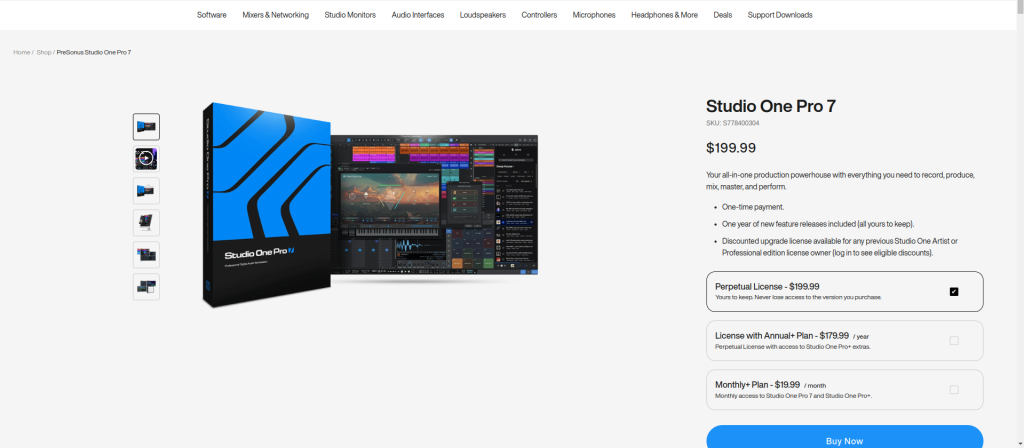
Studio One combines a sleek interface with robust recording tools, appealing to musicians of all levels.
Key Features
- Drag-and-drop functionality
- Built-in mastering tools
Pros
- Streamlined workflow
- Affordable one-time purchase options
Cons
- Limited plugins compared to others
- Some features locked behind premium plans
Comparison Table: 10 Best Software for Music Recording
| Software | Key Features | Pros | Cons |
| Ableton Live | Real-time performance tools | Ideal for live performances | Expensive, complex for beginners |
| Pro Tools | Professional-grade editing | Exceptional audio quality | High cost, steep learning curve |
| GarageBand | Preloaded loops and instruments | Free, beginner-friendly | Apple-exclusive, limited features |
| FL Studio | Intuitive piano roll | Lifetime updates, user-friendly | Limited for live instruments |
| Logic Pro X | Smart tempo, sound library | Affordable, professional-grade | Mac-only, learning curve required |
| Audacity | Open-source, multi-track recording | Free, lightweight | Outdated interface, lacks depth |
| Reaper | Fully customizable, cost-effective | Affordable, minimal system demands | Requires setup, fewer plugins |
| Cubase | Advanced mixing, MIDI sequencing | Highly versatile, professional-friendly | Expensive, overwhelming for beginners |
| Adobe Audition | Noise reduction, multitrack editing | Perfect for podcasts, voice-over | Not ideal for music production |
| Studio One | Drag-and-drop, built-in mastering | Streamlined, affordable | Limited plugin options |
Tips for Choosing the Best Music Recording Software
Match It to Your Needs
Think about what you’ll be recording - vocals, instruments, or beats? Your choice of software should align with your specific requirements.
Consider Your Budget
While some software comes with a hefty price tag, others like Audacity and GarageBand offer incredible features for free.
Factor in Your Experience
Beginners should opt for user-friendly tools like GarageBand or FL Studio, while seasoned producers might gravitate towards Pro Tools or Cubase.

Final Reflections: Your Sound, Your Choice
The journey to creating great music starts with the right tools. The 10 best software for music recordings listed here cater to every level, style, and budget. So, pick the one that resonates with you and start creating tracks that turn heads and win hearts.
Interesting Reads:
The Differences Between HTML, CSS, and PHP