

Managing knowledge effectively can feel like an uphill battle, especially without the right tools. Whether you’re running a small business or working on a personal project, having an efficient knowledge database software can make your life easier. What’s even better? Many of these tools are free!
Let’s explore the 10 best knowledge database software free that you can start using today to organize, share, and retrieve information seamlessly.

Why Knowledge Database Software is a Must-Have
Empower Your Team
In today’s fast-paced world, time is money. A well-organized knowledge database software ensures your team can find answers quickly. Instead of hunting down scattered information, your team has everything they need in one place.
For small businesses and startups, free software provides an excellent starting point without breaking the bank. These tools allow you to store FAQs, internal documents, and processes in an easily accessible way.
Simplify Your Workflow
From onboarding new employees to resolving customer queries, knowledge database software streamlines operations. Free tools make it possible for even budget-conscious teams to enjoy these benefits.
Top Features to Look For in Free Knowledge Database Software
Before diving into the tools, it’s crucial to understand what features make knowledge database software effective:
- Search functionality: Users should quickly find what they’re looking for.
- Collaboration: Teams should be able to contribute and update information easily.
- Customization: Tailor the database to fit your needs.
- Integration: Sync with your existing tools like Slack or Google Workspace.
The 10 Best Knowledge Database Software Free
Now that we know what to look for, here are the top free options to explore.
1. Notion
The All-in-One Powerhouse
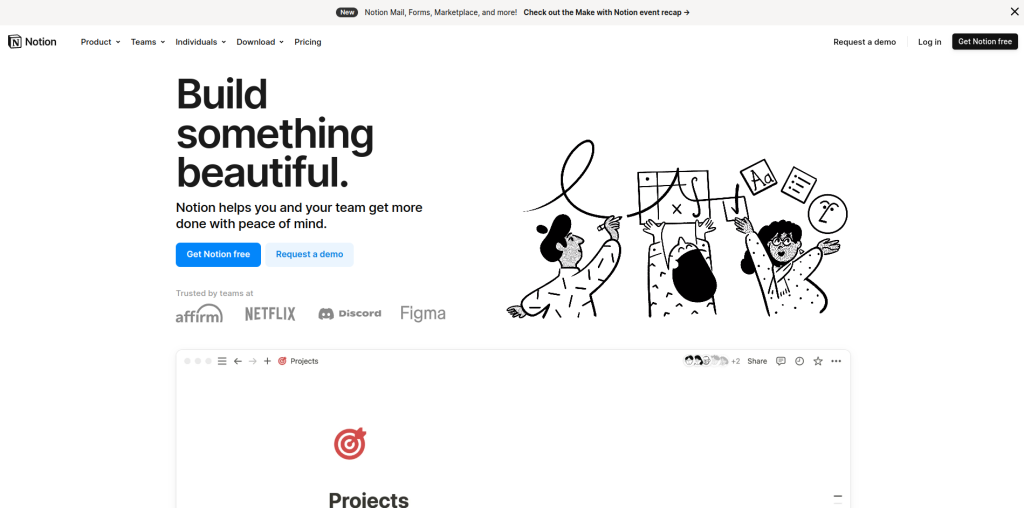
Notion is more than just a knowledge database - it’s a versatile workspace that combines notes, tasks, and databases into one platform.
Key Features
- Customizable templates for knowledge bases.
- Collaboration features for team editing.
Pros
- Extremely user-friendly and flexible.
- Integrates well with other apps.
Cons
- Free version has limited storage for large files.
2. Zoho Wiki
Perfect for Teams
Zoho Wiki is designed for small to medium-sized teams looking to build a collaborative knowledge hub.
Key Features
- Page-level permissions for security.
- Easy-to-use editor for creating content.
Pros
- Excellent for internal documentation.
- Free for up to 3 users.
Cons
- Limited customization options in the free version.
3. Confluence (Free Plan)
Ideal for Growing Teams
Confluence by Atlassian offers a robust free plan for teams looking to manage projects and documents collaboratively.
Key Features
- Rich content editor.
- Integration with Jira for agile teams.
Pros
- Great for agile project management.
- Easy to scale as your team grows.
Cons
- Limited storage (2GB on the free plan).
4. Bit.ai
Modern and Interactive
Bit.ai transforms your knowledge base into a visually appealing and interactive workspace.
Key Features
- Rich media embedding.
- Real-time collaboration.
Pros
- Intuitive and visually appealing.
- Free plan supports 5 users.
Cons
- Limited advanced features in the free version.
5. Slite
Simplified Knowledge Sharing
Slite is a lightweight tool that focuses on simplicity and usability for team knowledge sharing.
Key Features
- Slack integration for instant access.
- Real-time collaborative editing.
Pros
- Quick setup and easy to use.
- Free for small teams.
Cons
- Not as feature-rich as other tools.
6. Obsidian
Perfect for Personal Use
Obsidian is a free, offline-first knowledge management tool that’s perfect for personal projects or small teams.
Key Features
- Markdown-based note-taking.
- Graph view for visualizing connections.
Pros
- Completely free for personal use.
- No internet connection required.
Cons
- Steeper learning curve for beginners.
7. TiddlyWiki
A Classic Knowledge Management Tool
TiddlyWiki is a free, open-source platform that allows you to create a highly customizable knowledge base.
Key Features
- Single-file HTML wiki.
- Fully customizable with plugins.
Pros
- Lightweight and portable.
- Completely free with no restrictions.
Cons
- Requires some technical knowledge to set up.
8. OpenKM Community Edition
Great for Document Management
OpenKM is an open-source document management system that doubles as a knowledge base.
Key Features
- Full-text search and indexing.
- Workflow automation.
Pros
- Powerful for document-heavy organizations.
- Free and open-source.
Cons
- Requires technical setup and maintenance.
9. Dokit
Simplified Knowledge Sharing for Teams
Dokit is an open-source platform for creating knowledge bases, wikis, and documentation.
Key Features
- Easy to install on your server.
- Rich editing tools for creating content.
Pros
- Free and highly customizable.
- Great for technical teams.
Cons
- Requires hosting and setup.
10. Document360 (Free Plan)
Best for External Knowledge Bases
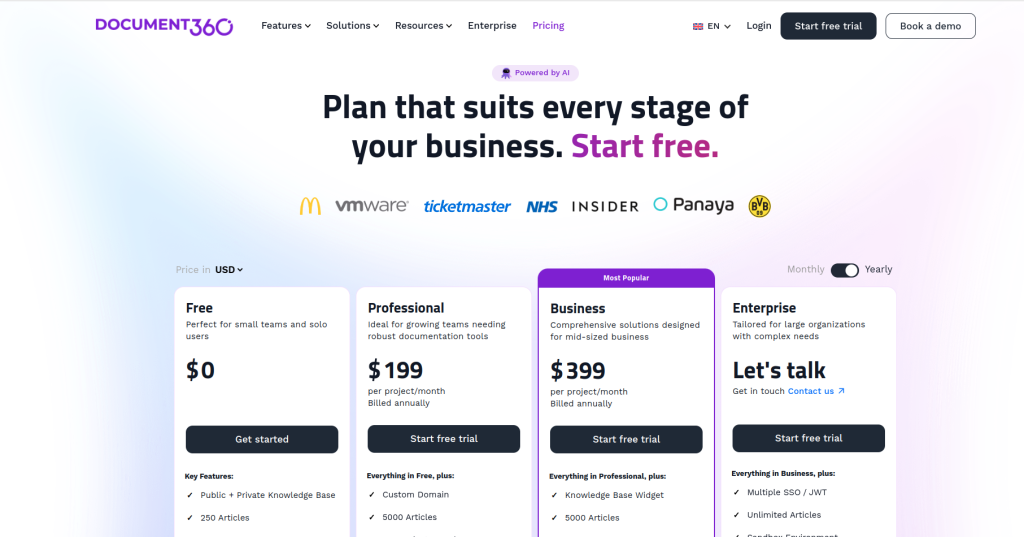
Document360 is perfect for businesses creating self-service portals for their customers.
Key Features
- Easy-to-navigate UI for end-users.
- Rich analytics to track engagement.
Pros
- Ideal for customer-facing knowledge bases.
- Sleek and modern interface.
Cons
- Free plan has limited features.
Comparison Table: 10 Best Knowledge Database Software Free
| Software | Key Features | Pros | Cons |
| Notion | Custom templates, collaboration | Flexible, user-friendly | Limited file storage |
| Zoho Wiki | Page permissions, easy editor | Secure, free for small teams | Basic customization |
| Confluence (Free) | Content editor, Jira integration | Scalable, agile-friendly | Limited storage |
| Bit.ai | Interactive documents, collaboration | Visually appealing | Few advanced features |
| Slite | Slack integration, real-time editing | Quick setup | Limited features |
| Obsidian | Markdown-based, offline-first | Free for personal use | Steep learning curve |
| TiddlyWiki | Single-file wiki, plugins | Lightweight, portable | Requires technical knowledge |
| OpenKM | Document management, workflows | Great for documents | Tech-heavy setup |
| Dokit | Server-based, rich editing tools | Free, customizable | Hosting required |
| Document360 | Customer portals, analytics | Ideal for external users | Limited free features |
How to Choose the Right Knowledge Database Software
Identify Your Needs
Consider whether you need the software for personal use, internal team collaboration, or external customer support. This will narrow down your options.
Start Small
Since all the tools listed offer free plans, you can try them out without committing to a paid plan. Experiment to see which one aligns best with your goals.

Wrapping Up: The Best Free Tools for Knowledge Management
The 10 best knowledge database software free options listed here provide powerful features to help you organize and share information efficiently. Whether you’re a startup, a small business, or an individual, these tools have something for everyone.
Explore these platforms, pick the one that suits your needs, and start building your knowledge base today.
Interesting Reads:
10 Best Customer Segmentation Software