Finding the right WooCommerce Plugins Google Product Feed is crucial for online stores that want to appear in Google Shopping results and reach a wider audience. A well-structured product feed acts like a bridge between your WooCommerce store and Google Merchant Center, ensuring that every product detail — from price and availability to descriptions and unique identifiers — is delivered accurately to Google.
When done correctly, this not only helps your WooCommerce store stand out among competitors but also improves the chances of your products showing up for the right search queries, attracting more qualified clicks, and ultimately boosting sales. However, creating and maintaining a Google product feed manually can be complex, time-consuming, and prone to errors. That’s where specialized plugins come in. The best plugins automate the process, keep your data updated in real time, and make sure your product attributes comply with Google’s strict requirements.

What is a Google Product Feed?
A Google Product Feed is a structured file that contains all the essential details about the products in your WooCommerce store. It usually includes information like product title, description, price, availability, brand, and GTIN or SKU. This feed is submitted to Google Merchant Center and is used to create ads in Google Shopping campaigns. The accuracy and completeness of this feed directly influence the visibility and performance of your products on Google platforms.
Without a proper feed, your products may not show up in search results or could be disapproved due to missing attributes. That’s why WooCommerce store owners rely on specialized plugins to generate, manage, and optimize their feeds in compliance with Google’s requirements. These plugins help automate updates, map product categories, and ensure your listings meet Google’s strict data standards.
Also Read: How to Create a Product Table in WooCommerce
How to Use a WooCommerce Google Product Feed Plugin
Setting up a product feed plugin in WooCommerce doesn’t have to be complicated. Most plugins provide intuitive setup wizards that guide users through the process. Here’s a simple step-by-step overview of how to get started:
- Install and activate your chosen Google Product Feed plugin.
- Connect your WooCommerce store with Google Merchant Center.
- Map WooCommerce product fields (title, SKU, price, category) to Google’s feed attributes.
- Generate your product feed in XML or TXT format.
- Submit the feed URL directly to Google Merchant Center.
- Enable auto-sync so updates in WooCommerce are reflected in your feed.
Once the feed is active, regularly monitor Merchant Center to ensure products are approved and optimized. A reliable plugin ensures the feed remains compliant and minimizes the risk of product disapprovals.
Table of Contents
- Google Product Feed for WooCommerce
- YITH Google Product Feed for WooCommerce
- Product Feed PRO for WooCommerce
- ELEX WooCommerce Google Shopping Plugin
- WooCommerce Product Feed Manager by RexTheme
- CTX Feed – WooCommerce Product Feed Manager
- ShoppingFeeder for WooCommerce
- AdTribes WooCommerce Product Feed
- WP All Export Pro with WooCommerce Add-On
- Flexify: WooCommerce Product Feed for Google & Facebook
1. Google Product Feed for WooCommerce
Google Product Feed for WooCommerce is one of the most reliable solutions for store owners who want seamless integration with Google Merchant Center. Designed specifically for WooCommerce, it helps merchants generate feeds that comply with Google’s strict requirements.
The plugin ensures that all critical product attributes, including GTIN, MPN, and brand, are accurately mapped. This reduces the chances of feed rejections and allows products to gain better visibility in Google Shopping campaigns.
Key Features:
- Automatic feed updates
- Support for custom attributes
- Category mapping with Google taxonomy
Pricing: Premium – $79/yr.
2. YITH Google Product Feed for WooCommerce
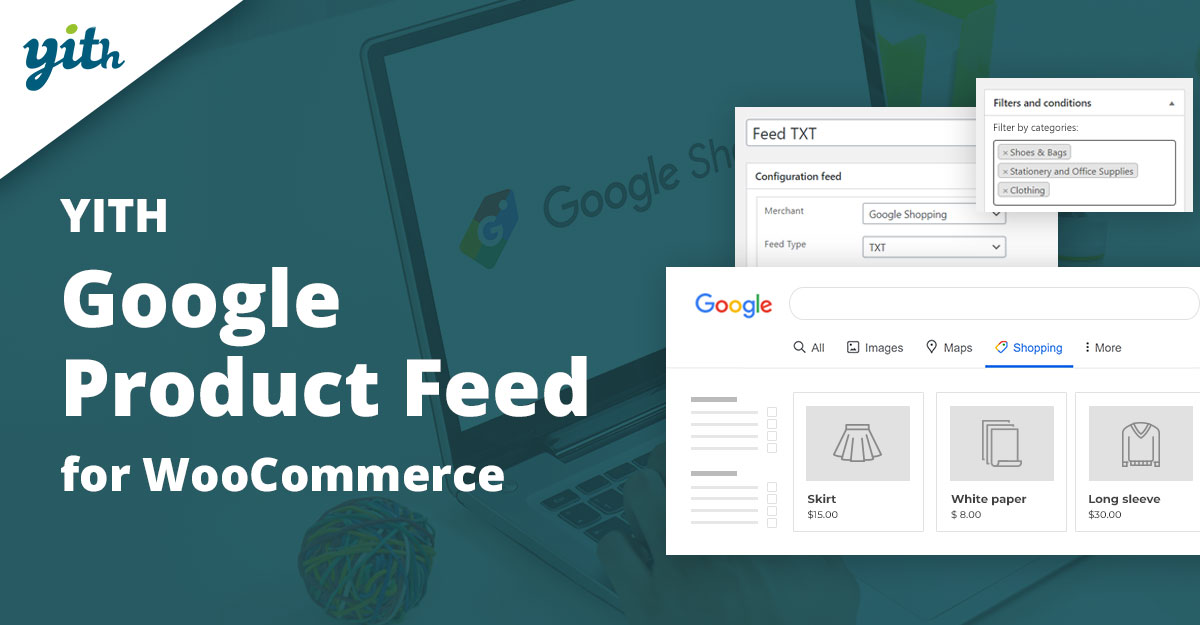
YITH Google Product Feed for WooCommerce is designed for businesses that want an intuitive and flexible solution. It allows you to create unlimited feeds tailored to different marketing channels, not just Google Shopping.
With its user-friendly interface, merchants can configure feeds in just a few clicks. Advanced customization options also make it possible to fine-tune every product attribute to maximize ad performance.
Key Features:
- Multiple feed generation
- Scheduled updates
- Advanced product filtering
Pricing: Premium – $99/yr.
3. Product Feed PRO for WooCommerce
Product Feed PRO for WooCommerce is a powerful plugin that supports multiple channels, including Google Shopping, Bing, and Facebook. It’s ideal for businesses looking to expand their reach beyond just Google.
Its smart filters and rule-based feed generation make it easy to exclude unprofitable products and optimize performance. Merchants can create highly targeted campaigns while saving time on manual feed creation.
Key Features:
- Multi-channel feed support
- Custom rules and filters
- Automatic synchronization
Pricing: Free + Pro from $69/yr.
4. ELEX WooCommerce Google Shopping Plugin
ELEX WooCommerce Google Shopping Plugin helps merchants generate error-free product feeds that comply with Google’s data standards. It offers advanced mapping options to match WooCommerce fields with Google attributes.
The plugin also supports multiple file formats like XML, CSV, and TXT, making it flexible for different Merchant Center requirements. Scheduled feed refresh ensures your listings are always up to date.
Key Features:
- Multiple feed formats
- Attribute and category mapping
- Automatic feed updates
Pricing: Premium – $69/yr.
Also Read: How to Show Price History on WooCommerce Products
5. WooCommerce Product Feed Manager by RexTheme
WooCommerce Product Feed Manager by RexTheme is a highly flexible plugin that supports 100+ marketing channels, including Google Shopping. It’s built for scalability, making it suitable for stores with large product catalogs.
The plugin offers advanced filters to control which products appear in your feed. Its auto-update feature ensures that any changes made in WooCommerce are reflected in real-time.
Key Features:
- Support for 100+ channels
- Smart filters
- Real-time sync
Pricing: Premium – $119/yr.
6. CTX Feed – WooCommerce Product Feed Manager
CTX Feed is a lightweight and efficient plugin known for generating optimized feeds for Google Shopping. It offers pre-configured templates for easy setup and supports multiple feed formats.
The plugin is particularly suitable for store owners who want a hassle-free solution with minimal configuration while maintaining compliance with Google’s guidelines.
Key Features:
- Pre-made templates
- Multi-format feed export
- Simple, clean interface
Pricing: Free + Pro from $89/yr.
Also Read: Best WooCommerce Membership Plugins
7. ShoppingFeeder for WooCommerce
ShoppingFeeder is an advanced feed management solution that connects WooCommerce stores with Google Shopping and other platforms. It specializes in campaign tracking and advanced analytics.
This plugin is excellent for data-driven marketers who want detailed insights into feed performance and campaign ROI.
Key Features:
- Comprehensive analytics
- Multi-channel feed support
- Campaign tracking
Pricing: Premium – $39/mo.
8. AdTribes WooCommerce Product Feed
AdTribes offers a WooCommerce product feed solution tailored for Google Shopping. It’s simple yet powerful, making it a great option for small and medium-sized stores.
With customizable templates and auto-updates, merchants can ensure compliance while saving time on manual feed adjustments.
Key Features:
- Customizable templates
- Automatic updates
- Optimized product mapping
Pricing: Free + Pro from $79/yr.
Also Read: How to Set Up and Customize Product Bundles in WooCommerce
9. WP All Export Pro with WooCommerce Add-On
WP All Export Pro with WooCommerce Add-On provides complete control over product feed exports. It allows merchants to create fully customized XML or CSV feeds for Google Shopping.
Its drag-and-drop interface makes it easy to select which product fields to include, making it perfect for complex stores with specific requirements.
Key Features:
- Drag-and-drop feed builder
- Highly customizable exports
- Support for large catalogs
Pricing: Premium – $99/yr.
10. Flexify: WooCommerce Product Feed for Google & Facebook
Flexify is a versatile feed generator that works with Google Shopping and Facebook Ads. It is designed to simplify multi-channel advertising by managing feeds from one platform.
With its lightweight design, Flexify is an excellent choice for small businesses wanting a budget-friendly yet effective plugin.
Key Features:
- Google & Facebook feed support
- Lightweight and easy to use
- Automatic updates
Pricing: Free + Pro from $49/yr.
Also Read: Best WooCommerce Plugins Catalog Mode
Pricing Comparison of WooCommerce Google Product Feed Plugins
| Plugin | Key Features | Price |
|---|---|---|
| Google Product Feed for WooCommerce | Auto-updates, category mapping | $79/yr |
| YITH Google Product Feed | Unlimited feeds, filtering | $99/yr |
| Product Feed PRO | Multi-channel, custom rules | $69/yr |
| ELEX Google Shopping Plugin | Multi-format feeds, mapping | $69/yr |
| RexTheme Product Feed Manager | 100+ channels, real-time sync | $119/yr |
| CTX Feed | Templates, multi-format support | $89/yr |
| ShoppingFeeder | Analytics, tracking | $39/mo |
| AdTribes Feed | Templates, updates | $79/yr |
| WP All Export Pro | Custom exports, drag & drop | $99/yr |
| Flexify | Google & Facebook feed | $49/yr |

Final Thoughts on WooCommerce Plugins Google Product Feed
Choosing the right WooCommerce Plugins Google Product Feed is one of the most important steps for ensuring your products appear prominently in Google Shopping. A well-optimized feed not only helps increase visibility but also boosts conversions by presenting accurate, structured data to potential customers. Each plugin on this list offers unique advantages — from advanced customization and analytics to lightweight, beginner-friendly setups.
Whether running a small store or managing a large catalog, investing in a reliable feed plugin saves time, reduces errors, and improves campaign performance. By aligning your WooCommerce store with Google’s requirements, you gain a competitive edge in the ecommerce space. The best approach is to evaluate your business needs, budget, and marketing goals, then select a plugin that balances features with simplicity. With the right tool, your store is well-positioned to grow sales through effective Google Shopping campaigns.
Interesting Reads:
Best WooCommerce Plugins Account Funds