Abandoned carts are one of the easiest and most ignored sources of lost revenue. This guide shows the 10 best WooCommerce Plugins Recover Abandoned Cart, how each works, what features to expect, and short pricing summaries so decisions are faster and better informed.
The suggestions below balance ease of use, deliverability, automation, and ROI tracking so the next follow-up email is the one that converts.
Recovering even a small percentage of abandoned carts can make a measurable difference to monthly revenue.
The right plugin can help streamline this process by automating follow-ups and personalizing offers for higher conversion rates.
By implementing a smart recovery strategy now, stores can turn potential losses into loyal customers over time.

Table of contents
- Abandoned Cart Recovery for WooCommerce
- YITH WooCommerce Recover Abandoned Cart
- Abandoned Cart Pro (Tyche Softwares)
- Abandoned Cart Lite for WooCommerce
- CartFlows — Cart Abandonment (Free)
- AutomateWoo
- Retainful
- ELEX WooCommerce Abandoned Cart Recovery
- Mailchimp for WooCommerce
- Addify — Abandoned Cart Recovery for WooCommerce
What is cart abandonment recovery for WooCommerce?
Cart abandonment recovery refers to the automated process of capturing carts that shoppers leave without purchasing and following up — usually by email, SMS, or push notification — to encourage completion. For WooCommerce stores, specialized plugins track anonymous and logged-in carts, store the cart state, and trigger recovery workflows.
Good WooCommerce Plugins Recover Abandoned Cart go beyond a single reminder: they provide multiple touchpoints, dynamic coupons, analytics, segmentation, and GDPR-compliant consent handling so recovery campaigns are effective and respectful of privacy.
Also Read: Best WooCommerce Plugins Order and Shipment Tracking
How to use an abandoned cart plugin
1) Install and activate the chosen plugin from WordPress.org or the vendor.
2) Connect any required email/SMS providers (SMTP, SendGrid, Mailgun, Mailchimp, Twilio, etc.) so notifications deliver reliably.
3) Create recovery templates — subject, body, and optional dynamic coupon codes.
4) Set timing rules (for example: send first reminder 1 hour after abandonment, second after 24 hours).
5) Enable tracking and test with a sample abandoned cart to verify linking, coupon application, and analytics.
Top 10 WooCommerce Plugins to Recover Abandoned Cart
The plugins below were selected for a mix of reliability, feature depth, and pricing flexibility — from free tools to premium marketing suites. Each entry includes a short overview, key features, and concise pricing.
Use the TOC above to jump to any plugin. Every description also includes practical details — like coupon generation, analytics, integrations, and typical use-cases — to help match a plugin to store needs.
1. Abandoned Cart Recovery for WooCommerce
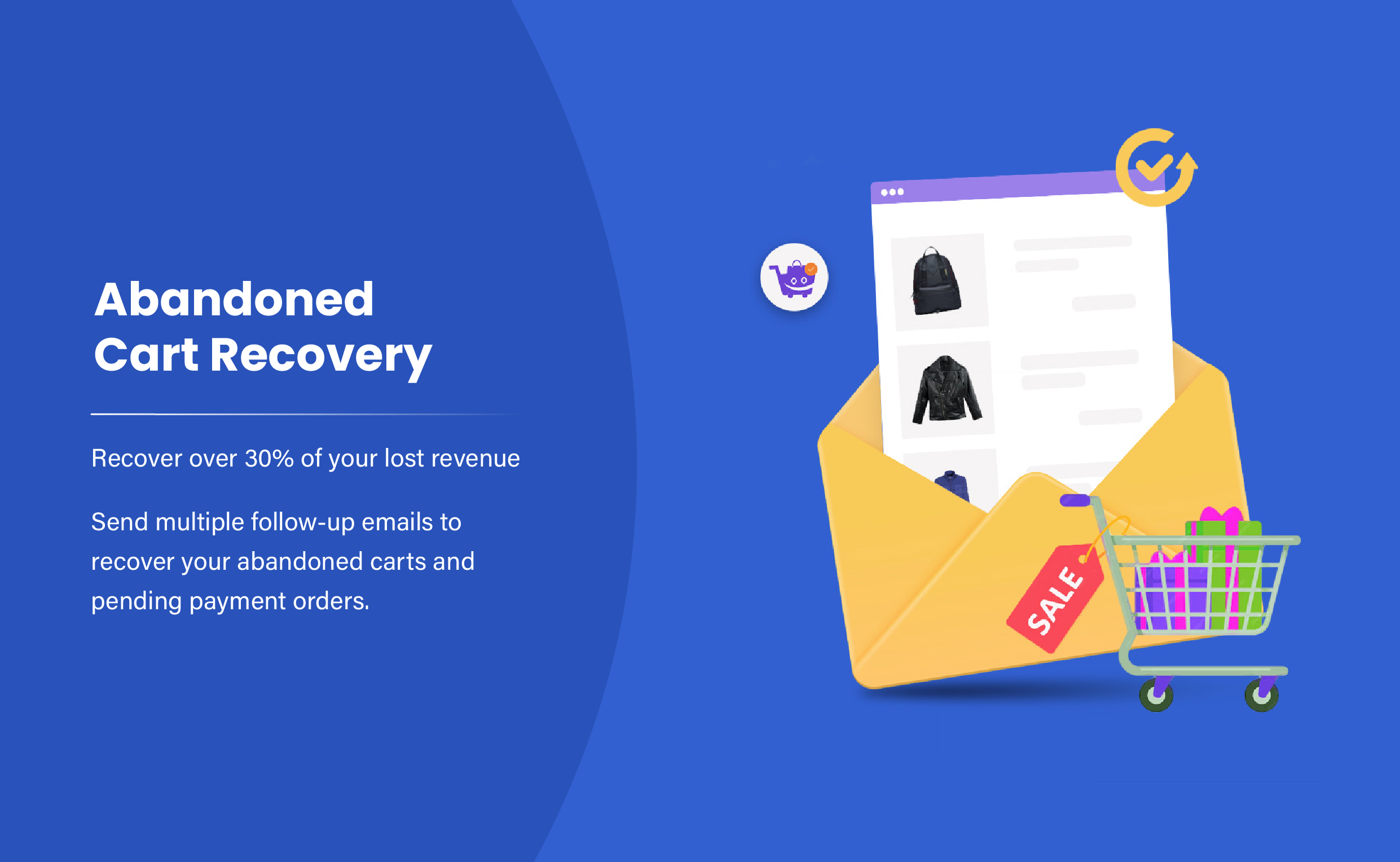
Abandoned Cart Recovery for WooCommerce provides a straightforward, store-hosted solution that records cart contents for guests and logged-in users, then sends scheduled recovery emails. It is designed to integrate tightly with core WooCommerce data while offering simple reporting and coupon support.
This plugin suits stores that want control — all cart data stays with the site (unless external email services are enabled). Setup is typically quick: enable tracking, authorize an SMTP provider for reliable mail delivery, and choose or create email templates with optional coupons.
Key features
- Records guest and registered user carts
- Configurable email templates and intervals
- Unique or static coupon generation
- Manually send and admin reports of recovered carts
Pricing: Free & Premium — free core + paid pro versions (licenses usually yearly).
2. YITH WooCommerce Recover Abandoned Cart
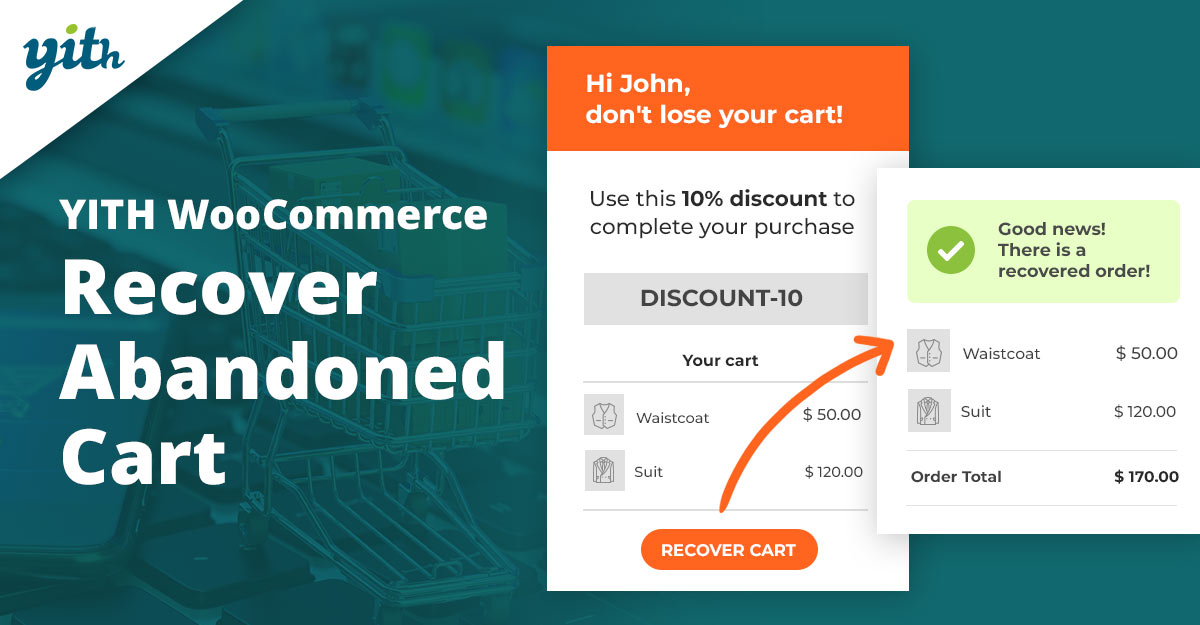
YITH’s Recover Abandoned Cart plugin focuses on a clean dashboard and straightforward automation: record abandoned carts, compose sequences of recovery emails, and measure recovered revenue. The UI is polished and integrates well with other YITH plugins and themes.
Recommended for stores that value a strong admin UX and want a plugin supported by a wider ecosystem (YITH). It includes coupon workflows, reporting for recovered orders, and basic segmentation options.
Key features
- Dashboard with recovered carts and revenue
- Multiple email reminders with templates
- Generate coupons automatically
- Integration with the YITH ecosystem and WooCommerce
Pricing: Premium yearly license — check the YITH product page for current pricing and licenses.
3. Abandoned Cart Pro (Tyche Softwares)
Tyche Softwares’ Abandoned Cart Pro (often called WooCommerce Abandoned Cart Pro) is a mature solution with strong analytics, GDPR-friendly opt-in controls, and detailed recovery reporting. It tracks carts, creates dynamic coupons, and supports integrations for email delivery.
The plugin emphasizes recovery metrics — open rates, coupon redemption, and recovered revenue — which helps fine-tune email sequences and timing strategies. A trial or lite version is typically available to test basic flows before upgrading.
Key features
- Detailed recovery analytics and reports
- Multiple follow-up emails with coupons
- GDPR opt-in checkbox support
- Manual and automated recovery actions
Pricing: Premium (annual) — often includes a low-cost trial; check vendor for current plans.
4. Abandoned Cart Lite for WooCommerce
The Lite edition (by Tyche or similar vendors) is a free entry-level plugin that covers the essentials: capture abandoned carts, send a basic sequence of recovery emails, and view simple reports. It’s ideal for stores that want a no-cost starting point before committing to premium automation.
Expect fewer advanced options than premium counterparts, but the Lite plugin is often robust enough for many small stores and can be upgraded when higher deliverability or deeper segmentation is required.
Key features
- Free basic abandoned-cart capture
- Simple email reminders
- Coupon send support (limited)
- Basic reports and logs
Pricing: Free (with paid upgrade options available).
Also Read: How to Personalize WooCommerce Checkout Fields to Match Your Store
5. CartFlows — Cart Abandonment
CartFlows offers a dedicated free cart abandonment module that focuses on funnel-aware recovery — it pairs well with checkout flows and upsells. The free tool is surprisingly capable for stores that already use CartFlows funnels and want a low-friction recovery option.
The strength is simplicity and integration with CartFlows funnels: if checkout funnels are driving conversion strategies, tying abandonment recovery to those funnels keeps messaging consistent and context-aware.
Key features
- Free cart abandonment module
- Integration with existing CartFlows funnels
- Simple email reminder capability
- Good choice for stores using CartFlows already
Pricing: Free core; paid CartFlows tiers add funnels and CRO features.
6. AutomateWoo
AutomateWoo is a premium automation suite built specifically for WooCommerce. Its abandoned cart workflows are powerful, supporting complex conditions, coupons, SMS (via add-ons), and deep personalization. Because AutomateWoo is focused on automation, it fits stores that want more than just cart emails.
The platform is ideal for stores ready to invest in more advanced marketing automation: segmentation, workflows for win-back and follow-ups, and integration with many WooCommerce-centric plugins. It also promises unlimited email sending without volume-based limits in many tiers.
Key features
- Advanced automation workflows and conditions
- Personalized coupons and unlimited sending
- Deep WooCommerce integrations and add-ons
- Excellent for complex, rule-based recovery campaigns
Pricing: Paid (single-site annual license; check AutomateWoo for current price, typically around low-to-mid hundreds USD/year).
Also Read: Best WooCommerce Customer Reviews Plugins
7. Retainful
Retainful is an email-marketing + cart-recovery platform with a WooCommerce plugin. It offers pre-built automation workflows, dynamic coupon generation, and next-order coupons to incentivize both recovery and repeat purchases. Retainful is strong for stores that want a combined email & coupon automation tool.
The plugin scales from free tiers (basic features) to paid plans that add more automations and priority support. It is a convenient choice for merchants who prefer a managed SaaS-style workflow layered on WooCommerce.
Key features
- Pre-built recovery workflows and templates
- Dynamic and unique coupon codes
- Next-order coupons and retention-focused flows
- Free tier + paid plans for scale
Pricing: Free starter plan; paid from roughly $19/month and up, depending on features and volume (verify vendor for latest tiers).
8. ELEX WooCommerce Abandoned Cart Recovery
ELEX provides an Abandoned Cart Recovery plugin that emphasizes dynamic coupons, flexible email scheduling, and clear cart recovery rules. It’s a pragmatic solution for stores that want strong coupon controls and easy-to-customize email templates.
The ELEX plugin is often chosen for its granular control over triggers and the ability to map behavior to recovery workflows, such as excluding high-ticket carts or customizing messages per product category.
Key features
- Smart discount & dynamic coupon generation
- Multiple email triggers and scheduling
- Customize rules to include/exclude carts
- Detailed cart and email logs
Pricing: Premium license — check the ELEX site for current single-site annual pricing.
9. Mailchimp for WooCommerce
Mailchimp’s WooCommerce integration supports abandoned cart reminders as part of a broader email marketing system. It’s ideal when cart recovery is one part of a larger audience and campaign strategy, as Mailchimp provides segmentation, behavioral targeting, and cross-channel campaigns.
This approach requires a Mailchimp account and may be preferable for merchants who already use Mailchimp for newsletters, automation, and audience management and want to consolidate marketing tasks into a single platform.
Key features
- Abandoned cart reminder workflows in Mailchimp
- Customer segmentation and behavioral targeting
- Integrates with Mailchimp marketing features
- Good for stores with existing Mailchimp usage
Pricing: Free tier available (limits); Mailchimp paid plans vary by contacts and features — check Mailchimp pricing for current tiers.
10. Addify — Abandoned Cart Recovery for WooCommerce
Addify’s Abandoned Cart Recovery for WooCommerce provides a clean recording of abandoned carts, scheduled emails, and analytics. This plugin is geared to stores that need straightforward admin screens and clear pricing tiers for additional features.
The vendor emphasizes easy setup and actionable reports; it can be a good fit for merchants seeking an affordable, no-nonsense recovery tool with proven basic functionality.
Key features
- Automated follow-up emails and coupon integration
- Abandoned cart tracking and reporting
- Simple UI with manual email send option
- Paid tiers with expanded automation
Pricing: Paid plugin — consult Addify for current prices and license options.
Also Read: Best WooCommerce Plugins Dynamic Pricing and Discounts
Pricing snapshot
| Plugin | Key features (short) | Pricing (short) |
|---|---|---|
| Abandoned Cart Recovery for WooCommerce | Core cart capture, coupons, and scheduled emails | Free + Pro (yearly license) |
| YITH Recover Abandoned Cart | Dashboard, multiple reminders, and coupon generation | Premium yearly license |
| Abandoned Cart Pro (Tyche) | Detailed analytics, GDPR opt-in, coupons | Paid (annual) |
| Abandoned Cart Lite | Free basics, simple templates, logs | Free |
| CartFlows (Free module) | Funnel-aware recovery, free module | Free (paid tiers for funnels) |
| AutomateWoo | Advanced workflows, coupons, and add-ons | Premium (annual; mid-hundreds USD typical) |
| Retainful | Pre-built flows, next-order coupons, SaaS | Free starter; paid from ~$19/mo |
| ELEX Abandoned Cart | Smart discounts, flexible triggers | Paid license (annual) |
| Mailchimp for WooCommerce | Abandoned cart in Mailchimp, segmentation | Free tier; Mailchimp paid plans vary |
| Addify Abandoned Cart | Scheduled emails, analytics, coupons | Paid plugin — check vendor |

Final thoughts
Choosing between WooCommerce Plugins Recover Abandoned Cart is mostly a choice between simplicity and automation depth. Start with a trial or free tier to test email deliverability, then measure recovered revenue and conversion uplift before committing to a paid plan.
If the store uses other marketing tools (Mailchimp, AutomateWoo, or a funnel builder), prefer the plugin that fits into the existing stack — integration reduces friction and improves campaign results.
Also, consider the learning curve and ongoing maintenance requirements; some plugins need more frequent updates and monitoring than others.
Evaluate the quality of customer support, as timely assistance can be critical during high-sales periods.
Finally, track key metrics consistently so future plugin changes are based on data, not guesswork.
Interesting Reads:
Best WooCommerce Plugins Request a Quote
Best WooCommerce Social Login & Connect Plugins
How to Customize WooCommerce Checkout Fields to Boost Conversions