
Role-based pricing makes selling to different customer groups simple: set different product prices for wholesalers, members, resellers, or VIP shoppers. This guide — focused on WooCommerce Plugins Role Based Prices — evaluates the top ten plugins, explains what role-based pricing is, shows how to implement it step-by-step, and compares features and pricing so a merchant can pick the right tool.

What is Role-Based Pricing for WooCommerce?
Role-based pricing is a method of assigning different product prices or visibility rules to shoppers depending on their user role (for example: guest, subscriber, wholesale customer, retailer, or staff). Rather than managing separate stores or sending manual quotes, rules automatically show a price tailored to the visitor once they log in with a given role.
For stores that sell both retail and wholesale, or that offer member-only pricing, role-based pricing reduces friction and speeds checkout. It can also hide prices or the Add to Cart button for certain visitors — a useful feature when client approval or quoting is required.
How to Use Role-Based Pricing
The typical steps are straightforward:
1) Install the chosen role-pricing plugin
2) Create or confirm the user roles to use (WordPress has default roles, but many plugins add custom roles or let you create them)
3) Set pricing rules at the product, category, or global level
4) Test with accounts assigned to each role
5)Plugins may add bulk import/export tools and conditional visibility options to speed configuration.
Table of contents
- Role-Based Pricing for WooCommerce
- YITH WooCommerce Role Based Prices
- ELEX Role-Based Pricing
- WooCommerce Prices By User Role (CodeCanyon)
- Price Based on User Role (WPFactory)
- Role-Based Pricing For Woo (Addify)
- Role and Customer-Based Pricing (Meow Crew )
- WooCommerce Dynamic Pricing & Discounts
- Wholesale Suite — Wholesale Prices & Role Pricing
- WooSuite / Prices by User Role
1. Role-Based Pricing for WooCommerce

This official WooCommerce extension provides a solid, well-supported solution for creating role-specific prices and customer-level price overrides. It supports fixed price overrides, percentage discounts or markups, CSV import/export, and the option to apply role discounts to regular or sale prices. This is a dependable choice for stores that want WooCommerce-native compatibility.
The plugin is designed to work at the product level and with bulk rules that target categories or product groups. It also includes options to prevent role discounts from applying to items already on sale and to target single users with custom pricing.
Key features:
- Fixed/percentage price overrides.
- CSV import/export.
- Per-user pricing.
- Apply to the regular or sale price.
- Bulk rules.
Pricing: Paid annual extension.
2. YITH WooCommerce Role-Based Prices
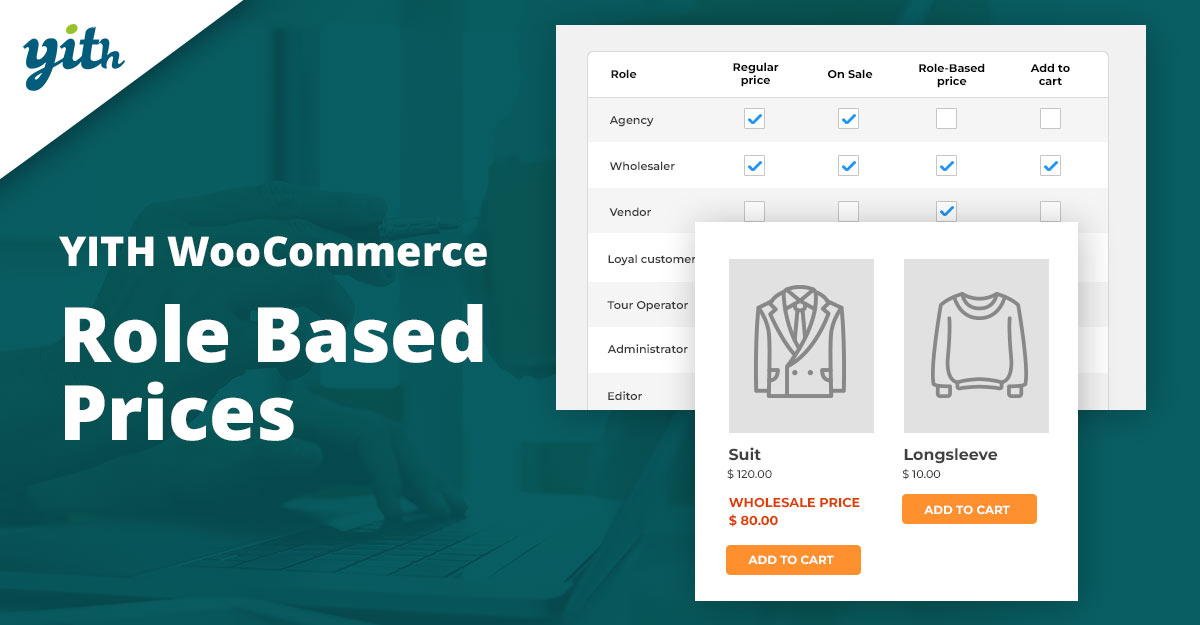
YITH’s role-based pricing plugin is popular for stores that already use other YITH tools (bundles, dynamic pricing, product add-ons) because of tight integration and a familiar UI. It allows assigning different product prices to specific user roles or individual users, hiding prices and Add to Cart from guests, and also supports role-specific bundle prices when used with YITH Product Bundles.
The plugin focuses on flexibility: set custom prices for single products or lists, manage visibility, and combine role-based prices with other YITH promotional tools. That makes it suited to stores where role segmentation ties into membership or loyalty systems.
Key features:
- Per-role pricing.
- Hide price/Add to Cart for roles.
- Bundle integration and user-level overrides.
Pricing: Free & premium annual plans.
3. ELEX WooCommerce Role-Based Pricing
ELEX provides a role-based pricing plugin that’s feature-rich and frequently updated. It supports price adjustments by fixed amount or percentage, category-based role pricing, and even custom buttons or redirects in place of Add to Cart for certain roles. ELEX’s documentation and support make it simple to configure bulk rules and test different scenarios.
The plugin includes options to display both original and role prices (useful for showing customer savings), and handles variable products and category-level overrides. It’s a flexible mid-market option for merchants who need granular pricing control.
Key features:
- Fixed/percent adjustments.
- Category/role rules.
- Custom add-to-cart button.
- Show original vs role price.
Pricing: Free & premium options.
4. WooCommerce Prices By User Role
Marketplaces such as CodeCanyon host several “prices by user role” plugins. These tend to be single-purchase items with lifetime updates (depending on the author) and are often priced lower upfront than official WooCommerce extensions. They typically allow per-role fixed prices, percent discounts, and product-level overrides.
When choosing a CodeCanyon plugin, pay attention to recent update history and compatibility notes — some authors maintain their plugins actively, while others may have older code. Testing on a staging site is recommended before production deployment.
Key features:
- Product-level role pricing.
- Percent/fixed rules.
- Often includes import/export and cart adjustments.
Pricing: One-time purchase.
5. Price Based on User Role (WPFactory / WooCommerce)
WPFactory’s “Price Based on User Role for WooCommerce” plugin is a straightforward solution for role segmentation. It allows for discounts applied to roles, the creation of new roles, and sometimes guest/visitor rules. It is commonly recommended when simplicity and fast setup are priorities.
Because different vendors may have similarly named plugins, confirm the developer and read the changelogs before installing. This plugin can be ideal for early-stage stores that need basic role pricing without extensive configuration overhead.
Key features:
- Role discounts.
- New role creation.
- Simple price overrides.
- Guest pricing options.
Pricing: Premium plugin.
6. Role-Based Pricing For Woo (Addify)
Addify’s plugin focuses on clear role-tier management for wholesale and B2B storefronts. The interface is built for store managers who maintain multiple wholesale levels and need to assign users to tiers quickly. Reviews and store pages show it integrates well with WooCommerce product types.
The plugin supports fixed price, percentage discounts, and role visibility, and often includes features to hide prices or restrict purchases for certain roles. Support and documentation make onboarding faster for teams.
Key features:
- Multi-tier role pricing.
- Role visibility controls.
- Per-product and category rules.
Pricing: Commercial license.
Also Read: Best Event Ticket Plugins For WooCommerce
7. Role and Customer-Based Pricing (Meow Crew)
Available on WordPress.org, this free plugin offers the basics of role and customer-based pricing. It allows creating custom user roles, setting special prices per role, and adjusting purchase rules per product, such as min/max quantities. It’s a good starting point for testing role-based pricing without an upfront cost.
The free plugin’s feature set is functional for many small stores, but larger merchants will typically need a premium plugin for CSV imports, advanced cart rules, and integrations with wholesale or B2B toolkits.
Key features:
- Create roles.
- Per-role pricing.
- Per-user pricing.
- Purchase rules (min/max).
- Hide prices for guests.
Pricing: Free.
8. WooCommerce Dynamic Pricing & Discounts
Dynamic pricing plugins that include user-role conditions are another route: rather than a dedicated role-pricing plugin, these tools let admins create pricing rules that target user roles among other conditions (cart total, quantity, product category). That flexibility supports complex promotions and tiered discounts beyond simple per-role pricing.
This approach is ideal for stores that need a single tool to manage coupons, discounts, BOGO offers, and role-based prices — but it requires careful rule-testing to avoid overlapping or contradictory discounts.
Key features:
- Conditional rules engine.
- Role-based conditions.
- Bulk rules.
- Combine with cart/checkout rules.
Pricing: Free core / paid Pro.
Also Read: Best WooCommerce Plugins Request a Quote
9. Wholesale Suite — Wholesale Prices & Role Pricing
Wholesale Suite includes wholesale pricing, role management, and order forms specifically geared for B2B merchants. It pairs role-based pricing with wholesale-specific features like minimum order quantities, tiered discounts, and streamlined wholesale ordering pages.
For stores that operate a mixed retail/wholesale model, Wholesale Suite centralizes the tools needed to offer logged-in wholesale buyers a distinct shopping experience without custom coding.
Key features:
- Wholesale role pricing.
- Tiered discounts.
- Quick order forms.
- Minimum order rules.
Pricing: Annual suite license.
10. Woosuite / Prices by User Role
Woosuite (often called WooSuite) offers modular tools for WooCommerce, one of which handles prices by user role and wholesale pricing. It integrates with product tables and order forms to create frictionless B2B shopping experiences, and often emphasizes fast setup and compatibility with popular themes.
The modular nature means a merchant can activate just the role-pricing module or combine it with other Woosuite modules (e.g., product table, quick order), producing a cohesive experience for wholesale customers.
Key features:
- Role-specific prices.
- Integration with product table/order form modules.
- Import/export support.
Pricing: Annual license.
Also Read: Best WooCommerce Plugins Dynamic Pricing and Discounts
Quick Comparison — Features & Pricing
| Plugin | Key Features | Typical Pricing |
|---|---|---|
| Role-Based Pricing for WooCommerce (official) | Per-role fixed/percent pricing, per-user overrides, CSV import/export, bulk rules. | Paid extension (annual license). |
| YITH Role-Based Prices | Per-role prices, hide prices, bundle integration, and user-level prices. | Free + Premium; annual license available. |
| ELEX Role-Based Pricing | Fixed/percent adjustments, custom add-to-cart, show savings, category rules. | Free basic; Pro/premium add-ons. |
| Prices By User Role (CodeCanyon) | Product-level and category-level role pricing often involves importing/exporting. | One-time purchase (marketplace dependent). |
| Price Based on User Role (WPFactory) | Simple role discounts and visitor rules, new role creation. | Premium plugin; check vendor listing. |
| Role-Based Pricing (Addify) | Multi-tier pricing, role visibility, category rules. | Commercial license on Addify. |
| Role & Customer-Based Pricing (WordPress.org) | Create roles, set per-role and per-user prices, and min/max qty rules. | Free on WP.org; optional paid add-ons. |
| Dynamic Pricing Plugins (role rules) | Powerful rules engine (cart/quantity/role/other conditions). | Free core + paid Pro versions or premium purchase. |
| Wholesale Suite | Wholesale-focused role pricing, quick order forms, and tiered pricing. | Suite pricing (annual). See vendor for details. |
| Woosuite / Prices by User Role | Modular role pricing, product-table integration, import/export. | Module or bundle pricing (annual). See vendor site for current plans. |

Choosing the right plugin
Pick a plugin based on how complex the pricing rules will be and whether other capabilities are required (bundles, wholesale order forms, dynamic promotions). For simple per-role prices, free or single-purpose plugins can do the job. For B2B stores with tiered pricing, minimum order quantities, and quick wholesale ordering, look at suites such as Wholesale Suite or modular vendors like Woosuite.
Interesting Reads:
Best WooCommerce Plugins Order and Shipment Tracking
How to Personalize WooCommerce Checkout Fields to Match Your Store