Managing time is crucial, whether you’re running a small business, hosting events, or offering appointment services. WordPress scheduling plugins are here to help you streamline booking, appointments, and schedules directly from your website. But with so many options, how do you choose? No worries—we’ve got you covered with this list of the 10 best WordPress scheduling plugin options to simplify your life.

Why You Need a WordPress Scheduling Plugin
Scheduling plugins save time, minimize back-and-forth communication, and provide a professional experience for your audience. These plugins can help with:
- Appointment management for businesses like salons, clinics, and consultants.
- Event booking for classes, webinars, and conferences.
- Calendar displays for showing availability or upcoming events.
Let’s explore the top plugins that can bring these features to your WordPress website!
1. Amelia
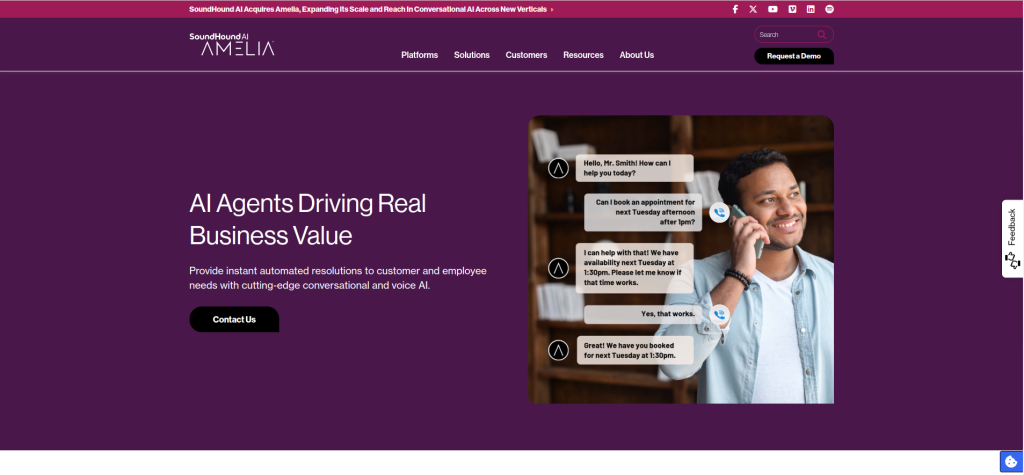
For Advanced Scheduling Solutions
Amelia is a robust scheduling plugin perfect for businesses that need a full-fledged booking system. It offers an elegant interface and powerful backend features.
Key Features
- Automated notifications and reminders.
- Syncs with Google Calendar for seamless management.
Pros
- Beautiful user interface.
- Supports multiple employees and services.
Cons
- Premium plans are pricey for smaller businesses.
2. Bookly
Versatile and Customizable
Bookly is a versatile plugin offering features for online bookings and appointments. It’s highly customizable and caters to a range of industries.
Key Features
- Mobile-friendly booking forms.
- Integration with payment gateways like PayPal.
Pros
- Easy to set up.
- Extensive add-ons for added functionality.
Cons
- Most advanced features require paid add-ons.
Also Read: 8 Best SMS Service WordPress Plugin 2024
3. Simply Schedule Appointments
Easy and Intuitive
As the name suggests, this plugin simplifies the scheduling process. It’s ideal for service-based businesses looking for quick and intuitive solutions.
Key Features
- Drag-and-drop scheduling.
- Flexible appointment types.
Pros
- User-friendly interface.
- Free version includes basic features.
Cons
- Limited customization in the free plan.
4. WP Simple Booking Calendar
Perfect for Calendar Displays
If you want a straightforward calendar to showcase your availability, WP Simple Booking Calendar is a top choice. It’s lightweight and easy to use.
Key Features
- Calendar-focused booking system.
- Customizable color-coded availability markers.
Pros
- Great for rental properties or event scheduling.
- Simple to use and fast to set up.
Cons
- Lacks advanced features like payment integration.
5. Calendly WordPress Plugin
The Power of Automation
Calendly’s WordPress plugin allows you to embed Calendly directly on your site. It’s perfect for professionals who need to sync their scheduling with other calendars.
Key Features
- Automatic time-zone detection.
- Integrates with Google, Outlook, and iCloud.
Pros
- Free version is powerful enough for most users.
- Easy embedding with shortcode.
Cons
- Limited design customization.
6. Booking Calendar
Tried and Tested
One of the oldest and most trusted plugins, Booking Calendar offers reliable appointment scheduling for WordPress websites.
Key Features
- Multiple booking forms and calendar layouts.
- Built-in anti-spam captcha.
Pros
- Great for managing multiple services.
- Highly customizable.
Cons
- Learning curve for beginners.
7. WPForms with Appointment Add-On
Best for Form-Based Booking
WPForms is a fantastic plugin for creating all kinds of forms, including scheduling forms with its appointment add-on.
Key Features
- Drag-and-drop form builder.
- Easy integration with third-party tools.
Pros
- Ideal for those already using WPForms.
- Highly customizable.
Cons
- Requires WPForms Pro for scheduling functionality.
8. Appointments+
Designed for Busy Businesses
Appointments+ by WPMU DEV is a premium solution for businesses needing an all-in-one scheduler with a sleek interface.
Key Features
- Supports recurring appointments.
- Multi-location and staff scheduling.
Pros
- Comprehensive features.
- Designed for scalability.
Cons
- Only available with a WPMU DEV membership.
Also Read: The 10 Best Booking Plugin WordPress
9. BirchPress Scheduler
High-End Functionality
BirchPress is known for its powerful features, including syncing with external calendars and integrating with payment gateways.
Key Features
- Embeddable booking forms.
- Email reminders and notifications.
Pros
- Robust features for enterprises.
- Seamless integration with calendars.
Cons
- Expensive for small businesses.
10. Appointy

A Cloud-Based Solution
Appointy’s WordPress plugin connects to its cloud-based service, providing advanced booking features without hogging website resources.
Key Features
- Built-in analytics and reporting tools.
- Social media booking capabilities.
Pros
- Scalable and versatile.
- Free plan available.
Cons
- Relies heavily on external servers.
Comparison Table: 10 Best WordPress Scheduling Plugin
| Plugin | Key Features | Pros | Cons |
|---|---|---|---|
| Amelia | Notifications, Google Calendar sync | Sleek interface | Pricey |
| Bookly | Payment integration, mobile-friendly | Easy to customize | Add-ons required for features |
| Simply Schedule Appointments | Drag-and-drop scheduler | User-friendly | Limited free options |
| WP Simple Booking Calendar | Lightweight, color-coded markers | Fast setup | Lacks advanced functionality |
| Calendly | Auto time-zone, integrations | Free and easy | Limited design control |
| Booking Calendar | Anti-spam, multiple layouts | Reliable and customizable | Steeper learning curve |
| WPForms (with add-on) | Drag-and-drop, third-party tools | Highly customizable forms | Requires Pro version |
| Appointments+ | Multi-location support, recurring | Scalable and sleek | Membership needed |
| BirchPress Scheduler | Calendar sync, payment gateways | Enterprise-level features | Expensive |
| Appointy | Analytics, social media bookings | Scalable and free plan available | External server dependency |
How to Pick the Best WordPress Scheduling Plugin
When choosing a plugin, consider the specific needs of your website:
- Budget: Free plugins like WP Simple Booking Calendar are great for small businesses, while BirchPress or Amelia cater to high-end needs.
- Ease of Use: Beginners should look for user-friendly tools like Simply Schedule Appointments.
- Customization: Tools like WPForms allow for extensive customization.

Final Thoughts
Scheduling doesn’t have to be a headache anymore! Whether you’re managing appointments, events, or class bookings, these 10 best WordPress scheduling plugin options have you covered. From the sleek simplicity of Calendly to the powerhouse features of Amelia, there’s a perfect fit for every business.
Interesting Reads:
10 Best LMS Plugin for WordPress