
Choosing the right WooCommerce Shipping Costs Plugins can make or break checkout conversions, impact customer satisfaction, and even influence repeat purchases. Shipping is one of the final touchpoints in the buyer journey — if rates feel too high or options are unclear, potential customers may abandon their cart.
On the other hand, accurate and transparent shipping costs can build trust, encourage larger orders, and streamline your operations. This guide breaks down ten top plugins, explaining what they do, how to set them up, their standout features, and realistic pricing. By the end, store owners will have the clarity to compare options side-by-side and select the plugin that aligns perfectly with their business goals, shipping strategy, and customer expectations.

Table of contents
- WooCommerce Shipping
- YITH Product Shipping for WooCommerce
- Flexible Shipping (WP Desk)
- Table Rate Shipping (WooCommerce / PluginHive variants)
- Weight-Based Shipping for WooCommerce
- ELEX Table Rate & Carrier Integrations
- Booster for WooCommerce (shipping modules)
- Easyship Integration
- ShipStation Integration for WooCommerce
- Advanced Flat Rate / Conditional Shipping
What is a WooCommerce shipping costs plugin?
A shipping costs plugin for WooCommerce extends the platform’s basic shipping methods by adding precise rate calculations, conditional rules, carrier integrations, or product-level fees. These plugins help automate checkout pricing so shipping is accurate, transparent, and scalable.
Some plugins provide live carrier rates (UPS/USPS/DHL), others use table-rate rules (weight, cart total, item count, shipping class), and a few add per-product or role-based surcharges. Picking the right category depends on store size, SKU mix, and how much manual adjustment is required.
Also Read: Best WooCommerce Tab Manager Plugins
How to use a WooCommerce Shipping Costs Plugin
1. Install the plugin from the WordPress plugin directory or upload the extension ZIP through Plugins → Add New.
2. Activate the plugin and go to WooCommerce → Settings → Shipping (or the plugin’s settings page) to configure zones.
3. Create shipping methods (table rates, weight brackets, or live-rate carriers) and assign them to shipping zones.
4. Test with multiple cart combinations — different weights, addresses, and products — to verify calculations.
5. Refine: add handling fees, free-shipping thresholds, or conditional visibility (e.g., hide expensive methods for certain roles).
Always test in sandbox mode (or with a staging site) before enabling live carrier APIs or printing labels. Keep documentation and support contacts handy — shipping logic and taxes can interact in unexpected ways.
1. WooCommerce Shipping

WooCommerce Shipping is the native shipping tool from WooCommerce (Automattic). It focuses on label printing, discounted carrier rates, and a streamlined fulfillment workflow inside the WooCommerce dashboard — ideal for stores that want built-in label generation and discounted domestic carrier pricing.
While not a full live-rates calculator for every carrier out of the box, it integrates cleanly with other official USPS/UPS/DHL extensions and can cut down time spent copying order data into label software. Best suited for merchants who want integrated label printing plus some built-in rate conveniences.
Key features:
- Print shipping labels inside the WooCommerce dashboard (USPS, UPS, DHL, depending on region).
- Discounted commercial rates and rate preview for supported carriers.
- Integrated fulfillment workflow and packing slips generation.
Pricing: Free core; paid carrier extensions.
2. YITH Product Shipping for WooCommerce
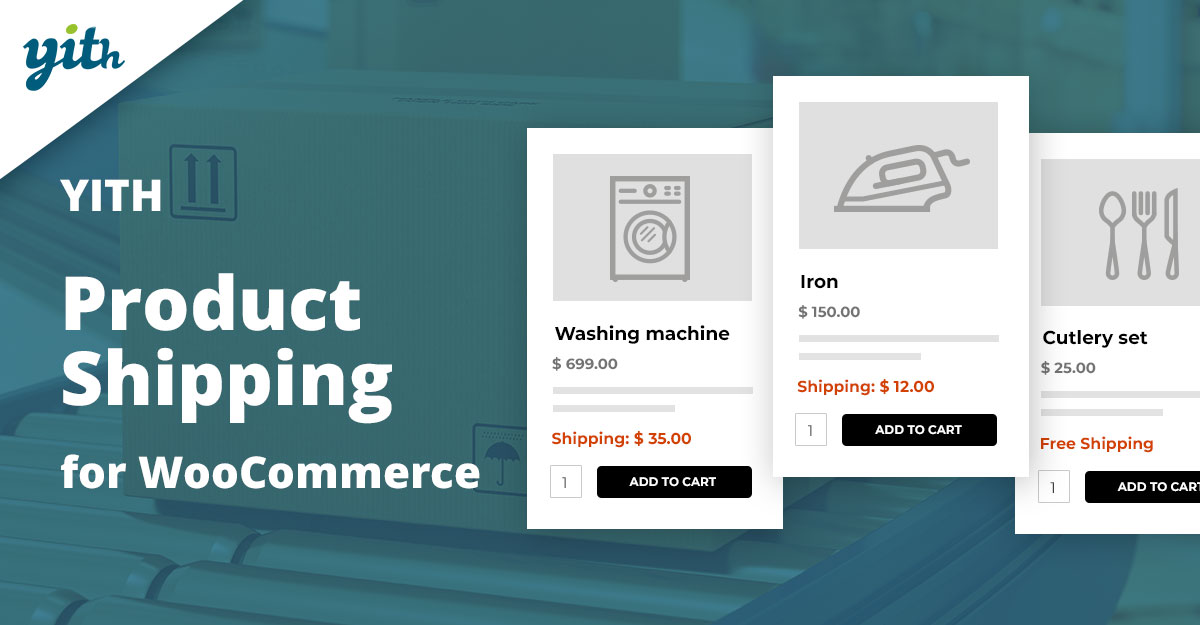
YITH Product Shipping focuses on per-product shipping rules and costs. Instead of calculating charges only at the order level, this plugin lets each product carry its own shipping fee logic — useful for marketplaces, heavy items, or stores with bulky SKUs that require specific handling fees.
The plugin supports creating product-level shipping rules by country, quantity, subtotal, categories, and more. It’s especially helpful when product shipping complexity is high but full carrier integration is not required.
Key features:
- Per-product shipping fees and product-specific shipping rules.
- Rules by country, quantity, cart total, categories, and user roles.
- Integration with YITH multi-vendor tools (if running a marketplace).
Pricing: Free; premium from YITH.
3. Flexible Shipping (WP Desk)
Flexible Shipping is a table-rate plugin that calculates costs by weight, cart total, quantity, and shipping classes. It’s one of the most-used table-rate solutions with an intuitive rules builder and a mature pro upgrade for advanced conditions.
The free edition covers many basic scenarios; the Pro add-on unlocks parcel packing support, live-rate integration, and more conditional rules. This is a common pick for stores that need rules-based shipping without writing custom code.
Key features:
- Create table-rate rules based on weight, subtotal, quantity, and shipping classes.
- Pro features: advanced conditions, parcel packing, and carrier integrations.
- Friendly UI for building multi-row rate tables for each zone.
Pricing: Free; PRO annual license.
4. Table Rate Shipping (WooCommerce / PluginHive variants)
Table rate is a category rather than a single product — there are official WooCommerce table-rate extensions and popular third-party versions (PluginHive, Octolize, etc.). These plugins let admins define ranges and corresponding shipping costs based on weight, price, quantity, shipping class, or destination.
Table-rate tools are indispensable for stores with many shipping rules. The official WooCommerce extension is simple and reliable; third-party versions can add advanced packing, multiple package support, and carrier integrations.
Key features:
- Multi-row table rules for granular control (weight/price/quantity ranges).
- Support for shipping classes and location-based rows (zip/city/state).
- Advanced versions include packing algorithms and multiple package support.
Pricing: From $99/year (official); varies for third-party.
Also Read: Best WooCommerce Delivery Date & Tracking Plugins
5. Weight-Based Shipping for WooCommerce
Weight shipping provides straightforward weight-tiered shipping rules for stores that price shipments primarily by weight. It’s a lightweight but flexible plugin for tiered rates, minimum/maximum weights, and mixed conditions.
This plugin is simple to configure and performs well for stores with clear weight-based pricing. For complex packing algorithms or live carrier rates, combine it with table-rate or carrier integrations.
Key features:
- Create tiered weight brackets with associated prices (e.g., 0–2kg = $5, 2–5kg = $9).
- Apply rules by shipping class, product, or cart subtotal.
- Free core version available in the WordPress.org repository.
Pricing: Free; pro add-ons optional.
6. ELEX Table Rate & Carrier Integrations
ELEX offers a family of shipping plugins: table-rate calculators plus dedicated carrier integrations (USPS, UPS, DHL). Their tools combine complex table-rate rules with live carrier rate display and packing methods, making them a good option when both rule-based rates and real-time carrier rates are needed.
ELEX plugins often include packing algorithms, postal-code-based overrides, and options to display multiple carrier services at checkout. This blended approach works well for stores that need both deterministic rules and live quotes.
Key features:
- Table-rate rule builder plus live-carrier integration (USPS, UPS, etc.).
- Packing algorithms and per-product overrides for accurate quotes.
- Flexible fallback rules and surcharge/discount options.
Pricing: $30–$129 per add-on.
7. Booster for WooCommerce
Booster is an all-in-one plugin suite that includes multiple shipping-related modules — per-product shipping fees, conditional free shipping, shipping label customizations, and more. It’s designed to replace many single-purpose plugins with one package of modular features.
For stores that want a central toolset (multiple small shipping tweaks and extras), Booster is economical. Instead of dozens of add-ons, enable only the shipping modules required and leave the rest dormant.
Key features:
- 19+ shipping modules including per-product shipping, hide/show shipping methods, and shipping fees.
- Global pricing, currency tools, and checkout customisations bundled together.
- Modular: enable only what’s needed to reduce bloat.
Pricing: Free; premium plans available.
Also Read: Best WooCommerce Customer Reviews Plugins
8. Easyship Integration
Easyship connects WooCommerce stores to a global network of couriers and returns partners and exposes live shipping rates at checkout. It’s optimized for cross-border merchants who need pre-calculated landed costs or regional courier selection.
The service often includes label printing, discounted rates, and options to show customers multiple shipping choices with estimated delivery times. Easyship suits stores selling internationally with complex customs or duties needs.
Key features:
- Live, multi-carrier rates and discounted shipping labels.
- International options: duties & taxes calculation and customs docs.
- Built-in fulfillment workflow and courier selection rules.
Pricing: Free tier; paid plans for scale.
9. ShipStation Integration for WooCommerce
ShipStation is a fulfillment and order management platform that connects to WooCommerce for live shipping rates, label printing, and order routing. The plugin integrates orders into ShipStation, where shipping rules and carrier contracts are applied.
This setup is ideal for merchants with significant fulfillment volume who want a centralized, multi-channel shipping workflow and prefer ShipStation’s GUI for rules, labels, and batch processing.
Key features:
- Sync orders to ShipStation for label creation and shipping automation.
- Supports many carriers, rate shopping, and batch label printing.
- Advanced routing, return labels, and multi-channel order management.
Pricing: Subscription; tiered monthly plans.
10. Advanced Flat Rate / Conditional Shipping
Advanced flat-rate or conditional shipping plugins let stores create multiple flat-rate methods with conditional visibility — e.g., Express shows only for specific zip codes or user roles. These plugins are useful when live rates are not necessary, but flexibility is required.
Many vendors offer such extensions (including official WooCommerce add-ons and third-party options). They are often cheaper than full carrier integrations while offering the control most stores need to fine-tune checkout choices.
Key features:
- Create multiple flat-rate shipping methods with conditional rules and cost add-ons.
- Options for free-shipping thresholds, per-class rates, and role-based visibility.
- Minimal overhead and easy fallback behavior when carriers are not used.
Pricing: Free; premium under $50/year.
Also Read: How to Let Customers Reorder Products Easily in WooCommerce
Quick comparison-features & pricing
| Plugin | Key Features | Pricing |
|---|---|---|
| WooCommerce Shipping | Label printing, carrier discounts, and fulfillment tools | Free core; paid carrier extensions |
| YITH Product Shipping | Product-level fees, country/qty rules, marketplace support | Free; premium from YITH |
| Flexible Shipping | Weight/total rules, PRO parcel packing, carrier add-ons | Free; PRO annual license |
| Table Rate (Woo/3rd-party) | Multi-row tables, packing, shipping classes | From $99/year; varies for 3rd-party |
| Weight-Based Shipping | Tiered rates, per-product rules, simple UI | Free; pro add-ons optional |
| ELEX plugins | Carrier rates, packing, and postcode overrides | $30–$129 per add-on |
| Booster for WooCommerce | Per-product fees, hide methods, and free shipping rules | Free; premium plans available |
| Easyship | Live multi-carrier rates, duties, labels | Free tier; paid for scale |
| ShipStation | Rate shopping, batch labels, and multi-channel orders | Subscription, tiered monthly |
| Advanced Flat Rate / Conditional | Conditional flat-rate methods, thresholds, and role-based | Free; premium under $50/year |

How to pick the right WooCommerce Shipping Costs Plugins
Match the plugin to business needs: use lightweight weight-based or flat-rate tools for predictable domestic shipping; choose table-rate or Flexible Shipping for complex rule-sets; pick ELEX/Easyship/ShipStation when live carrier rates, multi-carrier choices, and label printing are essential.
Always test settings with real cart combinations and a staging site. Keep an eye on plugin maintenance and support responsiveness — shipping errors directly impact customer experience and margins, so prioritize reliable updates and good documentation.
Interesting Reads:
Best WooCommerce Prepayment Plugins
How to Make Shipping Free After a Minimum Order Amount in WooCommerce