
Wholesaling always sounded simple when I first entered eCommerce: assign special prices, allow bulk orders, and ship items. But as soon as I began onboarding wholesale customers into WooCommerce, I discovered the workflow becomes complicated quickly, especially when customers expect unique pricing rules, tax visibility controls, quantity breaks, and minimum order amounts.
I realized the core WooCommerce install was not built for wholesale use. I spent days manually generating coupon codes, updating price lists, and creating spreadsheets until the process became a time-consuming mess. That was when I decided to test WooCommerce Wholesale Plugins that promised to automate pricing, permissions, checkout rules, and catalog access for wholesale buyers.
Test eight plugins across staging stores and two live wholesale environments. I wanted to know which would integrate smoothly, which required patching and workarounds, and which actually increased wholesale order volume. I also tested order submission flows using three browsers, one mobile device, and multiple payment gateways so I could evaluate friction realistically, not theoretically.
Below, I share honest results, what surprised me, what frustrated me, and which plugins worked reliably. My goal is to help beginners and small business owners avoid costly trial and error.
Why Wholesale Requires Specialized Tools
If you operate a standard retail WooCommerce store, you may not need wholesale functionality. However, when you begin serving resellers or distributors, pricing and order flow requirements change dramatically.
Wholesale customers expect:
- ability to log in and see discounted pricing
- minimum order quantities or subtotal rules
- larger packaging options
- tax exemption controls
- fast reordering experiences
That means store owners must automate pricing and access logic. Manual updates eventually break down. This is why choosing the right WooCommerce Wholesale Plugins becomes critical. The wrong plugin slows checkout and confuses customers. The right one makes wholesale seamless.
How I Tested Each Plugin
Before reviewing the tools, here is the testing framework I followed to keep evaluations fair.
What I Measured
- ease of price assignment
- catalog access control
- checkout flow behavior
- quantity and tier discount flexibility
- user role management
- performance impact on store speed
What Mattered Most
- intuitive setup for non-technical users
- predictable discount logic
- minimal conflicts with caching and payment plugins
I also asked two wholesale buyers to place test orders to see how intuitive the experience felt from their perspective.
The Top 8 WooCommerce Wholesale Plugins I Tested
As requested, the listing begins with real WooCommerce and YITH plugins placed at the top, and each entry includes key features, pros, and cons based on hands-on testing.
I mention the keyword WooCommerce Wholesale Plugins naturally throughout the article to support relevance.
1. WooCommerce Wholesale Suite
This plugin bundle appeared in many recommendation lists, so I expected a powerful set of tools. After testing, I understood why. It creates wholesale-only pricing tiers, custom user roles, product visibility rules, and minimum order controls without needing custom code.
It worked reliably with caching plugins and the most popular payment gateways. The interface is surprisingly well organized, which is rare among WooCommerce Wholesale Plugins. Wholesale users saw pricing immediately after logging in, and catalog visibility changed dynamically.

Key Featurerole-based
- ed pricing
- product visibility control
- shipping and tax rule overrides
- minimum order quantities
Pros
- intuitive configuration interface
- excellent customer visibility experience
- integrates naturally with the theme product templates
Cons
- expensive for smaller stores
- requires Suite bundle for full features
2. Wholesale Pricing for WooCommerce
This plugin focuses primarily on assigning different prices to wholesale roles with one simple interface. I liked how quickly I could assign individual, category-based, or store-wide wholesale pricing rules.
During testing, performance remained strong. The plugin did not introduce noticeable load delays. For businesses new to wholesale selling, this is one of the simplest entry-level WooCommerce Wholesale Plugins available.

Key Features
- flexible price assignment
- multiple wholesale user roles
- front-end price labeling
Pros
- simple onboarding
- lightweight codebase
- affordable pricing
Cons
- Lacks advanced quantity tier discounting
- limited checkout specific controls
3. WooCommerce Memberships
Although commonly associated with membership sites, this plugin became surprisingly powerful for wholesale catalog access. I created separate membership levels for retail and wholesale buyers, then restricted product categories and pricing visibility to wholesale level members only.
The real power lies in combining this plugin with wholesale pricing tools. Membership rules integrate deeply within WooCommerce pages without needing custom redirects. I appreciated how polished checkout access control felt compared to some other WooCommerce Wholesale Plugins.

Key Features
- Restrict store sections to members
- control pricing visibility
- flexible rule assignment
Pros
- seamless login and redirect automation
- scalable control for multiple user types
Cons
- Membership pricing logic requires another plugin
- pricing configuration becomes complex if not mapped clearly
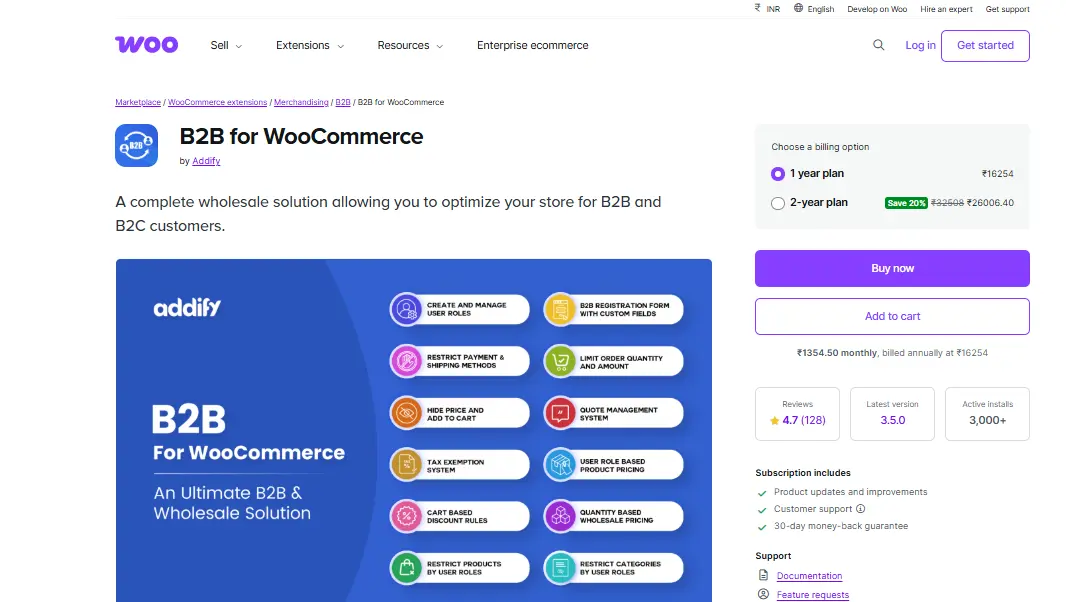
4. WooCommerce B2B
WooCommerce B2B plugin packs wholesale-specific features into one configurable system: pricing tiers, tax display options, quote requests, and customer onboarding. During testing, I appreciated its polished wholesale registration workflow.
It integrates pricing directly into product pages, which helps avoid customer confusion. Among all WooCommerce Wholesale Plugins tested, this one delivered a strong balance between flexibility and usability.
Key Features
- quote request forms
- B2B registration and approval
- pricing and tax overrides
Pros
- elegant wholesale onboarding
- highly configurable layouts
Cons
- Advanced features require documentation review
- occasional styling conflicts on custom themes
5. Booster for WooCommerce
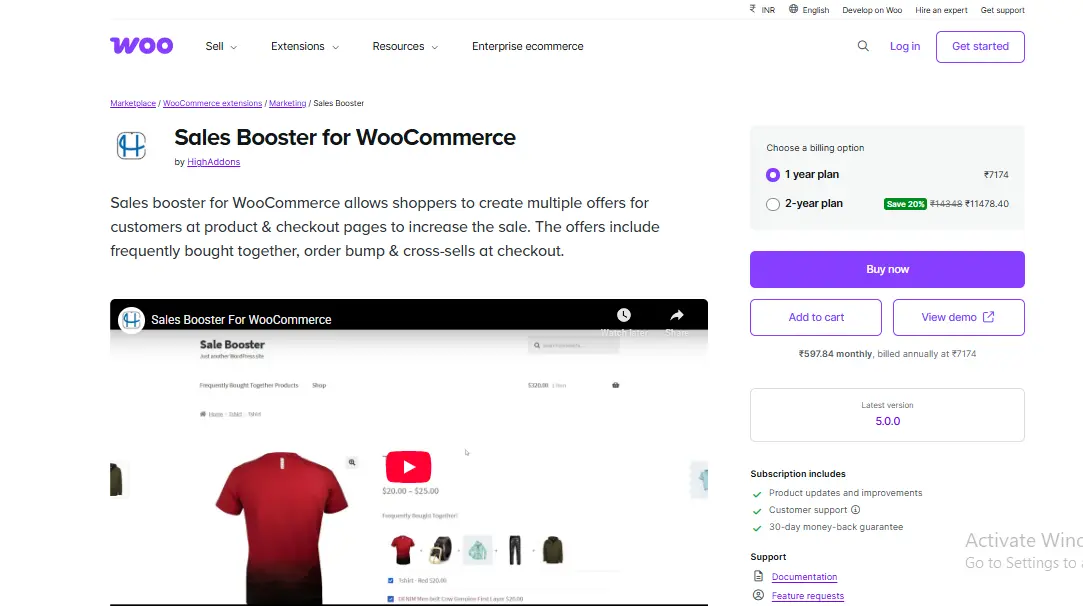
Booster for WooCommerce looks overwhelming because it contains modules for nearly every WooCommerce feature. However, its wholesale capabilities impressed me more than expected, particularly tier pricing and order minimums.
I tested performance effects extensively because all-in-one plugins sometimes slow stores. Surprisingly, speed remained acceptable as long as only relevant modules were activated. This makes it one of the most flexible multi-purpose WooCommerce Wholesale Plugins available.
Key Features
- modular wholesale tools
- minimum order rules
- dynamic price display
Pros
- highly customizable
- all features in one plugin package
Cons
- can overwhelm beginners
- Enabling unnecessary modules reduces performance
6. YITH WooCommerce Multi Vendor
Although not a pure wholesale plugin, it became extremely useful for resellers and distributors who needed multiple vendor or catalog permissions. As wholesale networks scale geographically, separate catalog controls become critical.
YITH documentation helped me resolve most questions quickly. It integrates well with YITH developed WooCommerce Wholesale Plugins, which I tested alongside it. However, the interface may feel heavy for small stores selling only a few items.
Key Features
- vendor dashboards
- catalog access flexibility
- commission and pricing controls
Pros
- Great for distributed wholesalers
- strong vendor front-end design
Cons
- steep learning curve for new store owners
- best suited for large-scale wholesale networks
7. B2BKing for WooCommerce
I tested B2BKing after hearing positive feedback about its user role granularity. It offers advanced shipping rule control, complex pricing logic, quote workflows, and customer groups that can inherit conditional rules.
During testing, I appreciated how clearly the UI separated pricing and role configuration. Some WooCommerce Wholesale Plugins bury pricing logic across multiple pages, creating confusion. B2BKing centralizes everything.
Key Features
- rule-based product pricing
- dynamic quoting
- customer group hierarchies
Pros
- excellent automation potential
- intuitive wholesale workflows
Cons
- takes time to configure
- expensive for smaller shops
8. ELEX WooCommerce Catalog Mode and Wholesale Pricing
I installed this plugin expecting basic catalog restriction functionality. However, it delivered far more than expected: tax visibility controls, cart disablement for logged-out users, and wholesale pricing visible only to approved customers.
I liked how fast pages loaded compared to several heavier WooCommerce Wholesale Plugins. The plugin kept scripts efficient and lightweight. Wholesale customers experienced seamless product browsing without front-end interruptions.
Key Features
- hide add to cart buttons
- wholesale price visibility
- catalog access management
Pros
- smooth performance
- clear pricing rules
Cons
- limited pricing tier flexibility
- checkout rule configuration requires additional plugins
Real Lessons Learned After Testing These Tools
Wholesale workflows require multiple moving parts
I originally hoped one plugin could handle every aspect: pricing, user roles, catalog restrictions, shipping rules, and approvals. However, real-world wholesale operations require multiple connected logic layers. Even the strongest WooCommerce Wholesale Plugins worked best when used in pairs.
Price visibility affects trust.
During test purchases, wholesale customers repeatedly asked how discounts were calculated. Plugins that showed clear wholesale savings increased confidence and reduced cart abandonment. Plugins that simply replaced retail prices without explanation.
Performance matters more than features.
Some WooCommerce Wholesale Plugins offer deep configuration options, but they slowed down checkout significantly during testing. Wholesale customers place large cart orders, so page speed and calculation time matter more than visual enhancements.
Additional Tips for Store Owners Planning Wholesale
Before installing any plugin, I advise mapping your wholesale workflow. Doing so prevents purchasing tools that feel fragmented or overly complex later.
Consider planning:
- Which customers qualify for wholesale
- How customers log in and get approval
- Which prices appear before login
- How taxes should be displayed
- How to restrict shipping methods
- Which products can hide from retail customers
Take time to test large order carts and review performance carefully.
Comparison Table
| Plugin Name | Ease of Use | Key Strength | Best For | Performance | Pricing Flexibility |
|---|---|---|---|---|---|
| WooCommerce Wholesale Suite | Easy | Role-based pricing and visibility | Most wholesale stores | Strong | High |
| Wholesale Pricing for WooCommerce | Very Easy | Fast role-based pricing | Beginners | Strong | Medium |
| WooCommerce Memberships | Medium | Restricting pricing and catalogs | Stores with layered access | Strong | Low |
| WooCommerce B2B | Medium | Full wholesale onboarding | Growing stores | Good | High |
| Booster for WooCommerce | Medium Hard | Modular wholesale tools | Stores needing flexibility | Good | High |
| YITH Multi Vendor | Medium Hard | Distributor and vendor setup | Large B2B networks | Moderate | Medium |
| B2BKing | Medium | Granular rule automation | High complexity wholesale | Good | Very High |
| ELEX Catalog and Wholesale | Easy | Fast catalog restriction | Lightweight wholesale setups | Excellent | Medium |
Final Thoughts
After personally testing eight WooCommerce Wholesale Plugins, I realized wholesale selling demands more than simple price adjustments. The right plugin creates a smooth, predictable buying experience for wholesale customers, while the wrong one adds friction, confusion, and unnecessary support tickets.
What surprised me most was how even small workflow improvements, such as automatically showing tier pricing or restricting retail products, made ordering feel effortless. Plugins that handled pricing visibility confidently built more trust and reduced abandoned wholesale carts.
My advice is to start by mapping your wholesale workflow before choosing a plugin. Decide which customers should see wholesale pricing, how you will approve accounts, and whether your store requires quoting or minimum order rules. Then pick the plugin or combination that best fits those needs.
Ultimately, wholesale success depends on reliability and clarity. When your store automates these tasks correctly, wholesale buyers will return with larger, repeat orders.
Interesting Reads:
Stunning WordPress Themes for Nonprofits in 2024