Badges and labels are small visual cues that guide shoppers and lift conversions — and the right WooCommerce Plugins Badge Management tools make creating, targeting, and scheduling those cues fast and reliable. This guide breaks down the top ten badge-management plugins, explains what badge management is, walks through a step-by-step setup, and compares features and pricing so a store owner can pick with confidence.

What is badge management for WooCommerce?
Badge management means creating, assigning, and controlling the little labels that appear on product images or listings — things like “New”, “Sale”, “Limited stock”, “Best seller”, or a custom promotion. A focused badge-management plugin centralizes badge creation, offers template libraries, provides conditional rules (by product, category, stock level, user role, or date), and ensures badges display consistently across archive and product pages.
These badges do two things: improve scannability for shoppers and create urgency or social proof when used correctly. Because different plugins approach visuals, conditions, and performance differently, the right choice depends on design needs, automation requirements, and the store’s budget.
Also Read: How to Set Up WooCommerce One Page Checkout
How to use a WooCommerce badge-management plugin
Most badge plugins follow a similar workflow. First, install and activate the plugin from the WordPress plugin screen or upload the ZIP. Then create a badge: choose a badge type (text, image, SVG, or GIF), set the text, color, size, and position, and optionally upload a badge image. After that, use the plugin’s conditions panel to target the badge — for example, show it on products in a specific category, on items on sale, or when stock drops below a number.
Finally, test on the front end across device sizes. Many plugins include a live preview and scheduling, so badges can be auto-enabled/disabled on campaign start/end dates. For best performance, enable caching-compatible settings and keep the number of overlapping badges minimal to avoid clutter.
Table of contents
- Product Badges For WooCommerce
- YITH WooCommerce Badge Management
- Product Badges (WooCommerce.com)
- Advanced Product Labels for WooCommerce (BeRocket/Woo)
- WPC Badge Management for WooCommerce
- Product Badge Manager For Woocommerce (WP Messiah)
- Advanced Woo Labels
- Product Labels For Woocommerce (ACOWEBS)
- Product Labels & Stickers for WooCommerce (Addify)
- Custom Product Labels & Badges (Codecanyon)
Top 10 WooCommerce plugins badge-management
Below are ten reliable options — a mix of free, freemium, and premium plugins. Each entry includes a short overview, key features, and pricing, so comparison is quick. Use the TOC to jump straight to any plugin.
1. Product Badges For WooCommerce

Product Badges For WooCommerce is a straightforward plugin that focuses on quick badge creation for the shop, category, and single product pages. The interface is built for speed: create a badge, choose placement and conditions, and preview on the fly. This plugin suits shops that want a simple, no-friction way to add classic “Sale”, “New”, or “Sold out” markers.
The free version covers most basics: position controls, text badges, and on/off rules by product or category. For retailers that need more pre-made badge designs or advanced triggers, pro upgrades add additional templates and dynamic options.
Key features:
- Easy UI for creating text and image badges
- Placement and visibility controls for grid and product pages
- Rules by product, category, or stock status
Pricing: Free plugin with paid pro upgrades available via the author on WordPress.org.
2. YITH WooCommerce Badge Management
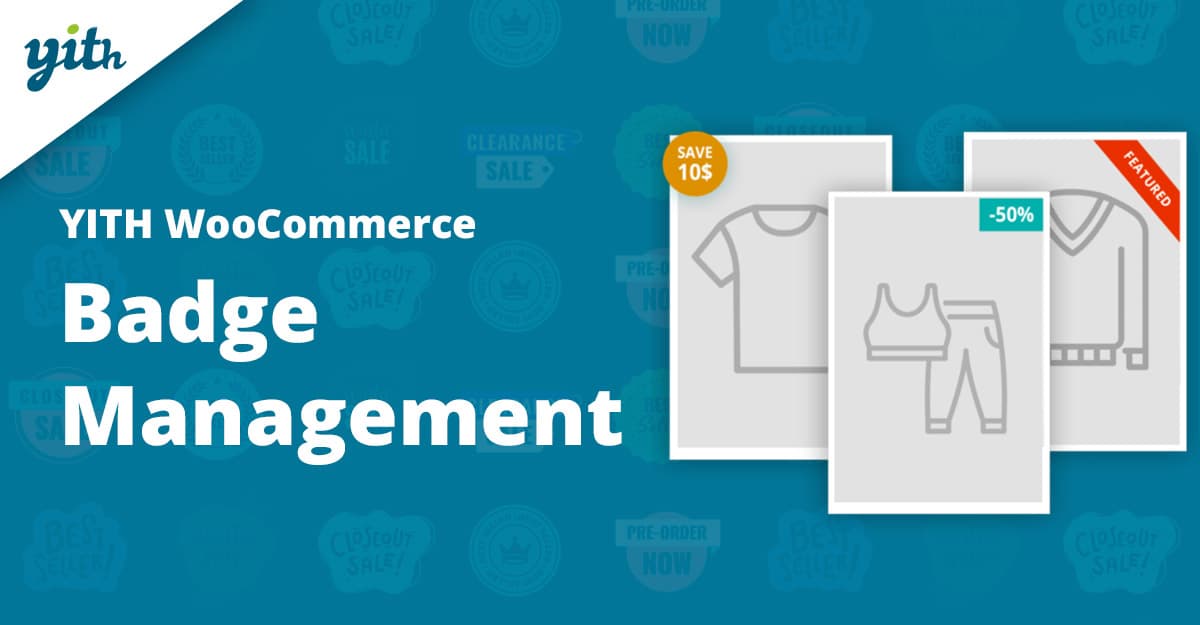
YITH WooCommerce Badge Management from YITH is a popular freemium option with a visual badge builder and a large library of premade badge graphics. It supports dynamic badges that calculate sale percentages, scheduled display windows, and custom image uploads — making it a flexible choice for stores running frequent promotions.
The plugin integrates nicely with other YITH tools (for example, dynamic pricing plugins), so badges can reflect applied discounts automatically. The premium version unlocks extra badge images, advanced display rules, and higher customization, like 3D rotation and opacity settings.
Key features:
- Visual badge builder with many pre-made images
- Dynamic discount badges (auto-calc % off)
- Scheduling, placement customization, and image upload
Pricing: Freemium. Premium license is typically sold annually through YITH — pricing varies by sale/offer, but the plugin is commonly available as a paid yearly plan.
3. Product Badges (WooCommerce.com extension)
The Product Badges extension on WooCommerce.com is a polished, official-feeling option for stores that prefer marketplace-vetted add-ons. It provides pre-made badges, custom badge creation, countdown timers, and conditional rules — all wrapped in an interface designed to match WooCommerce conventions. Useful for sites that want official support and frequent updates.
Because this extension comes from the official marketplace, the premium model is subscription-based and includes updates and WooCommerce support. It’s a good fit for shops requiring tight compatibility and a UX consistent with other WooCommerce extensions.
Key features:
- Pre-made and custom badges (text/image/code)
- Countdown and urgency badges
- Conditional display and brand-consistent UI
Pricing: Sold through WooCommerce.com as a paid extension (subscription model).
Also Read: Best WooCommerce Plugins Checkout Manager
4. Advanced Product Labels for WooCommerce (BeRocket / Woo extension)
Advanced Product Labels delivers robust conditional logic and variable-driven labels (for example, automatic insertion of sale percentage or days-since-release). This plugin is aimed at store owners who want precise control over when and where labels appear — including rules based on price ranges, bestseller status, product age, and stock thresholds.
The tool supports a variety of label types and has a live preview. Because of its rule system, it is especially powerful when running multiple concurrent campaigns (for example, a site-wide Black Friday badge plus a category-specific “Limited” label).
Key features:
- Advanced conditional rules (price, sales, stock, product age)
- Dynamic variables and automatic percentage badges
- Live preview and multi-badge support
Pricing: Available as a paid WooCommerce extension or via sellers like BeRocket; pricing is typically a one-year subscription on WooCommerce.com.
5. WPC Badge Management for WooCommerce
WPC Badge Management is a feature-rich plugin that provides custom shapes, icons, shortcodes, and flexible text/image badges. It emphasizes visual polish — multiple prebuilt shapes, icon support, and varied placement options make it easy to match brand style. The plugin receives frequent updates and is positioned as a versatile badge toolkit.
For stores wanting a strong visual presentation without custom CSS, this plugin is a good match. It offers conditions and shortcodes so badges can be reused across templates or triggered by custom hooks.
Key features:
- Custom images, icons, shapes, and text badges
- Shortcodes to re-use badges in templates
- Condition rules and responsive placement
Pricing: Free core plugin with premium features available from the author.
Also Read: How to Launch a Dropshipping Store with WooCommerce
6. Product Badge Manager For Woocommerce (WP Messiah)
Product Badge Manager offers unlimited badges and flexible assignment rules, including assignment by popularity, attribute terms, sale status, and scheduled time windows. It is designed to be highly configurable while keeping the workflow straightforward — useful for stores that run many different label-based campaigns.
The plugin also supports archive filtering using badges, which helps build curated lists (such as a “Staff Picks” archive). For merchants seeking a broad feature set in a single plugin, this is often a practical choice.
Key features:
- Unlimited badges with conditional assignment options
- Scheduling and stock/sale-based rules
- Archive filtering by badges
Pricing: Free version available on WordPress.org; premium add-ons or pro versions are offered by the developer.
7. Advanced Woo Labels
Advanced Woo Labels is a purpose-built plugin that focuses on dynamic content in labels such as discount amounts, rating values, or stock counts. It adds conditional display filters and many built-in templates to speed up label creation. The plugin is commonly recommended in roundups for stores that want dynamic, data-driven badges.
Labels can be set as global or product-specific, and the plugin supports multiple display rules simultaneously. It is a strong option where labels need to reflect changing product data without manual edits.
Key features:
- Dynamic label variables (discounts, stock, rating)
- Global plus per-product label control
- Template library and conditional rules
Pricing: Free on WordPress.org with premium upgrades available from the plugin author or marketplaces.
8. Product Labels For Woocommerce (ACOWEBS)
Product Labels for WooCommerce by ACOWEBS focuses on usability and pre-built badge packs — store owners can pick from commonly used badge styles and then tweak positions, sizes, and visibility. It supports replacing the default WooCommerce “On Sale” badge and can target labels by categories, tags, or specific product lists.
This plugin is ideal for retailers who want fast deployment with minimal configuration, while still having the option to expand to more advanced pro features later.
Key features:
- Predefined badge styles and live preview
- Replacement of default sale badges and conditional rules
- Pro pack with additional badges and advanced filters
Pricing: Free core plugin with a paid Pro upgrade from the plugin developer.
9. Product Labels & Stickers for WooCommerce (Addify)
Addify’s Product Labels & Stickers extension is a premium option that supports text, image, GIF, and SVG label types, plus a long list of display conditions, including user role and country — useful for stores running targeted regional promotions. The extension emphasizes flexibility (and includes SVG templates) and is sold on the official extension pages with a license that includes updates and support.
The extension offers position controls, date-based scheduling, and options to hide default WooCommerce badges. For stores needing advanced targeting and native WooCommerce compatibility, Addify’s product labels are a solid premium pick.
Key features:
- Text, image, GIF, and SVG labels
- Fine-grained conditional rules (user role, country, product attributes)
- Scheduling, opacity, and placement controls
Pricing: Paid plugin sold on Addify/WooCommerce channels; pricing commonly uses a yearly license model (example tiers shown in the summary table below).
10. Custom Product Labels & Badges (Codecanyon / premium marketplaces)
Several premium marketplace items (Codecanyon, etc.) bundle advanced label builders and extra UI controls in one-off purchases. These plugins often include multi-language support, animation options, global/single label modes, and both global and per-product label UIs. Marketplace plugins can be a cost-effective route for shops that prefer a single-purchase license.
The main trade-off is maintenance: marketplace items differ in update frequency and support quality. However, for unique or highly custom presentation needs, a premium marketplace label plugin can deliver specialized features that general-purpose plugins do not.
Key features:
- Rich UI builders, animations, and position presets
- One-off purchase licensing (often with optional extended support)
- Advanced conditions and multi-badge display
Pricing: Typically a one-time purchase (Codecanyon/marketplace) with optional paid support/updates; price depends on the specific item (check the marketplace listing).
Also Read: How to Add Order Tracking in WooCommerce
Pricing summary
Below is a compact pricing grid to compare typical cost models. Always confirm current prices on the plugin developer pages before purchase.
| Plugin | Pricing model | Typical starting price |
|---|---|---|
| Product Badges For WooCommerce | Free core; Pro add-on | Free / Pro from ~$20+ |
| YITH WooCommerce Badge Management | Freemium; yearly license | Paid plan annually (varies by promo) |
| Product Badges (WooCommerce.com) | Paid extension (subscription) | Official extension price (marketplace) |
| Advanced Product Labels | Paid extension / yearly | ~$49/year (example) |
| WPC Badge Management | Free core; premium features | Free / Pro from ~$25+ |
| Product Badge Manager (WP Messiah) | Free core; premium upgrades | Free / Pro from ~$20+ |
| Advanced Woo Labels | Free with paid extras | Free / Premium varies |
| Product Labels For Woocommerce (ACOWEBS) | Free core; Pro version | Free / Pro ~ $30+ |
| Product Labels & Stickers (Addify) | Paid extension; yearly license | ~$49/year (example) |
| Custom Product Labels & Badges (Codecanyon) | One-time marketplace purchase | One-time $9–$60+ depending on item |

How to pick the right WooCommerce Plugins Badge Management
Start by defining the must-haves: do badges need to be dynamic (auto calculate discounts), scheduled, or shown per user role/country? If the answer is yes, prefer plugins with advanced conditional logic (Advanced Product Labels, Addify, some YITH features). For simple needs — a few visual sales/new badges — a free plugin or lightweight paid add-on will do.
Consider maintenance and support: marketplace or WooCommerce.com extensions typically include formal support windows and frequent updates. Freemium plugins on WordPress.org are often excellent, but verify the last update date and support responsiveness.
Interesting Reads:
Best WooCommerce Plugins Coupon Email System