Why WooCommerce Auctions Are Harder Than They Appear
At first glance, auctions seem simple: users place bids, the highest bidder wins, and payment follows. In reality, auctions combine timing logic, concurrency control, user notifications, and checkout automation. During testing, I found that even plugins with attractive interfaces struggled under pressure.
What truly separates reliable WooCommerce Auctions Plugins from risky ones is how they handle edge cases. Last-minute bids must register accurately. Auction end times must be precise. Notifications must fire instantly. If any of these fail, the auction experience collapses.
That is why stability mattered more to me than design polish or feature volume.
How I Personally Tested These WooCommerce Auctions Plugins
To ensure fair comparisons, I tested every plugin under the same conditions. I used identical hosting, the same WooCommerce setup, and similar auction products. I also tested from both admin and bidder perspectives.
My testing process included:
- Creating simultaneous auctions with overlapping end times
- Simulating aggressive last-second bidding
- Testing anti-sniping extensions
- Checking winner emails, invoices, and checkout flow
- Evaluating mobile bidding usability
Only plugins that handled these scenarios consistently earned a spot on this list of WooCommerce Auctions Plugins.
1. WooCommerce Simple Auctions – The Most Trustworthy Option I Tested
After testing all eight tools, this plugin repeatedly proved itself as the most dependable. It integrates seamlessly with WooCommerce, and everything—from bid placement to auction closure—behaved predictably.
What impressed me most was its anti-sniping logic. I intentionally placed bids in the final seconds of multiple auctions, and the time-extension feature worked flawlessly every time. Auction results were accurate, and winner notifications arrived immediately.
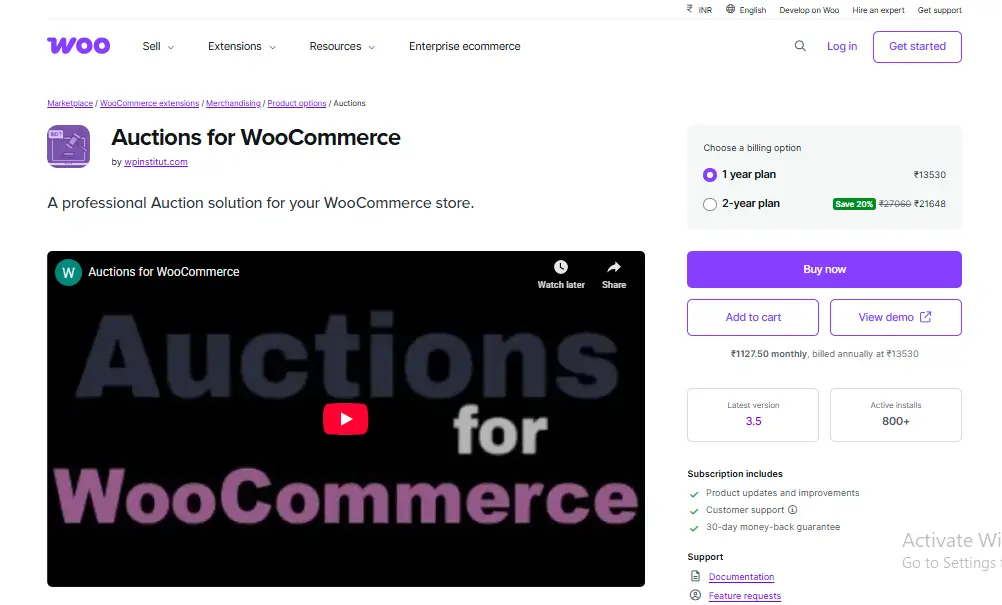
Key Features
- Standard and reverse auctions
- Anti-sniping with configurable extensions
- Automatic relisting of unsold items
- Native WooCommerce checkout
Pros
- Extremely stable under load
- Clean, intuitive admin interface
- Suitable for high-traffic auctions
Cons
- Premium pricing
- Limited visual customization
If auctions are a serious revenue channel for you, this is still the safest choice among WooCommerce Auctions Plugins.
2. YITH WooCommerce Auctions – Best Entry Point for Beginners
I have tested many tools from YITH, and this one clearly prioritizes usability. The setup was straightforward, the settings were clearly explained, and I was able to launch my first auction quickly.
During testing, bidding felt smooth and intuitive for users. Notifications worked reliably, and the optional “Buy Now” feature helped bridge the gap between auctions and fixed pricing. While it lacks advanced bidding logic, it covers what most beginners actually need.

Key Features
- Easy auction product setup
- Email notifications for bids and wins
- Buy Now option
- User bidding history
Pros
- Beginner-friendly design
- Clean documentation
- Low learning curve
Cons
- Limited advanced auction rules
- Less flexible than premium competitors
For first-time users exploring WooCommerce Auctions Plugins, this is one of the safest starting points.
3. Ultimate WooCommerce Auction – Powerful but Requires Careful Setup
This plugin offers a wide range of auction features, and my testing confirmed its flexibility. I tested proxy bidding, bid increments, and concurrent auctions, and the plugin handled them well—once configured correctly.
However, configuration is not instant. Some settings require understanding auction mechanics to avoid mistakes. Once tuned properly, though, performance was solid and reliable.
Key Features
- Proxy bidding
- Anti-sniping rules
- Multiple auction formats
- Automatic relisting
Pros
- Highly customizable
- Good value for money
- Active development
Cons
- Steeper learning curve
- Interface feels dated
It is a strong option for store owners who want control over their WooCommerce Auctions Plugins and are willing to invest time in setup.
4. WP Auctions for WooCommerce – Simple and Lightweight
This plugin does not try to compete on features—and that is its strength. I tested it for straightforward auctions with minimal configuration, and it delivered consistent results.
Admin management is simple, and bidders face little friction. However, advanced auction strategies may feel restricted.
Key Features
- Basic auction functionality
- Simple bidding interface
- WooCommerce payment integration
Pros
- Lightweight and fast
- Easy to manage
- Low system overhead
Cons
- Limited advanced options
- Minimal customization
For small shops experimenting with WooCommerce Auctions Plugins, this is a practical option.
5. Auction Plugin for WooCommerce by WP Swings – Balanced and Dependable
This plugin sits comfortably in the middle of the spectrum. It offers enough flexibility for serious use while remaining manageable for non-technical users.
During testing, anti-sniping worked reliably, and bidder notifications were consistent. While the UI could be cleaner, functionality held up well.
Key Features
- Auction scheduling
- Anti-sniping configuration
- Bid increments
- Automatic emails
Pros
- Balanced feature set
- Reasonable pricing
- Suitable for growing stores
Cons
- UI could be more polished
- Fewer integrations
It earns its place among dependable WooCommerce Auctions Plugins.
6. Simple WooCommerce Auction by Webkul – Built for Scale
This plugin feels enterprise-oriented. I tested it with multiple auctions and heavy bid traffic, and it performed without issues.
That said, setup is more technical. Beginners may struggle initially, but experienced users will appreciate its stability.
Key Features
- Advanced auction rules
- High-traffic performance
- Multi-auction management
Pros
- Very stable
- Handles scale well
- Strong support
Cons
- Complex configuration
- Higher cost
This is best suited for experienced users managing high-volume WooCommerce Auctions Plugins.
7. Product Auction for WooCommerce – Budget-Friendly Simplicity
This plugin focuses on affordability. I tested it for basic auction scenarios, and it performed adequately when expectations were realistic.
It is not built for aggressive bidding wars, but for occasional auctions; it does the job.
Key Features
- Standard auctions
- Basic notifications
- WooCommerce checkout
Pros
- Affordable
- Easy to use
Cons
- Limited features
- Not ideal for high traffic
It fits entry-level WooCommerce Auctions Plugins use cases.
8. Auction Nudge + WooCommerce – A Supporting Tool, Not a Core Engine
Auction Nudge is best used alongside another auction plugin. It focuses on displaying auction listings rather than managing the entire auction lifecycle.
I found it useful for visibility and engagement, but not as a standalone solution.
Key Features
- Auction widgets
- External auction display
Pros
- Boosts visibility
- Easy to integrate
Cons
- Not a full auction system
- Limited control
It complements—but does not replace—core WooCommerce Auctions Plugins.
Lessons I Learned From Real Auction Testing
The biggest lesson was that accuracy beats aesthetics. A visually impressive plugin that mishandles bids is worse than a plain one that works reliably.
Another key insight: notifications are critical. Even the best WooCommerce Auctions Plugins fail if bidders are not informed instantly.
Common Beginner Mistakes With Auction Plugins
Most beginners do not test auctions from a bidder’s perspective. They focus on admin success and overlook user experience.
Always test on mobile. Auctions thrive on impulse, and mobile usability matters.
Choosing the Right Auction Plugin for 2026
Your choice should depend on auction volume and risk tolerance. If auctions are central to revenue, invest in stability. If they are experimental, start simple.
The right WooCommerce Auctions Plugins support your business model—not the other way around.
Comparison Table: Best WooCommerce Auctions Plugins (2026)
| Plugin Name | Best For | Ease of Use | Flexibility | Price |
|---|---|---|---|---|
| WooCommerce Simple Auctions | Serious auction stores | Medium | High | Premium |
| YITH WooCommerce Auctions | Beginners | Easy | Medium | Mid |
| Ultimate WooCommerce Auction | Advanced users | Medium–Hard | High | Mid |
| WP Auctions | Simple auctions | Easy | Low | Low |
| WP Swings Auction | Balanced needs | Medium | Medium | Mid |
| Webkul Auction | High traffic | Hard | High | Premium |
| Product Auction | Budget use | Easy | Low | Low |
| Auction Nudge | Supplementary | Easy | Low | Low |

Final Thoughts: My Extended, Honest Recommendation
After testing all eight plugins in real auction scenarios, my conclusion is clear: auctions are not an area where you should cut corners. The difference between a stable auction and a broken one is not subtle—it directly affects trust, engagement, and revenue.
If auctions are a core part of your store, WooCommerce Simple Auctions remains the most reliable option I tested. It handled pressure, timing, and user behavior consistently. For beginners, YITH WooCommerce Auctions provides a far gentler learning curve without sacrificing essential reliability. Advanced users running high-traffic auctions should seriously consider Webkul or Ultimate WooCommerce Auction, provided they are comfortable with configuration.
What matters most is alignment. Choose a plugin that matches your auction volume, technical comfort, and customer expectations. The best WooCommerce Auctions Plugins are not the most feature-packed—they are the ones that stay accurate, predictable, and stress-free when bidding intensity rises.
Interesting Reads:
10 Ways to Enhance User Adoption of Your Learning Management System