Abandoned carts are among the biggest challenges faced by WooCommerce store owners. Customers often add items to their cart, show buying intent, but then leave without completing the purchase. While it can feel discouraging, the good news is that these “almost sales” are not lost forever. With the right strategies, you can recover abandoned WooCommerce carts with Email, SMS & Facebook Messages and turn potential losses into increased revenue.
This blog post explores what cart abandonment is, why it happens, and how you can leverage different communication channels to recover those missed opportunities. We will also guide you through a step-by-step setup using the Woo Abandoned Cart Recovery plugin.

What is Cart Abandonment in WooCommerce?
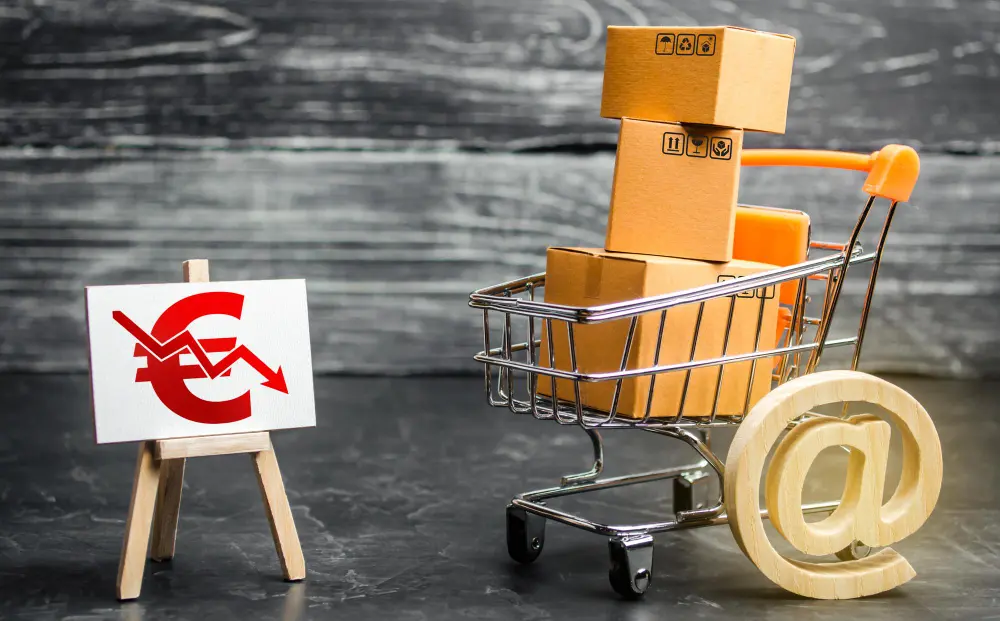
Cart abandonment occurs when a customer selects products, adds them to the shopping cart, but leaves the website without completing the checkout process. This behavior is extremely common in eCommerce. Statistics show that nearly 70% of online shopping carts are abandoned before purchase.
For WooCommerce store owners, this means lost revenue and wasted marketing spend. However, abandoned carts also represent an opportunity. The customer has already shown interest in your product. With the right nudges through Email, SMS, and Facebook messages, you can encourage them to complete their purchase. This is where learning to recover abandoned WooCommerce carts with Email, SMS & Facebook Messages becomes essential.
Why Do Shoppers Abandon Their Carts?
Understanding why shoppers abandon carts is the first step toward solving the issue. Several factors can push customers away, including hidden costs, complicated checkout processes, and concerns about payment security.
Other common reasons include:
- Unexpected shipping fees
- Lack of payment options
- The need to create an account before checkout
- Slow website performance
- Simply browsing with no immediate buying intent
By addressing these issues and combining them with follow-up strategies, you can reduce abandonment rates significantly. Even when some customers leave, implementing recovery tactics allows you to recover abandoned WooCommerce carts with Email, SMS & Facebook Messages effectively.
Why Recovery Campaigns Matter
Recovery campaigns are more than just a way to boost sales. They help you reconnect with customers, build trust, and increase long-term loyalty. By reminding customers of what they left behind, you reignite their interest and create another chance to convert them.
Moreover, these campaigns ensure that your marketing efforts don’t go to waste. You’ve already invested time and resources to bring a customer to your site. Spending a little more effort to recover the cart often costs less than acquiring a new customer. That’s why every WooCommerce store should have a clear plan to recover abandoned WooCommerce carts with Email, SMS & Facebook Messages.
How to Recover Abandoned WooCommerce Carts with Email
Email is the most widely used and effective channel for cart recovery. Customers expect communication from brands via email, making it a trusted option. When someone abandons their cart, a well-timed reminder can bring them back.
Here’s how to maximize email recovery:
- Timing is everything: Send the first reminder within an hour of abandonment. Follow up with another email after 24 hours, and a final one within 3 days.
- Personalization matters: Use the customer’s name, show product images, and highlight what they’re missing out on.
- Offer incentives: A discount code or free shipping can motivate hesitant buyers to finalize the purchase.
By combining these techniques, your emails can become powerful tools to recover abandoned WooCommerce carts with Email, SMS & Facebook Messages.
How to Recover Abandoned WooCommerce Carts with SMS
SMS marketing has incredibly high open rates—often above 90%. That makes it an excellent channel to grab your customer’s attention instantly. When you send a text reminder about their abandoned cart, chances are they’ll read it within minutes.
Tips for SMS recovery include:
- Keep it short and clear: Customers prefer concise messages.
- Add urgency: Highlight limited stock or a time-sensitive discount.
- Include a direct link: Make sure the SMS contains a clickable link that leads directly back to the cart.
Integrating SMS into your recovery campaigns ensures that you can recover abandoned WooCommerce carts with Email, SMS & Facebook Messages even when customers don’t check their emails frequently.
How to Recover Abandoned WooCommerce Carts with Facebook Messages
Facebook Messenger is another effective recovery channel because it combines personalization with real-time interaction. Many customers are active on social media throughout the day, so reaching them via Messenger can feel more natural.
To succeed with Messenger recovery:
- Use friendly language: Make the message feel conversational rather than robotic.
- Show product images: Visual reminders of what the customer left behind are powerful motivators.
- Offer support: Sometimes customers abandon carts due to confusion. A Messenger reminder can include quick assistance.
Adding Messenger to your strategy provides another way to recover abandoned WooCommerce carts with Email, SMS & Facebook Messages and boost your overall recovery rate.
Combining Email, SMS & Facebook for Maximum Impact
While each channel works well individually, combining them creates a robust multi-channel recovery strategy. Customers may ignore an email but respond to a text or Messenger notification. The key is to create a balanced sequence that avoids overwhelming them.
For example:
- Send the first reminder via email.
- Follow up with an SMS if there’s no response.
- Use Facebook Messenger as a final gentle nudge.
This sequence ensures that you cover all bases and maximize your chances to recover abandoned WooCommerce carts with Email, SMS & Facebook Messages.
Step-by-Step Guide: Using the Woo Abandoned Cart Recovery Plugin
The Woo Abandoned Cart Recovery plugin is one of the most effective tools to automate recovery campaigns. Here’s how to set it up:
- Install and activate the plugin from your WordPress dashboard.
- Navigate to the settings panel under WooCommerce > Abandoned Carts.
- Enable email recovery and customize your email templates with product details and branding.
- Activate SMS recovery by entering your SMS gateway details.
- Connect Facebook Messenger through the plugin’s integration options.
- Set reminder timings (e.g., 1 hour, 24 hours, and 3 days after abandonment).
- Test your messages to ensure proper formatting and links.
- Review analytics inside the plugin dashboard to track recovered carts.
By following these steps, you can easily automate the process to recover abandoned WooCommerce carts with Email, SMS & Facebook Messages without manual effort.
Creative Ways to Optimize Recovery Campaigns
Even with automation, creativity plays a big role in success. To make your campaigns stand out:
- Add product scarcity indicators (“Only 3 left in stock”).
- Use humor in your copy to make reminders more engaging.
- Segment your customers and personalize incentives based on behavior.
- Test different subject lines, SMS tones, and Messenger templates.
With continuous optimization, your recovery campaigns will grow stronger over time and help you consistently recover abandoned WooCommerce carts with Email, SMS & Facebook Messages.
Overcoming Common Challenges in Cart Recovery
Some store owners worry about over-messaging their customers. This is a valid concern, but it can be solved by spacing out reminders and respecting customer preferences. Always include an opt-out option in your SMS and Messenger campaigns.
Another challenge is the technical setup. Thankfully, plugins like Woo Abandoned Cart Recovery simplify the process. By using automation, you can focus on strategy instead of manual follow-ups. With a thoughtful approach, you’ll be able to recover abandoned WooCommerce carts with Email, SMS & Facebook Messages without frustrating your audience.
Measuring the Success of Your Recovery Campaigns
Tracking results is essential to understanding what’s working and where improvements are needed. Metrics to monitor include:
- Recovery rate (percentage of carts recovered)
- Total revenue recovered
- Open and click-through rates for emails and SMS
- Customer feedback on reminders
These insights will help you fine-tune your campaigns. Over time, you’ll see steady improvements in your ability to recover abandoned WooCommerce carts with Email, SMS & Facebook Messages.

Final Thoughts: Stop Letting Sales Slip Away
Cart abandonment doesn’t have to mean lost revenue. With a strong strategy that uses email, SMS, and Facebook Messenger, you can recover a significant portion of those lost sales. The Woo Abandoned Cart Recovery plugin makes this process seamless, automating your reminders and boosting conversions.
By taking action now, you can transform abandoned carts into loyal customers. Don’t let those almost-sales go to waste—start implementing these strategies today to recover abandoned WooCommerce carts with Email, SMS & Facebook Messages.
Interesting Reads:
How to Send Personalized Subscription Renewal Reminder Emails in WooCommerce
Can I use Square with WooCommerce?
How to Automate Inventory Management Between WooCommerce and Lightspeed POS