Looking to boost conversions, grow your email list, and keep customers engaged in your WooCommerce store? You’re in the right place. In this guide, we’ll explore the 10 Best WooCommerce Pop‑up Plugins that can help you capture leads, promote offers, and reduce cart abandonment — all without overwhelming your visitors. Pop‑ups, when used strategically, can be a powerful sales and marketing tool rather than an annoyance. We’ll start by breaking down what a WooCommerce pop‑up plugin is and why it matters for your business, followed by a step‑by‑step guide on how to use one effectively.
Then, we’ll dive into our top plugin recommendations — starting with All‑in‑One Popup for WooCommerce and YITH WooCommerce Popup, plus eight more hand‑picked options to suit different needs and budgets. Whether you’re after advanced targeting features, easy customization, or budget‑friendly solutions, this list has something for you.

Table of Contents
List of 10 Best WooCommerce Pop‑up Plugins
What is a WooCommerce Pop‑up Plugin?
A WooCommerce Pop‑up Plugin is a WordPress extension that enables your online store to display modal pop‑ups for promotions, cart‑related messages, email capture forms, exit‑intent offers, and more. These plugins are designed to enhance marketing, reduce cart abandonment, and engage visitors at strategic moments.
Such pop‑ups can be triggered based on cart value, user behavior (like exit intent or scroll), first‑time visitor status, or product page visits. They integrate with WooCommerce and often with email tools, allowing you to run targeted campaigns seamlessly.
How to Use a WooCommerce Pop‑up Plugin
Here’s a simple step‑by‑step guide to using a WooCommerce pop‑up plugin effectively:
- Install and activate the plugin via the WordPress dashboard (or upload the premium plugin file).
- Navigate to the plugin’s menu (often under WooCommerce or Marketing) and click “Add New” or “Create Popup”.
- Choose a template or start from scratch in the visual editor.
- Configure trigger rules: e.g., time delay, exit intent, page scroll, cart value thresholds, or first-time visit.
- Define targeting audience: returning customers, non-logged-in visitors, cart abandoners, etc.
- Preview on desktop and mobile; test behavior across scenarios.
- Publish the pop‑up and monitor results via built‑in analytics or Google Analytics integrations.
- Adjust timing, copy, or targeting based on performance data.
This process ensures that you set up pop‑ups that follow Google’s interstitial guidelines (e.g., not intrusive on mobile) and deliver authentic value without annoying users.
List of 10 Best WooCommerce Pop‑up Plugins
Here’s a curated list of the top 10 WooCommerce Pop‑up Plugins for 2025, each offering unique features and tailored for different goals:
1. All‑in‑One Popup for WooCommerce
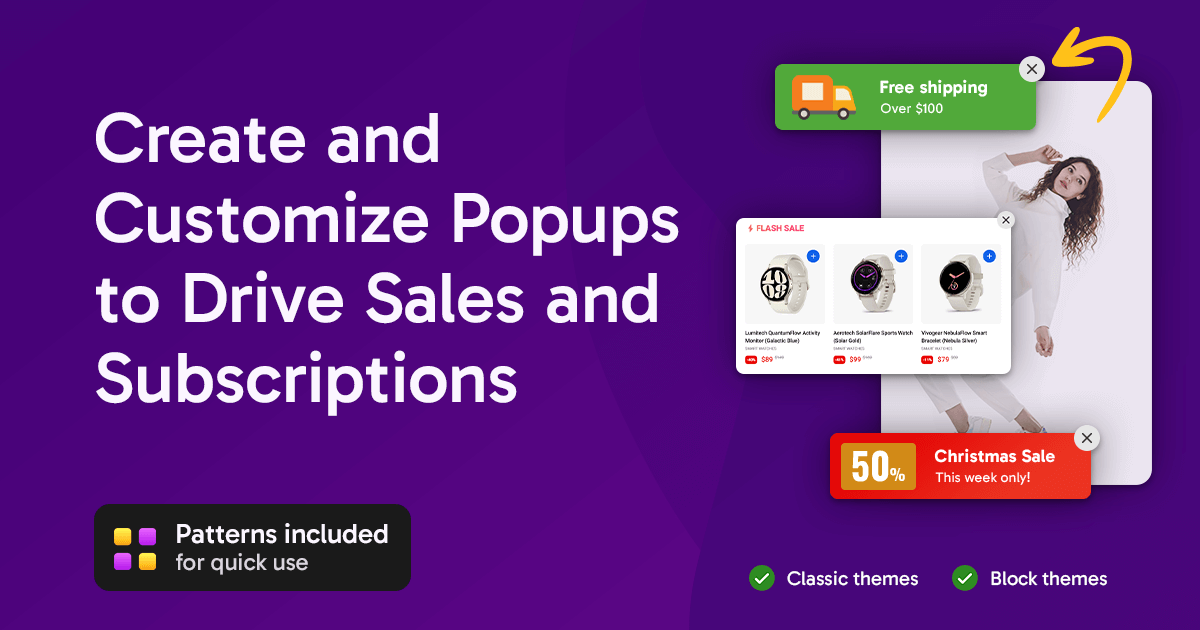
As an official WooCommerce extension, All‑in‑One Popup for WooCommerce integrates seamlessly with your store and other WooCommerce extensions. It’s designed to handle everything from exit‑intent offers to cart‑value triggers and email capture campaigns
The interface is block‑based and works with both classic and block themes, offering templates and pattern blocks to design beautiful pop‑ups quickly. You can target logged‑in or guest users, specific products, or cart values, and schedule campaigns easily.
Key Features:
- Exit‑intent
- Cart‑value conditions
- Templates, responsive
- Frequency control
Pricing: ~ US$49/year for a single site license, 30‑day refund policy
2. YITH WooCommerce Popup

YITH WooCommerce Popup is a highly customizable plugin with a drag‑and‑drop visual editor. You can control when and where pop‑ups appear, including based on login status, page type, or time delays
It integrates well with other YITH plugins, like wishlist or coupon tools, making it a smart choice for store setups already using that ecosystem. Campaign targeting is flexible, and you can show promos or newsletter sign‑ups tailored to user behavior.
Key Features:
- Visual editor
- Conditional triggers
- Login or guest targeting
- YITH plugin integrations
Pricing: Free version available; Premium from ~€59.99/year (~US $65)
3. OptinMonster
OptinMonster is one of the most powerful lead‑generation tools available—ideal for WooCommerce stores wanting advanced targeting, A/B testing, and multiple popup types like lightboxes, floating bars, slide‑ins, and fullscreen mats.
It includes exit intent, geo‑targeting, page‑level targeting, and behavior automation. Its analytics dashboard helps optimize campaigns. It’s platform‑agnostic, but integrates easily with WooCommerce via embed.
Key Features:
- Exit‑intent
- Drag-and-drop builder
- A/B testing, advanced targeting
- Multi‑format pop‑ups
Pricing: Starts around US $9/month when billed annually (~US $99/year)
4. Popup Maker
Popup Maker is a free yet flexible plugin, ideal for tech‑savvy users wanting full control over popup types and triggers. It supports product‑specific offers, event‑based rules (click, scroll, timed), and works seamlessly with WooCommerce
The premium version adds deep targeting rules, advanced integration, and analytics. It’s versatile and suitable for developers or store owners who customize pop‑ups heavily.
Key Features:
- Event-based triggers
- Deep targeting rules
- WooCommerce integration
- Developer‑friendly flexibility
Pricing: Free core plugin; Premium from ~ US$87/year
5. Popup Builder
Popup Builder offers a user‑friendly builder that supports images, HTML, shortcodes, and even video in pop‑ups. It comes with WooCommerce‐specific add‑ons to trigger pop‑ups on add‑to‑cart or checkout pages.
A solid choice for small shops wanting multi‑media pop‑ups without coding. With click or hover triggers, it can deliver promotional messages, product recommendations, or discount codes.
Key Features:
- Multi‑content support (video, image, HTML)
- WooCommerce add‑on
- Click/scroll triggers
Pricing: Free plugin; paid addons from ~ US$49.95/year
6. Elementor Popup Builder
If your store uses Elementor, the built‑in Elementor Popup Builder is an excellent choice. You can design pop‑ups using Elementor templates and widgets, including product grids or dynamic WooCommerce content
It offers full design control and works with all WooCommerce product data, creating seamless branding and targeting experiences based on page or category.
Key Features:
- Full Elementor design experience
- Dynamic WooCommerce integration
- Advanced display conditions
Pricing: Requires Elementor Pro ~ US$59/year
7. SUMO WooCommerce Popup
SUMO WooCommerce Popup plugin (by SUMO) is tailored for basic cart recovery or email capture campaigns. It integrates with WooCommerce to trigger pop‑ups on cart abandonment events or specific cart values.
While simpler than others, it’s lightweight and effective for small stores seeking basic pop‑up features with minimal setup.
Key Features:
- Cart-value triggers
- Email capture
- Simple targeting
Pricing: Free with optional premium features (pricing varies)
Also Read:Best WooCommerce Third‑party Data Integration Plugins
8. MailPoet WooCommerce Pop‑ups
MailPoet offers built‑in pop‑ups that tie directly into its email marketing platform. This plugin allows creating subscription pop‑ups and newsletter forms, directly populating your MailPoet lists
It’s ideal if you’re using MailPoet already, offering seamless integration and automated follow‑ups without needing separate mailing tools.
Key Features:
- Email capture pop‑ups
- MailPoet list sync
- Simple design
Pricing: Free version available; Premium with hosting plan or plugin costs
9. Ninja Popups for WooCommerce
Ninja Popups offers a premium pop‑up builder with dozens of templates, effects, and pop‑up types. It supports WooCommerce triggers like add‑to‑cart, checkout, or inactivity.
It’s heavy on visuals and design effects—good for stores wanting eye‑catching campaigns like flash sales or timed discount windows.
Key Features:
- Rich templates
- Visual effects
- Add‑to‑cart and checkout triggers
Pricing: Typically one‑time fee of around US$25‑30 via CodeCanyon
Also Read:Best WooCommerce Notifications & Automatic Emails Plugins
10. TrustPulse
TrustPulse is a social‑proof pop‑up system that displays notification pop‑ups showing live recent purchases or signups. It’s ideal for WooCommerce to build urgency and FOMO around real transactions.
Because it loads content asynchronously from the cloud, it doesn’t impact site speed, making it a good choice for performance‑sensitive stores.
Key Features:
- Real‑time notifications
- FOMO messaging
- Low performance impact
Pricing: Free for up to 500 sessions/month; from ~ US$5 $5/month thereafter

In a Nutshell
Choosing the right plugin depends on your goals: All‑in‑One Popup for WooCommerce offers native WooCommerce integration; YITH provides great design flexibility, and OptinMonster leads in targeting and analytics. Lighter or free tools like Popup Maker, SUMO Popup, or TrustPulse can also do the job affordably, depending on your needs.
Use the step‑by‑step guide above to set up whichever WooCommerce Pop‑up Plugin fits your store, ensure compliance with Google’s interstitial rules, and always track performance. With the right pop‑up strategy, you can boost conversions, reduce cart abandonment, and grow your email list—all without alienating visitors.
Interesting Reads:
Best WooCommerce Catalog Plugins