Your PC is only as powerful as the software it runs. With the right tools, you can optimize performance, enhance security, and even supercharge your creativity. But with so many options, where do you begin? In this post, we’ll explore the 10 best software for PC that cater to a wide range of needs. Let’s dive in!

Why Picking the Right Software Matters
The software you choose doesn’t just improve your PC’s functionality—it shapes your overall experience.
Boost Productivity and Save Time
The right apps streamline tasks, letting you focus on what matters. Whether you’re editing photos, managing projects, or just keeping your system clean, choosing wisely pays off.
Protect Your Investment
A good PC isn’t cheap. Software that prioritizes security and maintenance helps protect your machine and prolong its lifespan.
1. Microsoft Office: A Productivity Staple
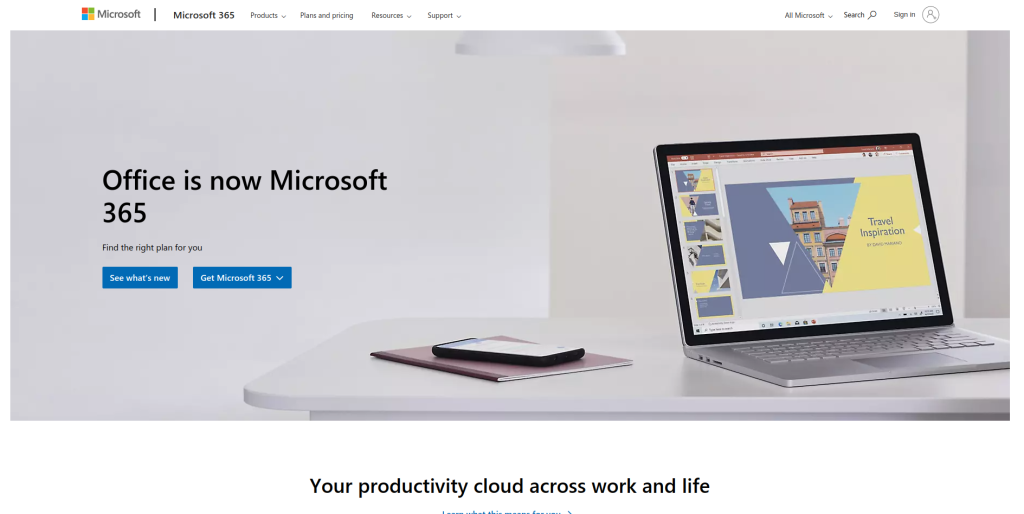
Microsoft Office remains the gold standard for productivity software. With Word, Excel, and PowerPoint, it’s essential for students, professionals, and even casual users.
Key Features
- Document editing, spreadsheets, and presentations
- Cloud integration with OneDrive
Pros
- Comprehensive suite of tools
- User-friendly interface
Cons
- Subscription model can be pricey
- Resource-intensive
2. Google Chrome: Fast, Secure Browsing
Google Chrome is a lightweight, fast, and feature-rich browser that sets the bar high for web navigation.
Key Features
- Syncs across devices
- Extensive library of extensions
Pros
- High performance
- Great for multitasking
Cons
- Can consume significant RAM
- Privacy concerns
3. Adobe Photoshop: The Creative Powerhouse
For creatives, Adobe Photoshop is a must-have. From photo editing to graphic design, this software is incredibly versatile.
Key Features
- Advanced editing tools
- AI-powered features for quick fixes
Pros
- Industry-leading software
- Frequent updates
Cons
- Steep learning curve
- Expensive subscription model
4. Avast Antivirus: Ultimate PC Protection
Avast is one of the best antivirus programs to keep your PC safe from malware, phishing attacks, and ransomware.
Key Features
- Real-time protection
- VPN for secure browsing
Pros
- Free version available
- Intuitive dashboard
Cons
- Occasional ads in free version
- May slow down older PCs
5. VLC Media Player: Your Go-To for Media Playback
VLC Media Player supports virtually every media format, making it a favorite for video enthusiasts.
Key Features
- Plays nearly any audio or video format
- No ads or spyware
Pros
- Lightweight and fast
- Completely free
Cons
- Outdated interface
- Occasional bugs with large files
6. WinRAR: File Compression Made Easy
WinRAR simplifies file compression and decompression, ensuring your files are stored efficiently.
Key Features
- Supports all major archive formats
- Password protection for added security
Pros
- Lightweight and efficient
- Free trial lasts indefinitely
Cons
- Interface feels outdated
- Complicated for first-time users
7. Zoom: Essential for Remote Work
Zoom has become synonymous with online meetings, making it indispensable for remote teams.
Key Features
- HD video and audio conferencing
- Integration with third-party apps
Pros
- Reliable and secure
- Free tier is robust
Cons
- Limited features for free users
- Occasional connectivity issues
8. CCleaner: Optimize Your PC Performance
CCleaner is a simple yet powerful tool for cleaning junk files, fixing registry errors, and improving performance.
Key Features
- Clears temporary files and cookies
- Real-time monitoring of PC health
Pros
- Easy to use
- Improves startup time
Cons
- Free version has limited features
- History of security concerns
9. OBS Studio: Perfect for Streaming and Recording
OBS Studio is an open-source tool for recording videos and live streaming. It’s particularly popular among gamers and content creators.
Key Features
- Customizable layouts
- High-quality recording
Pros
- Free and open-source
- Extensive plugin support
Cons
- Steep learning curve
- Requires a powerful PC for best performance
10. Spotify: Music for Every Mood

Spotify on PC is not just a music player; it’s your gateway to podcasts, playlists, and curated content.
Key Features
- Offline listening for premium users
- Personalized recommendations
Pros
- Easy to use
- Free tier available
Cons
- Ads on the free version
- Quality depends on internet speed
Comparison Table: 10 Best Software for PC
| Software | Key Features | Pros | Cons |
| Microsoft Office | Document editing, cloud sync | Comprehensive, user-friendly | Expensive |
| Google Chrome | Sync across devices, extensions | Fast, versatile | High RAM usage |
| Adobe Photoshop | Advanced editing, AI tools | Industry leader, frequent updates | Steep learning curve |
| Avast Antivirus | Real-time protection, VPN | Free version, intuitive | Ads in free version |
| VLC Media Player | Universal playback, free | Lightweight, no ads | Basic interface |
| WinRAR | File compression, password protection | Lightweight, efficient | Outdated design |
| Zoom | HD video calls, app integrations | Reliable, free tier | Connectivity issues |
| CCleaner | System optimization, health monitor | Easy to use, effective | Limited free version |
| OBS Studio | Recording, streaming | Free, customizable | High system requirements |
| Spotify | Offline playback, recommendations | Personalized, free version | Ads on free tier |
How to Choose the Right Software for Your PC
Assess Your Needs
Before downloading anything, figure out what you’ll use the software for. For instance, do you need productivity tools, entertainment options, or performance optimizers?
Consider Compatibility
Some software can be resource-heavy, so make sure your PC meets the recommended specifications.

Key Takeaways: Unlock Your PC’s Full Potential
Choosing the right tools can make all the difference. The 10 best software for PC listed above cover a wide range of needs, ensuring there’s something for everyone. From productivity to entertainment, these programs will help you make the most of your PC experience.
Interesting Reads:
10 Best Software for Music Recording