Backing up your WordPress site is one of the most important steps you can take to ensure its safety and longevity. WordPress backup plugins allow you to safeguard your data against unexpected events like server crashes, security breaches, or accidental errors. In this post, we will explore the 10 best plugins for backup WordPress, each offering unique features to make your site secure and resilient. So, let’s dive into these essential tools that can make a world of difference for your WordPress site.
Why You Need a Backup Plugin for WordPress
Before exploring the best options, it’s essential to understand why backup plugins are a must-have. Regular backups allow you to restore your website easily, so if something goes wrong, you won’t lose important data, posts, or customer information. With a reliable backup solution in place, you can experiment, update, and grow your site confidently.
1. UpdraftPlus
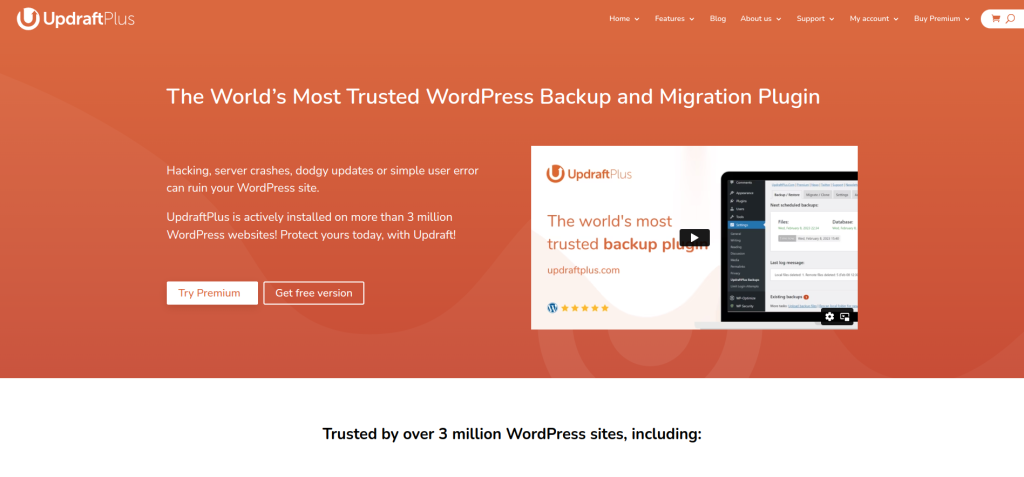
UpdraftPlus is widely regarded as one of the most reliable backup plugins available for WordPress. It allows automatic backups, making it easy to schedule regular backups without manual intervention. With integrations for popular cloud storage services, UpdraftPlus ensures your backups are secure and accessible
Key Features:
- Automatic scheduled backups
- One-click restore options
- Cloud storage integration (Google Drive, Dropbox, Amazon S3)
Pros:
Free version with robust features
Simple, user-friendly interface
Cons:
Advanced features available only in the premium version
2. Jetpack Backups
Jetpack Backups, formerly known as VaultPress, is part of the powerful Jetpack suite by Automattic. It offers real-time backups, ensuring that your site’s data is continually updated. Its one-click restore feature makes it a great choice for those who need efficient, reliable backup capabilities.
Key Features:
- Real-time backups
- One-click restore
- Automated backups stored offsite
Pros:
Real-time backup for constant protection
Easy-to-use interface
Cons:
Requires a subscription for full features
3. BlogVault
BlogVault is a premium backup solution that provides offsite storage for added security. With a 90-day archive, BlogVault lets you keep track of previous versions, ensuring you always have a recovery point. Its staging feature is perfect for testing changes without affecting the live site.
Key Features:
- Offsite storage for backups
- 90-day backup archive
- Staging environment for testing
Pros:
Long archive period
Staging environment for safe testing
Cons:
Pricing can be high for small websites
4. BackupBuddy
BackupBuddy is a comprehensive backup solution offering full and partial backups, allowing you to choose what needs to be stored. With a malware scanner built-in, BackupBuddy offers an extra layer of security by protecting your website from potential threats.
Key Features:
- Full and partial backups
- Remote storage options
- Malware scanning
Pros:
Comprehensive backup options
Includes malware scanning
Cons:
No free version is available
5. Duplicator
Duplicator is a unique plugin that combines backup and migration capabilities. It lets you create a backup of your entire site, including themes, plugins, content, and database, and move it to a new host or domain seamlessly. This dual functionality makes it an attractive choice for users who frequently migrate their sites.
Key Features:
- Site migration and backup
- Manual and scheduled backups
- One-click restoration
Pros:
Ideal for site migration
Backup and restore functionality
Cons:
Limited automation in the free version
6. WPvivid Backup
WPvivid Backup is a versatile plugin that offers scheduled backups, one-click restore, and migration tools. It supports several popular remote storage options like Google Drive and Dropbox. WPvivid’s straightforward setup makes it an excellent choice for beginners.
Key Features:
- Scheduled backups and one-click restore
- Remote storage integrations
- Migration features
Pros:
Free plan available
Simple migration tools
Cons:
Some features locked behind a premium plan
7. Total Upkeep by BoldGrid
Total Upkeep is designed to protect your website from potential disasters by providing rollback options in case of an update failure. It allows you to schedule backups and store them in popular cloud services, keeping your data safe even if your server fails.
Key Features:
- Scheduled and manual backups
- Automatic updates with rollback options
- Cloud storage integration
Pros:
Rollback options for updates
Cloud storage compatibility
Cons:
Some features require a premium subscription
8. WP Time Capsule
WP Time Capsule uses incremental backups to save only changes made since the last backup, saving server resources and time. It integrates with cloud services like Google Drive and Dropbox, making it a lightweight yet powerful option for WordPress users.
Key Features:
- Incremental backups
- Easy integration with cloud storage
- Backup history for easy restoration
Pros:
Saves server resources with incremental backups
Easy-to-restore backup points
Cons:
Premium pricing for complete features
9. BackWPup
BackWPup is an excellent free plugin that covers most of your basic backup needs. It lets you schedule backups and store them on Dropbox, Google Drive, or Amazon S3. For those on a tight budget, BackWPup offers essential backup features without extra costs.
Key Features:
- Free version with essential features
- Backup to cloud storage
- Automatic and manual backups
Pros:
Free version with valuable features
Easy cloud storage integration
Cons:
Lacks advanced options found in premium plugins
10. WP Database Backup

WP Database Backup is a simple plugin that focuses on database backups only. If you’re looking for a lightweight solution that handles database data specifically, this is an ideal option. It supports both scheduled and manual backups, with a convenient option to download backups directly from your WordPress dashboard.
Key Features:
- Database-only backups
- Automated and manual backups
- Download backups directly
Pros:
Focuses on database backups
Lightweight and easy to use
Cons:
Limited to database-only backups
Comparison Table: 10 Best Plugins for Backup WordPress
| Plugin Name | Key Features | Pros | Cons |
|---|---|---|---|
| UpdraftPlus | Automatic backups, cloud integration | User-friendly, free version | Premium features cost an extra |
| Jetpack Backups | Real-time backups, one-click restore | Continuous protection | Requires subscription |
| BlogVault | Offsite storage, staging | Long backup history | Higher pricing |
| BackupBuddy | Full backups, malware scanning | Security-focused | No free version |
| Duplicator | Backup and migration | Perfect for migration | Limited automation in free version |
| WPvivid Backup | Scheduled backups, migration | Easy setup | Some features are premium |
| Total Upkeep | Rollback options, cloud integration | Ideal for update protection | Subscription required for some features |
| WP Time Capsule | Incremental backups, cloud integration | Efficient incremental backups | Premium pricing |
| BackWPup | Free version, cloud storage | Affordable backup solution | Lacks premium features |
| WP Database Backup | Database-only, scheduled/manual backups | Lightweight | Database-only |

Wrapping Up
Choosing the right backup plugin for WordPress can protect your data and make it easy to recover from unexpected issues. Whether you need real-time protection, cloud storage integration, or an affordable solution, there’s a plugin for you. With these 10 best plugins for backup WordPress, you can keep your site safe, allowing you to focus on what matters most—growing your online presence.
Interesting Reads: