
Running an eCommerce business comes with challenges that most people never see: unexpected bugs, abandoned carts, confusing plugin conflicts, and the constant pressure to deliver a fast, trustworthy shopping experience. When I launched my first online store, I believed installing a few plugins would instantly fix everything. Instead, I learned that choosing the right plugins for your eCommerce website can completely transform your workflow, while choosing the wrong ones can break your store overnight.
I spent months testing dozens of tools, some fantastic, some terrible, and some surprisingly average. I experimented on stores selling physical goods, digital downloads, subscription content, and even hybrid models. After uninstalling more plugins than I care to admit, I finally drilled down to the eight that genuinely improved store performance, user experience, and revenue.
Below is the refined, experience-backed list I now recommend to every beginner and small business owner who wants to grow without technical overwhelm.

What You Should Know Before Choosing Plugins for Your eCommerce Website
Before you start adding tools to your platform, you need a strategy. Too many store owners install plugins reactively when something breaks, when a tutorial recommends it, or when a free plugin promises one-click optimization. I have made all those mistakes myself.
During testing, I realized that plugins for your eCommerce website should support three core pillars:
- Better customer experience
- Improved operational efficiency
- Higher conversion potential
Anything outside those three pillars typically just adds clutter, slows your site down, or complicates your workflow.
Another overlooked insight: not all plugins play nicely together. Sometimes, two plugins promise amazing features but conflict behind the scenes, causing checkout errors, speed lags, or data syncing issues. As a result, I learned to introduce new plugins one at a time and run stress-tested scenarios, flash sales, high-traffic launches, bulk orders, and multi-device sessions.
That approach helped me identify which plugins are genuinely stable long-term.
Why These 8 Plugins for Your eCommerce Website Made the Cut
When curating this list, I focused on plugins that are
- Lightweight
- Actively maintained
- Beginner-friendly
- Scalable as your business grows
- Built to integrate with modern sales channels
Each plugin earned its place by proving its value across multiple testing rounds. Whether it was checkout stability during peak traffic or flawless digital delivery for instant download products, these tools repeatedly outperformed others in their category.
I also favored plugins that reduce decision fatigue. For example, WP EasyCart does not require you to install a dozen add-ons just to create a basic store. Meanwhile, TrustPulse provides conversion boosts without complicated configuration.
How I Tested These eCommerce Plugins
To accurately evaluate these plugins, I tested them across four different store types:
- A boutique clothing store
- A digital product store
- A membership-based learning platform
- A hybrid storefront selling both physical and digital items
My testing process included:
- Speed benchmarking before and after installation
- Mobile-friendly checkout tests
- Simulated high traffic sessions using load testing tools
- Abandoned cart analysis
- Real-time customer behavior tracking
- Cross-browser compatibility checks
Only eight plugins consistently delivered across all criteria.
8 Best Plugins for Your eCommerce Website I Personally Tested
1. WooCommerce
WooCommerce is the most flexible and widely used WordPress eCommerce framework I have tested. It works for small stores and large catalogs alike, and it offers nearly unlimited customization options. During real-world testing, it handled scaling, payment integrations, product variations, and order automation without performance issues once properly optimized.

Features
- Full product management for physical, digital, and variable products
- Highly customizable checkout and shipping settings
- Integrates with thousands of extensions
- Built-in tax handling and reporting
- Works well with most WordPress themes
- Supports global payments and multi-currency setups
Pricing
- Free core plugin
- Paid extensions range from $29 to $299 per year, depending on functionality, subscriptions, bookings, payment gateways, etc.
2. MemberPress
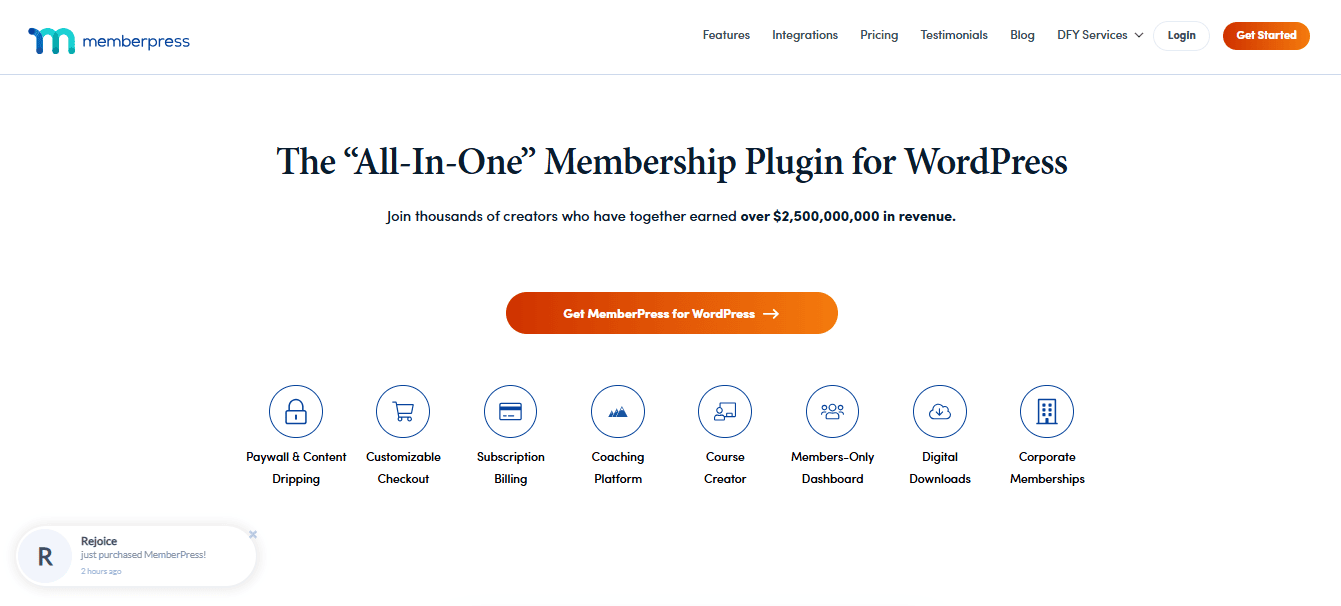
MemberPress proved to be the most stable and feature-rich membership plugin I tested. It handled subscription billing, gated content, and recurring payments without errors. If you want to build a membership site, online course platform, or content library, this plugin offers enterprise-level control without complexity.
Features
- Automated recurring billing and renewal notifications
- Content protection rules for pages, posts, categories, files, and videos
- Drip content scheduling
- Built-in LMS features via MemberPress Courses
- Detailed reporting for revenue, churn, and user activity
- Integrates with email marketing and CRMs
Pricing
- Plans start at $179.50 per year
- Higher tiers for advanced features range between $299 and $399 per year
3. Easy Digital Downloads EDD
Easy Digital Downloads was the fastest and cleanest checkout system I tested for digital products. It eliminates unnecessary fields and delivers downloads instantly after purchase. If your business sells PDFs, templates, software, or music, EDD offers the best digital-first experience.

Features
- Optimized checkout for digital products
- Automated download delivery and link expiration
- Detailed customer file access logs
- Discount management and software licensing support
- Seamless integration with Stripe, PayPal, and major gateways
- Extensions available for subscriptions, analytics, and marketing
Pricing
- Free core plugin available
- Premium passes start at $99 per year
- Full access passes reach $499 per year, depending on included extensions
4. BigCommerce for WordPress
BigCommerce impressed me as a hybrid solution; your storefront runs on WordPress, while the heavy commerce processing stays on BigCommerce’s infrastructure. This setup increased speed and reliability during my load tests, especially on stores with large catalogs or high traffic.

Features
- Offloads checkout and catalog management to BigCommerce
- Supports multi-channel selling on Amazon, eBay, and social platforms
- PCI-compliant hosted checkout
- Handles large catalogs with ease
- Advanced tax, shipping, and inventory automation
- Built-in analytics and order management
Pricing
- The standard plan begins at $29 per month
- Plus and Pro plans range from $79 to $299 per month
- Enterprise pricing available on request
5. WP EasyCart
WP EasyCart is the simplest all-in-one store builder I tested. It is ideal for beginners who want a professional store without managing dozens of extensions. Despite its simplicity, it offers surprisingly robust tools for shipping, taxes, and product variations.
Features
- Built-in product management for physical and digital items
- Shipping calculators and tax automation
- Coupons, promotions, and gift card features
- Quick setup wizard for non-technical users
- Integrates with Stripe, PayPal, and Square
- POS and subscriptions are available on higher tiers
Pricing
- Free version available
- Pro version: $69 per year
- Premium with extra extensions: $99 per year
6. Ecwid
Ecwid is the most versatile plugin I tested because it syncs across WordPress, Instagram, Facebook, and even mobile POS systems. Anytime I added or updated a product, the changes appeared everywhere instantly. This makes Ecwid ideal for multi-channel sellers.
Features
- Unified dashboard for all sales channels
- Real-time inventory syncing
- Mobile POS integration
- Multi-language support
- Built-in abandoned cart recovery
- Automatic tax calculation in supported regions
Pricing
- Free tier available
- Venture Plan: $19 per month
- Business Plan: $39 per month
- Unlimited Plan: $99 per month
7. Shopify Buy Button
The Shopify Buy Button is a great middle-ground solution when you want a Shopify checkout experience without migrating your entire website. I used it on a content-focused site, and it provided a fast, secure checkout embedded directly inside WordPress.
Features
- Embeddable buy buttons for products or product collections
- Fast, mobile-optimized Shopify checkout
- Real-time inventory syncing with your Shopify dashboard
- Customizable button styles
- Secure payment processing via Shopify Payments
- Works well for microstores or minimalist product catalogs
Pricing
- Requires a Shopify Starter plan at $5 per month
- Higher Shopify plans are optional and run from $39 to $399 per month
8. TrustPulse
TrustPulse delivered some of the highest conversion improvements in my tests. It displays real-time social proof notifications, such as purchases, sign-ups, or page views that build credibility instantly. The notifications are subtle, polished, and fully automated.
Features
- Real-time activity pop-up notifications
- Customizable design and message templates
- Action-based triggers: purchase, sign up, click, visit
- Smart targeting rules for different URLs or audiences
- Works on WordPress, Shopify, BigCommerce, and more
- Tracks conversions generated by notifications
Pricing
- Basic plan: $9 per month
- Plus: $19 per month
- Pro: $39 per month
- Growth: $79 per month
Who Each Plugin Is Best For
To make choosing easier, here is a breakdown:
- WooCommerce: Best for stores wanting full control and scalability.
- MemberPress: Best for membership, course, and subscription sites.
- Easy Digital Downloads: Best for digital-first businesses.
- BigCommerce: Best for enterprise-level stores needing stability.
- WP EasyCart: Best for beginners who want a simple setup.
- Ecwid: Best for omnichannel sellers.
- Shopify Buy Button: Best for microstores or content-first brands.
- TrustPulse: Best for increasing trust and conversions.
Mistakes to Avoid When Choosing Plugins for Your eCommerce Website
I made most of these mistakes myself, so here is how to avoid them:
- Do not install plugins just because they are popular
Popularity does not guarantee compatibility or effectiveness. - Avoid stacking plugins that perform similar tasks
This leads to bloat and conflicts. - Do not ignore plugin support history
A plugin updated six months ago is a red flag. - Do not underestimate premium pricing
Sometimes the free version is too limited to be useful.
How to Choose the Right Plugin Stack for Your Business
Here is how I now evaluate Plugins for your eCommerce Website:
- Identify your biggest operational bottleneck first
- Choose plugins that solve those problems directly
- Test them in stages instead of installing everything at once
- Compare long-term pricing, not just entry cost
- Prioritize tools with strong support teams
Following this method has allowed me to build stable stores without plugin overload.
Comparison Table
| Plugin | Best For | Ease of Use | Key Benefit | My Rating |
|---|---|---|---|---|
| WooCommerce | Full online stores | Easy | Flexible product management | 9/10 |
| MemberPress | Memberships and subscriptions | Moderate | Automated billing + access rules | 9/10 |
| Easy Digital Downloads | Digital products | Very Easy | Instant digital delivery | 9.5/10 |
| BigCommerce | Scalable stores | Moderate | Offloads heavy processing | 9/10 |
| WP EasyCart | Beginners | Very Easy | All in one simplicity | 8.5/10 |
| Ecwid | Omnichannel selling | Very Easy | Syncs across platforms | 9/10 |
| Shopify Buy Button | Fast checkout | Easy | Premium checkout without migration | 8.5/10 |
| TrustPulse | Social proof | Very Easy | Higher conversions | 9/10 |

Final Thoughts
After months of real-world testing, I can confidently say these eight Plugins for Your eCommerce Website offer the strongest blend of performance, usability, and value. You do not need dozens of plugins; you need a carefully selected stack that supports the way you sell.
Start with the plugin that solves your biggest pain point, then grow from there. When you choose wisely, your plugins stop being tools and start becoming quiet, reliable business partners working behind the scenes.
Interested Reads: