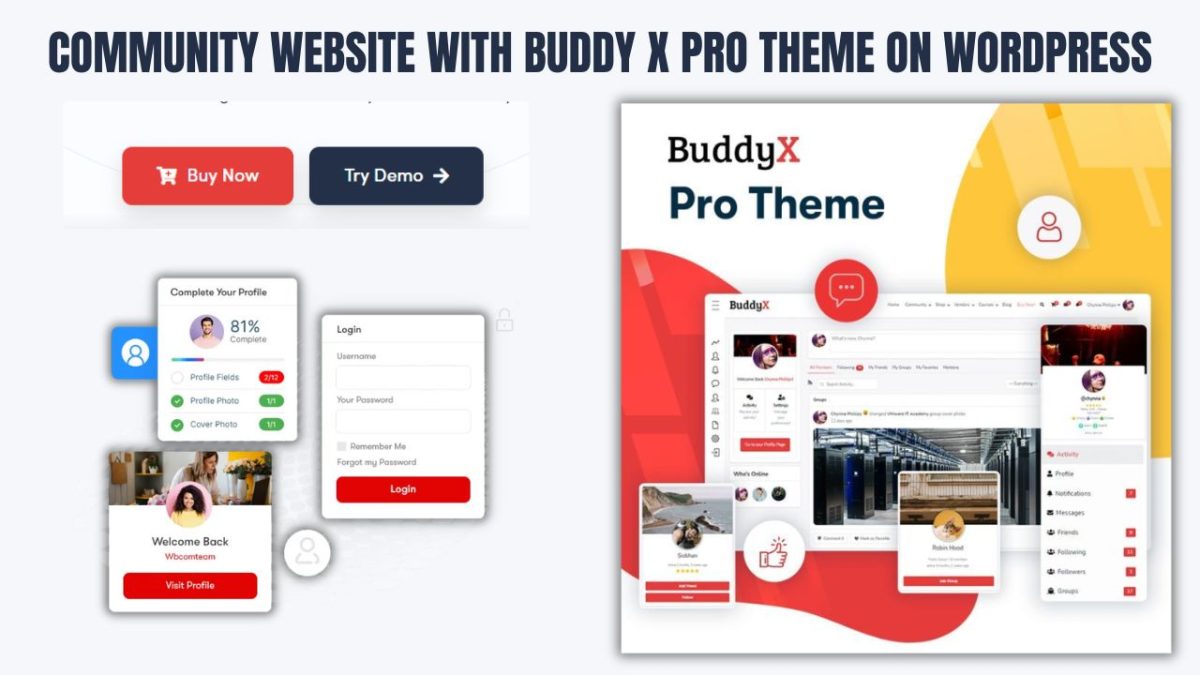
Understanding Online Community Websites
Create an Online Community Website With WordPress that serves as a digital platform designed to encourage interaction, knowledge sharing, and collaboration among individuals with shared interests or goals. These platforms serve as virtual spaces where users can connect and engage in discussions through various features such as forums, chat rooms, blogs, and private messaging systems. By fostering a sense of belonging and providing tools for communication, an online community website enhances the overall user experience and promotes active participation
Unlike traditional social media platforms that focus on broad networking, online community websites prioritize building deeper connections centered around specific topics or purposes. This emphasis allows members to engage more meaningfully and cultivate relationships based on shared passions.

The Purpose of Online Community Websites
The primary objective of online community websites is to facilitate interaction among individuals who share similar interests or objectives. These platforms not only provide a space for discussion but also promote collaboration on projects, establish support networks, and encourage resource sharing.
Key Features of Online Community Websites
1. User Profiles
Members create profiles that represent themselves and showcase their interests.
2. Discussion Forums
These areas allow users to initiate topics and participate in threaded conversations.
3. Private Messaging
This feature enables members to communicate directly with one another.
4. Content Sharing
Users can share articles, photos, and other media relevant to the community’s focus.
5. Moderation Tools
These tools help maintain a respectful environment while effectively managing content.
Importance of Online Communities Across Various Sectors
Online communities play an essential role across multiple sectors:
1. Education
They provide students and educators with collaborative learning environments. By enhancing engagement through peer-to-peer support and resource sharing—alongside discussions about course material—online communities foster a sense of belonging that enriches the educational experience.
2. Hobbies
Enthusiasts connect over shared interests such as gardening, photography, or gaming. These communities offer spaces for members to exchange tips, showcase their work, and participate in challenges or events that deepen their involvement in these hobbies.
3. Professional Networking
For professionals seeking growth opportunities, online communities serve as valuable networking hubs where individuals can share industry insights and seek advice. Branded communities created by organizations facilitate communication between members while enhancing customer loyalty by providing direct access to company resources and support.
Online community websites are crucial for forging connections that transcend geographical boundaries. They enable effective collaboration regardless of location while promoting personal growth through shared experiences and knowledge exchange.
The Global Trend of Community Building
The emergence of community platforms has reshaped the digital landscape by reflecting an increasing desire for connection among users. Create an Online Community Website that encourages engagement around shared interests—allowing individuals to form meaningful relationships while exchanging knowledge. This trend spans various sectors, including education, hobbies, and professional networking; it enhances user experience while fostering loyalty within communities
Relevance in Today’s Digital World
1. Increased Engagement
Community platforms stimulate active participation among users which leads to richer interactions that deepen connections within the group.
2. Support Networks
These platforms provide vital support systems for individuals seeking advice or assistance during challenges or transitions. Members can rely on one another for guidance when needed.
3. Knowledge Sharing
Users can effortlessly share resources such as tips or experiences within their communities. This collective learning contributes significantly to personal growth while enhancing the overall value offered by the platform.
As community building continues gaining momentum in the digital realm its relevance across various sectors will only increase further. By fostering engagement alongside support networks—and encouraging knowledge sharing—these platforms play an integral role in enriching user experiences today.
Why Choose WordPress for Building an Online Community Website?
WordPress stands out as the leading content management system (CMS) for creating online community websites due its robust features coupled with a user-friendly interface. Powering over 40% of all websites globally makes it a dominant force within web development; its open-source nature allows extensive customization options supported by a vast network comprising developers along with users alike.
1. User-Friendliness
WordPress emphasizes simplicity enabling users without technical expertise manage their content easily; if you know how use word processors navigating WordPress becomes second nature! This accessibility encourages more people engage actively into building vibrant communities without facing barriers posed complex coding skills.
2. Flexibility Through Plugins/Themes
Customization
With thousands themes plus over 60k plugins available at disposal allowing tailored site designs catering specific needs integrating features like forums social media sharing event management seamlessly!
Scalability
WordPress accommodates growing demands from expanding audiences adding new functionalities whenever necessary ensuring smooth transitions throughout development phases!
3. Multilingual Capabilities
Supporting multilingual content creation makes WordPress ideal choice targeting global audiences! Users manage diverse languages effortlessly enhancing accessibility fostering inclusivity within varied populations crucial reaching international clients serving multilingual demographics effectively!
The Power Of Community Engagement On WordPress
Building vibrant online communities using WordPress not only facilitates interactions but empowers participants share experiences knowledge structured environments! With comprehensive toolsets available leaders foster engagements via webinars workshops forums enriching overall user journeys!
Enhancing User Experience
By utilizing various plugins like BuddyPress for social networking and bbPress for forums, WordPress users can establish dynamic spaces tailored to the unique needs of their communities. This approach not only improves the overall user experience but also strengthens connections among members, fostering a sense of belonging and loyalty.
The combination of user-friendliness, flexibility offered by plugins and themes, and multilingual capabilities positions WordPress as an outstanding choice for developing online communities in today’s interconnected digital landscape. As community platforms continue to advance, harnessing WordPress’s extensive features empowers organizations to create inclusive environments that nurture meaningful connections. Ultimately, this drives engagement and collaboration among users.
What You Need to Build a Community Website
Creating a community website involves several essential components, including selecting a domain name, choosing hosting, and installing a content management system like WordPress. This comprehensive guide will help you navigate the process effectively.
1. Domain Name and Hosting
Tips for Selecting a Relevant Domain Name
- Keep It Short and Memorable: Aim for a domain name that is 15 characters or fewer to enhance memorability and reduce the likelihood of typos.
- Use the .com Extension: As the most recognized and credible domain extension, .com is easier for users to remember.
- Avoid Hyphens and Numbers: These can cause confusion when sharing your domain verbally; instead, opt for simple, clear words.
- Include Keywords: Relevant keywords can improve your SEO efforts while clarifying your website’s focus.
- Consider Future Growth: Choose a name that allows for potential expansion of your community’s focus or offerings.
Recommended Hosting Providers Optimized for WordPress
- SiteGround: Known for exceptional customer support and performance, making it ideal for global reach.
- Bluehost: Officially recommended by WordPress; it offers easy setup along with scalability options.
- WP Engine: A premium choice featuring strong performance and security specifically designed for WordPress sites.
2. WordPress Installation
Step-by-Step Installation Guide
- Choose Your Hosting Provider: Sign up with one of the recommended hosting providers listed above.

- Access Your Control Panel: Most hosting providers offer a user-friendly control panel, commonly known as cPanel.
- Locate the WordPress Installer: Look for the “One-Click Install” option specifically for WordPress.
- Enter Basic Information:
- Site Title
- Admin Username
- Password
- Admin Email
- Choose Your Domain: Select the domain name you registered earlier.
- Complete the Installation: Click on “Install” and wait for the process to finish.
- Log Into Your Site: Visit yourdomain.com/wp-admin to access your dashboard.
Language Selection Options During Setup
During the installation process, WordPress allows you to select your preferred language. This feature is essential for creating a multilingual community website, enabling you to cater to diverse audiences from the very beginning.
Additional Considerations
- Security Measures: Implement SSL certificates and schedule regular backups to safeguard your site.
- Community Features: Explore plugins like BuddyPress or bbPress to enhance user interaction and boost community engagement.
- SEO Optimization: Utilize plugins such as Yoast SEO to improve your site’s visibility in search engine results.
By following these guidelines, you can establish an engaging platform that fosters interaction and connection among its members.
3. Choosing the Right Theme for Your Community Website
The Importance of Themes
Selecting an appropriate theme is vital for your community website since it significantly affects both design and functionality. A well-chosen theme not only enhances the visual appeal of your site but also influences user experience by making navigation intuitive and engaging. Themes dictate layout, color schemes, typography, and responsiveness across various devices. Therefore, investing time in finding a theme that aligns with your community’s goals and audience can lead to improved user satisfaction and increased participation.
BuddyX Pro Theme (Introduction)

One of the top choices for community websites is the BuddyX Pro Theme. This theme is specifically designed to integrate effortlessly with community-building plugins, providing a solid foundation for your online community.
Key Features
- Integration with BuddyPress and BuddyBoss Plugins: BuddyX Pro offers seamless compatibility with these widely-used plugins, allowing you to leverage their powerful features to enhance community interaction.
- User-Friendly Design: The theme features an intuitive interface for both administrators and members, ensuring a smooth experience for all users. Its clean layout facilitates easy navigation, making it simple for users to engage and participate.
- Multilingual Support: With built-in multilingual capabilities, BuddyX Pro allows you to connect with a diverse audience by offering content in multiple languages, promoting inclusivity within your community.
Benefits of Using BuddyX Pro for Scalable and Responsive Community Sites
Utilizing BuddyX Pro for your community website provides numerous advantages:
- Scalability: This theme is designed to grow alongside your community. As your user base increases, BuddyX Pro can handle higher traffic and additional functionalities without sacrificing performance.
- Responsiveness: Optimized for a variety of devices, BuddyX Pro ensures that your website performs well on desktops, tablets, and smartphones. This responsiveness enhances user engagement and accessibility.
Selecting the right theme, such as BuddyX Pro, is crucial for creating an effective community website. With its robust features and user-centric design, you can establish a thriving online space that promotes connection and collaboration among members.
4. Essential Plugins for Your Online Community
Creating a robust online community requires the right set of plugins to enhance social networking functionalities and boost user engagement. Below is an overview of key plugins, including BuddyPress and BuddyBoss, along with other essential options to elevate your community experience.
Overview of BuddyPress and BuddyBoss
BuddyPress is a widely-used plugin that transforms your WordPress site into a fully functional social networking platform. It offers various features such as user profiles, activity streams, groups, and private messaging, facilitating seamless interaction among members.
In contrast, BuddyBoss serves as a premium alternative that builds upon the foundation laid by BuddyPress. It provides additional features and improved usability by combining the functionalities of both BuddyPress and bbPress into a cohesive experience. Designed with enhanced aesthetics, better documentation, and dedicated support, BuddyBoss has become a favorite among community builders.
Key Features
- User Profiles: Both platforms enable users to create customizable profiles, adding a personal touch to their online presence.
- Groups: Users can establish public, private, or hidden groups to organize discussions and encourage collaboration.
- Messaging: Private messaging functionality allows for direct and secure communication between users.
- Activity Streams: Users can post updates and view activities from their connections, ensuring everyone stays informed.
- Event Management: With additional plugins, users can create and manage events directly from their profiles, fostering community engagement.
5. Must-Have Plugins
To further enhance your community features, consider integrating the following essential plugins:
Membership Plugins
- MemberDash: A comprehensive membership solution that helps manage subscriptions and control content access.
- Paid Memberships Pro: This plugin enables you to create multiple membership levels and restrict content accordingly.
Forum Plugins
- bbPress: A lightweight forum plugin that integrates seamlessly with BuddyPress, facilitating engaging community discussions.
Multilingual Plugins
- WPML: A powerful tool for creating multilingual websites, allowing you to cater to global audiences effectively.
- Polylang: An alternative option for creating multilingual content without the complexity associated with WPML.
Security and Backup Plugins
- Sucuri: A security plugin that offers malware scanning, firewall protection, and security hardening, ensuring your community remains safe from threats.
- UpdraftPlus: A reliable backup solution that allows you to schedule backups and easily restore your site, safeguarding your community’s data.
By utilizing these plugins, you can significantly enhance the functionality of your online community website, promoting better interaction and engagement among members.
Step-by-Step Guide to Setting Up Your Community Website
Establishing a community website using the BuddyX Pro theme and BuddyPress can be a simple process with the right instructions. Follow this comprehensive step-by-step guide to navigate through the setup.
1. Installing the BuddyX Pro Theme
Installation Guide
- Purchase and Download the Theme:
After purchasing BuddyX Pro, download the theme files from your account on the BuddyX website. - Upload the Theme:

- Log in to Your WordPress Dashboard:
Access your WordPress admin area. - Navigate to Appearance > Themes:
Go to the “Appearance” section and select “Themes.” - Add New Theme:
Click on “Add New,” then choose the option to “Upload Theme.” - Upload the Theme File:
Select the downloaded BuddyX Pro zip file and click on “Install Now.” - Activate the Theme:
After installation, click on “Activate” to set BuddyX Pro as your active theme.

2. Initial Configuration
Once the theme is activated, follow the prompts to configure your settings. You will have access to various customization options, including uploading your logo, selecting a color scheme, and adjusting the header layout.

For comprehensive visual instructions, check out this video guide on configuring BuddyX.
3. Installing and Configuring BuddyPress
Setting Up BuddyPress
- Install BuddyPress:
Navigate to Plugins > Add New in your WordPress dashboard. - Search for “BuddyPress”:
Type “BuddyPress” into the search bar, then click on Install Now followed by Activate.

4. Configure BuddyPress Features
- Navigate to Settings > BuddyPress:
Go to the Settings menu and select BuddyPress. - Enable Components:
Activate features such as user registration, groups, activity streams, and private messaging according to the needs of your community.

Set Up User Registration
- Enable User Registration:
Make sure user registration is activated by navigating to Settings > General and checking the box for “Anyone can register.”
Permalink Structure
- Adjust Permalink Settings:
Go to Settings > Permalinks and select the “Post name” option for improved SEO.
For a detailed guide on configuring BuddyPress features, be sure to check out this video tutorial.

5. Setting Up Essential Pages in WordPress
Establishing essential pages in WordPress is a vital step toward creating a user-friendly website. Below are the steps to effectively set up a Home page, Registration page, and Profile page.
Home Page Creation
To create your Home Page in WordPress, follow these steps:
- Go to your WordPress dashboard and select Pages > Add New.
- Enter “Home” as the title for your new page.
- Include any content you would like to showcase on your homepage.
Also Read: What Are Social and Community Networks?

Setting a Static Front Page
To set your homepage as a static front page, follow these steps:
- Navigate to Settings > Reading in your WordPress dashboard.
- In the “Your homepage displays” section, select the option for “A static page.”
- From the dropdown menu, choose “Home” as your homepage.
- Click on “Save Changes” to apply your settings.

Registration Page Creation
To create your Registration Page, follow these steps:
- Add a New Page: Navigate to Pages > Add New in your WordPress dashboard.
- Title the Page: Enter “Register” as the title for this page.
- Insert Shortcode or Link:
- If you are using a membership plugin, include the shortcode
[register]to enable registration functionality. - Alternatively, if you have BuddyPress installed, you can link directly to its registration page.
- If you are using a membership plugin, include the shortcode
Profile Page Creation
To set up your Profile Page, proceed with the following steps:
- Add a New Page: Go to Pages > Add New in your WordPress dashboard.
- Title the Page: Name this page “Profile.”
- Insert Shortcode for User Profiles:
- Use the shortcode
[profile]if your setup supports it (e.g., with BuddyPress or user profile plugins like Profile Builder Pro or RegistrationMagic).
- Use the shortcode
- Configure Profile Settings (if applicable):
- If you’re using plugins such as ProfilePress or RegistrationMagic, make sure to designate the newly created Profile page as the default profile page within the plugin settings.
6. Summary of Shortcodes and Plugins
| Page Type | Title | Shortcode | Plugin Required |
|---|---|---|---|
| Home Page | Home | N/A | None |
| Registration Page | Register | [register] | Membership Plugin |
| Profile Page | Profile | [profile] | BuddyPress / Profile Builder Pro / RegistrationMagic |
7. Personalizing Your Community Website

Customization Instructions
Access the Customizer:
- In your WordPress dashboard, navigate to Appearance > Customize.
Change Colors and Fonts:
- Explore options like Colors and Typography to select your desired color scheme and font styles.
Branding Elements:
- Upload your logo in the Site Identity section and modify header settings as needed.
- For further visual guidance on customization, consult the provided documentation.
By following these steps, you can effectively set up and personalize your community website using the BuddyX Pro theme and BuddyPress, creating an engaging platform for users to connect and interact, thereby nurturing a vibrant online community.
8. Optimizing Your Community Website for Global Audiences
To successfully engage a global audience, prioritize multilingual support, mobile responsiveness, and region-specific content on your community website. Here are effective strategies for each area:
Multilingual Support
Adding Language Options Using WPML or Polylang
WPML Setup:
- Access WPML Settings by going to WPML → Languages.
- Add Languages:
- Under Site Languages, click on Add/Remove languages, select the languages you want, and save your changes.
- Custom Languages:
- If you need a language not listed, create one by clicking on Edit Languages, then select Add Language.
Polylang Setup:
- Navigate to Languages by going to Languages → Languages in your WordPress dashboard.
- Add New Language:
- Choose a language from the dropdown menu and click the Add Language button. Fill in necessary details such as full name, locale, and language code.
- Language Switcher:
- To include a language switcher in your menu, go to Appearance → Menus, select your menu, and add languages from the available options.
Offering Region-Specific Content
Content Localization:
- Adapt your content to reflect local customs, interests, and cultural specifics. This includes translating text as well as modifying images and examples relevant to each region.
Navigation Adaptation:
- Ensure that navigation menus are user-friendly for individuals from various cultures by adjusting terminology or rearranging items based on local preferences.
9. Mobile Responsiveness
The Significance of Mobile-Friendliness for Websites
In today’s digital world, mobile-friendliness is essential for any website due to its significant influence on user experience and SEO advantages.
User Experience
A large portion of web traffic now originates from mobile devices, with studies showing that over 53% of global internet traffic comes from mobile users. This trend highlights the necessity for websites to deliver a smooth experience across all devices.
The Importance of Responsive Design
- Accessibility: A responsive design allows your website to adjust to various screen sizes, enabling users to access content without excessive zooming or scrolling. This adaptability improves user satisfaction and encourages longer visits.
- Ease of Navigation: Mobile-friendly sites often feature simplified navigation, which is crucial for retaining visitors. Complicated layouts can frustrate users, resulting in higher bounce rates.
- Faster Load Times: Mobile users expect quick access to information. Websites optimized for mobile typically load faster, which is critical since slow-loading pages can drive users away.
SEO Benefits
With Google’s adoption of mobile-first indexing, the search engine primarily uses the mobile version of a website when determining search rankings. Consequently, if your site isn’t mobile-friendly, it risks lower visibility in search results.
Key SEO Advantages
- Higher Rankings: Google’s algorithms favor websites optimized for mobile devices. A mobile-friendly design can lead to improved search engine rankings, making it easier for potential customers to discover your site.
- Increased Traffic: As more users browse the web on their mobile devices, having a mobile-friendly site can significantly enhance your organic traffic. Google is more likely to display your site in search results if it provides a positive user experience.
- Lower Bounce Rates: A well-designed mobile site keeps users engaged. If visitors find it easy to navigate and interact with your content, they are less likely to leave immediately—resulting in lower bounce rates and higher conversion rates.
Prioritizing mobile-friendliness not only enhances user experience but also plays a vital role in optimizing your website for search engines. By ensuring that your site is accessible and responsive, you can effectively engage a wider audience and boost your online visibility.
10. Enhancing Your Website’s Mobile Usability
To accurately assess and improve your website’s usability on mobile devices, utilizing testing tools is crucial. One prominent tool available is Google’s Mobile-Friendly Test, which offers insights into how well your website performs on smartphones and tablets.
Google’s Mobile-Friendly Test
Overview
Google’s Mobile-Friendly Test is a free tool that allows you to enter the URL of your website and receive an extensive report on its usability on mobile devices. This tool evaluates several factors including:
- Responsive Design: Whether the site adjusts smoothly across different screen sizes.
- Loading Speed: How quickly the site loads on smartphones.
- Accessibility of Page Elements: Ensuring buttons, links, and other interactive elements are easily accessible on smaller screens.
How to Use the Tool
- Access the Tool: Search for “Google Mobile-Friendly Test” or go directly to its dedicated page.
- Enter URL: Input the URL of the page you wish to test.
- Run the Test: Click “Test URL” and wait for the analysis process.
- Review Results: The report will indicate whether or not your site is considered mobile-friendly along with specific recommendations for improvement.
Recommendations Provided
The tool not only assesses whether your site meets mobile-friendliness standards but also offers actionable suggestions such as:
- Increasing font size for better readability.
- Ensuring sufficient spacing between clickable elements.
- Optimizing images for quicker loading times.
Additional Testing Tools
While Google’s Mobile-Friendly Test is highly effective by itself, several other tools can enhance your evaluation process:
- PageSpeed Insights: Analyzes both desktop and mobile performance while providing insights into loading speed along with optimization suggestions.
- Lighthouse: An open-source tool that assesses performance metrics related to accessibility and SEO; it can be run as a Chrome extension or via command line.
- GTmetrix: Offers detailed reports regarding loading speed and performance metrics that help identify areas needing improvement.
The Importance of Regular Testing
Regularly assessing your website’s usability on mobiles ensures it remains optimized as new devices and technologies emerge. Here are some key reasons why ongoing testing matters:
- User Expectations: With rising smartphone usage comes increased expectations regarding speed and functionality; poor experiences lead to high bounce rates—studies indicate over 52% of users will abandon a site if it doesn’t load quickly or proves difficult to navigate.
- SEO Impact: Google’s algorithms prioritize sites that are friendly toward mobiles in their rankings; regular testing helps maintain or enhance visibility in search results—vital aspects when attracting traffic.
- Competitive Advantage: By ensuring optimal performance on mobiles, you gain an edge over competitors who may not be doing regular testing.
Case Studies: Successful Story of Creating an Online Community Website with WordPress With BuddyX Pro Theme
Example 1: An Educational Community Website
Creating a Multilingual Online Community for Education
A global educational organization successfully created a multilingual online community aimed at promoting collaboration, learning, and engagement among students and educators. This community was developed using WordPress alongside the BuddyX Pro theme, which is specifically designed for building social networking sites.
Key Features of the Community Website
1. Discussion Forums
The website features dedicated discussion forums where users can ask questions, share resources, and participate in academic discussions. These forums provide a platform for students and educators to connect, exchange ideas, and seek assistance on various topics. By encouraging open dialogue, the forums enhance collaborative learning and create an environment where users can support one another.
2. User Profiles
Every member of the community has a customizable profile that highlights their interests, achievements, and contributions. This feature enables users to present themselves to the community effectively, making it easier to find like-minded individuals and build connections. Profiles can include details such as educational background, areas of expertise, and personal interests—helping to foster a sense of identity and belonging within the community.
3. Activity Streams
The platform includes real-time activity streams that offer updates on discussions, new resources, and member activities. This dynamic feature keeps users informed about ongoing conversations while encouraging active participation. By showcasing recent activities, the site promotes engagement and helps users stay connected with developments within the community.
4. Multilingual Capabilities
BuddyX Pro’s multilingual capabilities are essential for facilitating communication among users from diverse backgrounds. By making content available in multiple languages, the platform enhances the educational experience for all members. This inclusivity fosters a sense of belonging while encouraging active participation since users can engage with content and discussions in their preferred language.
The global educational organization effectively leveraged WordPress and BuddyX Pro to establish a vibrant multilingual online community that supports both students and educators. By integrating features such as discussion forums, user profiles, and activity streams into the platform, they not only promote collaboration and learning but also ensure that individuals from different linguistic backgrounds can connect seamlessly in an inclusive environment. This innovative approach significantly enriches the overall educational experience while fostering a global exchange of knowledge and ideas.
Example 2: A Fitness Enthusiast Community
A fitness brand successfully utilized BuddyX Pro to create a vibrant online community that allows members to join exercise groups, track their progress, and participate in challenges. This platform not only promotes fitness but also cultivates a sense of belonging among its users.
Building the Fitness Community
1. Workout Groups
- Tailored Connections: The platform enables users to create or join specific workout groups designed for various fitness levels and interests. This feature encourages members to connect with like-minded individuals, share tips, and motivate one another.
- Engagement Features: Group functionalities include scheduling workouts, sharing routines, and posting updates, which help maintain engagement and accountability among members.
2. Progress Tracking
- Integrated Tools: Members can log their workouts and monitor their fitness journeys through integrated tools. This includes features for recording exercises, setting goals, and tracking achievements over time.
- Visual Feedback: Visual progress indicators such as graphs and milestones provide users with tangible feedback on their fitness journeys, boosting motivation.
3. Challenges
- Community Spirit: The community regularly organizes fitness challenges that encourage participation and friendly competition. These challenges can range from step counts to specific workout goals, fostering a sense of camaraderie among members.
- Sharing Progress: Users can share their progress in these challenges on the platform, creating an environment of support and encouragement.
Also Read: How to Engage Your Community with Activity Link Preview in BuddyPress
Mobile Responsiveness
The mobile responsiveness of BuddyX Pro is crucial for enhancing user engagement. As it aids in
- Seamless Access: The theme is fully responsive, automatically adjusting its layout for different screen sizes. This ensures that users can easily access the community from smartphones or tablets without sacrificing functionality or visual appeal.
- Fast Loading Times: BuddyX Pro’s lightweight architecture improves performance by reducing loading times. Quick access to features like workout logs and group discussions keeps users engaged and minimizes the likelihood of them abandoning the site due to slow performance.
- User-Friendly Navigation: The mobile interface includes intuitive navigation options such as collapsible menus that save space on smaller screens. This design choice enhances usability, making it easier for users to find workout groups or track their progress quickly.
- Engagement on the Go: With mobile responsiveness, members can stay connected with their workout groups anytime and anywhere. Whether they are at the gym or outdoors, they can log workouts, participate in discussions, or check challenge standings seamlessly.
The combination of BuddyX Pro’s robust features for community building along with its mobile responsiveness has created an engaging platform for fitness enthusiasts. This approach not only enhances user experience but also fosters a lively community where members support each other in achieving their fitness goals.
Example 3: A Professional Networking Platform
A business network effectively utilized BuddyX Pro to establish a dynamic professional networking community. This platform enables users to form industry-specific groups, share job opportunities, and host events, fostering connections among professionals across various sectors.
Creating Industry-Specific Groups
1. Group Formation
- Tailored Connections: The platform allows users to create and join groups based on specific industries or interests. This feature encourages professionals to connect with peers who share similar career goals or challenges.
2. Group Features
- Collaborative Tools: Each group can have its own discussion forums, document sharing capabilities, and event calendars. Members can post questions, share insights, and collaborate on projects, leading to enhanced professional relationships and knowledge exchange.
3. Visibility and Networking
- Easy Browsing: Users can easily browse through available groups, making it simple to find relevant communities that align with their professional aspirations. This visibility promotes networking opportunities and facilitates collaboration among members.
Also Read: A Step-By-Step Guide to Setting Up a Multi-Vendor Marketplace on WordPress
Sharing Job Opportunities
1. Job Board Integration
- Dedicated Job Board: The platform includes a dedicated job board where members can post job openings as well as search for new opportunities. This feature is invaluable for both employers looking to hire and professionals seeking new roles.
2. Notifications
- Stay Informed: Users receive notifications about new job postings relevant to their industry or interests, ensuring they remain informed about potential career advancements.
3. Networking Through Jobs
- Community Connections: The ability to connect job postings with specific groups fosters a sense of community since members can refer each other for positions or collaborate on applications.
Hosting Events
1. Event Management Tools
- Organizing Events: BuddyX Pro provides tools for organizing and promoting events such as webinars, workshops, and networking meetups. Users can create event pages that include details like date, time, location (or virtual link), and agenda.
2. RSVP Functionality
- Engagement Tracking: Members can RSVP directly through the platform for events they are interested in attending. This functionality allows organizers to gauge interest while helping attendees keep track of upcoming events relevant to their professional development.
3. Post-Event Engagement
- Ongoing Interaction: After events conclude, users can share feedback, resources, or recordings within the community. This ongoing engagement reinforces connections made during the event while encouraging further interaction among participants.
Enhanced User Experience with BuddyX Pro
1. Customizable Profiles
- Personal Branding: Users can create detailed profiles that highlight their skills, experiences, and professional interests. This personalization helps others understand their background and expertise better.
2. Activity Feeds
- Real-Time Updates: The platform features an activity stream that keeps users updated on group discussions, job postings, and upcoming events. This real-time feed encourages continuous engagement within the community.
3. Mobile Responsiveness
- Access Anywhere: The responsive design ensures that users can access the platform from any device—whether desktop or mobile—making it convenient for professionals on the go.
By leveraging the capabilities of BuddyX Pro, this business network has successfully created a vibrant professional community where members can connect meaningfully. The combination of industry-specific groups, job-sharing features, and event-hosting tools not only enhances networking opportunities but also fosters a collaborative environment conducive to professional growth.
Common Mistakes to Avoid When Building an Online Community Website
Creating an online community website can be a fulfilling project, but it’s important to avoid common mistakes that can hinder user engagement and growth. Here are some key pitfalls to watch out for when developing your community site.
1. Overcomplicating the Design
Impact of Complexity
- User Overwhelm: Incorporating too many features or overly complex designs can overwhelm users, making navigation challenging. A cluttered interface may confuse visitors, leading them to leave the site entirely.
- Performance Issues: An abundance of features can slow down loading times and frustrate users. This is particularly harmful in a community environment where quick interactions are vital.
Best Practices
- Minimalist Design: Aim for a clean and minimalist design that emphasizes essential features. Use intuitive layouts that naturally guide users through the community.
- User Feedback: Regularly gather feedback from users to determine which features are beneficial and which may be superfluous.
2. Lack of Clear Community Guidelines
Importance of Guidelines
- Setting Expectations: Clearly defined rules for engagement help establish behavior expectations within the community. Without these guidelines, misunderstandings and conflicts may arise, resulting in a toxic atmosphere.
- User Safety: Privacy policies and moderation strategies are crucial for protecting users and maintaining trust. Users need assurance that they can share their thoughts and experiences safely.
Implementation
- Accessible Guidelines: Create a dedicated section for community guidelines that is easy to find. Ensure these guidelines address acceptable behavior, privacy issues, and moderation processes.
- Regular Updates: Continuously update these guidelines based on user feedback and the evolving needs of the community.
3. Not Focusing on User Experience
User Experience Essentials
- Simple Navigation: Navigation should be straightforward so users can quickly locate information without frustration. Fast loading times are essential; delays can deter repeat visits.
- Intuitive Interface: An intuitive interface enhances user engagement by making interactions smooth and enjoyable.
Support from BuddyX Pro
- Enhanced Features: BuddyX Pro enhances user experience with customizable navigation menus, fast-loading pages, and an overall user-friendly design. These elements ensure members can easily access content and interact with each other.
4. Ignoring Mobile Users
Significance of Mobile Accessibility
- Growing Mobile Demographic: With more individuals accessing websites via mobile devices, providing a seamless mobile experience is crucial for reaching global audiences. Neglecting this demographic could limit community growth.
- High Bounce Rates: A subpar mobile experience may lead to high bounce rates as frustrated users abandon the site in favor of more accessible alternatives.
Responsive Design Solution
- Consistent Experience: BuddyX Pro’s responsive design automatically adapts to various screen sizes, ensuring a consistent experience across devices. This feature allows all users—whether on desktops or smartphones—to engage fully with the community.
5. Failing to Plan for Growth
Long-Term Vision
- Thinking Ahead: Community owners should adopt a long-term perspective when building their platforms. Neglecting growth planning could result in technical limitations as membership expands or new features become necessary.
- Scalability: If your platform isn’t equipped to handle increased traffic or additional functionalities, it may lead to performance issues or require costly migrations down the line.
Choosing Scalable Solutions
- Opt for Scalable Themes: Select solutions like BuddyX Pro designed with scalability in mind; this theme allows easy integration of new features while supporting an expanding member base without sacrificing performance.
- Regular Assessments: Periodically evaluate your community’s needs and adjust your technology stack accordingly to accommodate future growth.
By steering clear of these common mistakes, community builders can create engaging environments that promote interaction and connection among members. Prioritizing simplicity in design, establishing clear guidelines, focusing on user experience, ensuring mobile accessibility, and planning for future growth are essential steps toward building a successful online community.
Troubleshooting: Common Issues and How to Fix Them
Building and maintaining an online community website can come with various challenges. Here are some common issues along with effective solutions to improve your site’s performance and user experience.
1. Slow Website Speed
Optimization Tips
- Caching: Implement caching solutions such as browser caching and server-side caching to store static resources locally. This reduces the number of HTTP requests, speeding up loading times for returning visitors. Tools like WP Super Cache or W3 Total Cache can be very helpful.
- Image Optimization: Compress images without sacrificing quality using tools like TinyPNG or Kraken.io. Large images can significantly slow down your site, so ensure they are appropriately sized for web use. Consider using modern formats like WebP for even better compression.
- High-Performance Hosting: Select a reliable hosting provider that offers high-performance options such as VPS or dedicated hosting. Shared hosting may lead to slower speeds due to resource limitations, so evaluate your hosting provider’s capabilities to ensure they meet your performance requirements.
- Minimize HTTP Requests: Reduce the number of CSS and JavaScript files by combining them where possible. This minimizes the requests made to the server, enhancing load speed. Tools for minification can help streamline your code.
- Use a Content Delivery Network (CDN): CDNs distribute your website’s content across multiple servers globally, allowing users to access data from the nearest location, which significantly improves loading times for users in different geographical areas.
2. User Registration Problems
Troubleshooting Steps
- Check Configuration Settings: Ensure that BuddyPress settings related to user registration and profile creation are configured correctly. Verify that registration forms are enabled and that email notifications are functioning properly.
- Email Verification Issues: Sometimes users may not receive confirmation emails due to spam filters or incorrect email settings. Test the email functionality by registering a test account and checking if the confirmation email is received.
- Login Issues: If users encounter difficulties logging in, check for issues related to cookies or session management. Ensure that the site’s URL settings (HTTP vs HTTPS) are consistent; mismatched URLs can cause login problems.
- Profile Creation Errors: If users face errors during profile creation, review any custom fields or plugins that might conflict with BuddyPress functionality. Temporarily disable conflicting plugins to identify the source of the issue.
3. Plugin Conflicts
Identifying and Resolving Conflicts
- Use Staging Environments: Before making changes or updates, test new plugins in a staging environment first. This allows you to identify any conflicts without affecting the live site.
- Disable Plugins One by One: If you suspect a conflict, disable all plugins except BuddyX Pro and BuddyPress, then re-enable them one at a time while checking for issues. This method helps pinpoint which plugin is causing problems.
- Consult Support Forums: Utilize WordPress support forums or BuddyX Pro’s dedicated support channels to seek assistance from other users who may have faced similar issues; often, solutions or workarounds are shared within these communities.
4. Community Engagement Challenges
Solutions for Low Engagement Rates
- Gamification Elements: Introduce gamification features such as badges, points systems, or leaderboards to encourage participation; users tend to engage more when they see tangible rewards for their contributions.
- Host Virtual Events: Organize webinars, Q&A sessions, or workshops that encourage real-time interaction among members; promoting these events through email campaigns can help boost attendance and engagement levels.
- Personalized Email Campaigns: Use targeted email campaigns aimed at inactive members with personalized content based on their interests or previous activities on the site; highlight new features, upcoming events, or community achievements to rekindle their interest in participating again.
- Regular Feedback Loops: Encourage members to provide feedback on what they want from the community; conducting surveys regularly helps you understand their needs better so you can adjust your strategies accordingly.
By proactively addressing these common issues, you can create a more efficient and engaging online community that effectively meets its members’ needs. Implementing these troubleshooting tips will enhance performance, improve user experience, and foster a vibrant community atmosphere.
Resources to Help You Build an Online Community Website
Creating a successful online community requires access to the right resources and tools. Here are some valuable resources to support you in your journey.
1. WordPress Community Support
WordPress.org Support Forums
- Overview: This is an excellent platform for asking questions and finding answers related to self-hosted WordPress sites. You can explore various forums focused on different topics, from installation to troubleshooting.
- Access it here: WordPress.org Support Forums
WordPress.com Support
- Overview: For users on WordPress.com, this support page provides forums and documentation tailored specifically for that platform.
- Visit the support community here: WordPress.com Support
Documentation
- Overview: The official WordPress documentation offers comprehensive guides on effectively using WordPress.
- Check out the documentation here: WordPress Documentation
2. BuddyX Pro Theme Documentation
BuddyX Pro Documentation
- Overview: For detailed setup and customization guides specific to the BuddyX Pro theme, visit their official documentation and support portal. This resource covers everything from installation to advanced customization options, ensuring you can fully utilize the theme’s capabilities.
- Access it here: BuddyX Pro Documentation
3. Recommended Tools for Scaling Your Community
To effectively manage and grow your online community, consider integrating these tools:
- Email Marketing Tools: Platforms like Mailchimp or ConvertKit can help you create targeted email campaigns that engage your community members while keeping them informed about updates and events.
- CRM Integrations: Tools such as HubSpot or Zoho CRM assist in managing member relationships, tracking interactions, and analyzing engagement metrics.
- Analytics Plugins: Use plugins like MonsterInsights or Google Site Kit to monitor traffic, user behavior, and engagement levels within your community. These insights will guide your improvement strategies.
4. WordPress Community Groups
Connecting with other WordPress users can provide additional support and insights:
- Facebook Groups: Numerous Facebook groups are dedicated to WordPress users where you can ask questions, share experiences, and learn from others in the community. Look for groups that align with your interests or expertise level.
- Stack Exchange: This platform offers a technical question-and-answer format for WordPress developers and administrators—an excellent resource for tackling complex issues.
- Visit it here: Stack Exchange
- Local Meetups: Consider joining local WordPress meetups or events through platforms like Meetup.com. These gatherings provide opportunities to network with other WordPress enthusiasts and professionals.
By utilizing these resources, you can enhance your knowledge base, troubleshoot issues effectively, and build a thriving online community that meets its members’ needs. Accessing the right support tools will empower you to create an engaging and successful online environment.
Build an Online Community Website with the Power of WordPress and BuddyX Pro
Empowering your online community with WordPress alongside BuddyX Pro opens up a world of possibilities. WordPress offers exceptional flexibility and scalability that allows you to create various types of community websites tailored specifically to your requirements. Its multilingual features enable connections with a global audience while fostering meaningful interactions among members.
BuddyX Pro enhances this experience through its user-friendly design and seamless integration with BuddyPress by providing essential tools such as user profiles and activity streams.
To embark on this journey, choose a memorable domain name, set up your WordPress site, and invest in BuddyX Pro. Together, these tools will help you cultivate an engaging community that thrives on connection and collaboration.

Special Discount Offer Just for You

For a limited time, you can enjoy a 20% discount on the BuddyX Pro theme! Simply use the discount code LIFETIME20 at checkout to take advantage of this exclusive offer.
How to Redeem the Offer:

- Visit the Purchase Page: Click on this link to access the BuddyX Pro theme purchase page.
- Select Your Plan: Choose the plan that best fits your needs:
- Single Site License: Regular price
99, now just79 with the code. - 5 Sites License: Regular price
149, now only119 with the code. - Unlimited Sites License: Regular price
249, now available for199 with the code.
- Single Site License: Regular price
- Apply Discount Code: During checkout, enter the discount code LIFETIME20 in the designated field to receive your 20% discount.
- Complete Your Purchase: Follow the prompts to finalize your purchase and unlock BuddyX Pro’s powerful features.
Don’t miss out on this chance to build your online community using one of the best themes available! If in need of an expert, connect to Wbcom Designs.
Interesting Reads
10 Best Free Music Plugin for WordPress