
Website security remains one of the top priorities for WordPress users. With threats evolving rapidly, relying solely on hosting provider security features or basic firewalls simply isn’t enough. This is where dedicated WordPress plugins for security come into play. Whether you’re a beginner running a blog or a developer managing multiple client websites, having the right tools in place is essential to prevent data breaches, downtime, and loss of trust.
The right WordPress security plugin acts as a virtual security guard for your site. It monitors suspicious behavior, scans for malware, blocks malicious traffic, and ensures your login credentials aren’t compromised.

What to Look for in a Security Plugin
To make an informed decision, it’s important to understand the essential features that any top-tier security plugin should offer. Cyber threats are more complex than ever, and plugins need to go beyond the basics. Here are the core features you should look for:
- Real-time malware scanning ensures that your site is continuously monitored for any signs of malicious code or suspicious behavior. This allows you to catch and respond to issues before they escalate.
- Firewall protection acts as your site’s first line of defense. A strong firewall helps block malicious traffic, prevent hacking attempts, and filter harmful bots before they reach your server.
- Brute-force attack prevention is essential to stop hackers from guessing your admin password through repeated login attempts. Plugins with this feature typically offer login lockouts and limit login attempts.
- Login security features such as two-factor authentication (2FA) and CAPTCHA protect your admin dashboard from unauthorized access by adding an extra layer of verification.
- Automatic updates and alerts keep your security plugin up to date and notify you about important changes or threats in real-time, so you can respond quickly.
- User activity monitoring helps track what’s happening on your site. You can monitor who logs in, what changes are made, and detect any unauthorized activities, which is especially useful for sites with multiple users.
By ensuring that your chosen plugin includes these features, you’ll significantly improve your website’s resilience against the most common—and most damaging—types of attacks.
Top 10 WordPress Plugins for Security
Protecting your WordPress website is essential in today’s digital landscape. Here are the top security plugins that offer robust features to keep your site safe from threats.
1. Solid Security
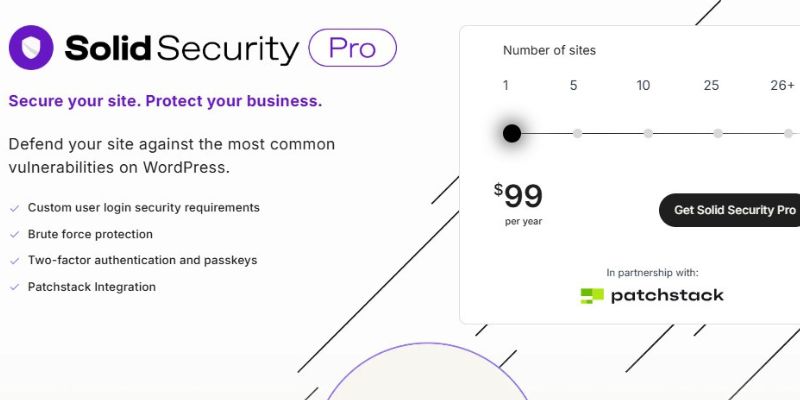
Solid Security, previously known as iThemes Security, continues to be a powerful WordPress security plugin. With over 30 built-in security measures, it offers an easy-to-use interface that appeals especially to users without technical expertise. Its step-by-step checklists and flexible configurations make securing your site straightforward and efficient.
This plugin provides essential features such as brute force attack protection, 404 error detection, strong password enforcement, and two-factor authentication. One of its unique advantages is the option to customize the default WordPress login URL, helping to prevent automated hacking attempts. The Pro version adds advanced capabilities like real-time security dashboards and scheduled malware scans, delivering a robust and comprehensive defense for your website.
2. Jetpack Security
While Jetpack started as a performance and marketing tool, its security module has grown impressively over the years. Jetpack Security stands as a reliable all-in-one solution for those who prefer minimal plugin installations. It offers real-time backups, malware scanning, and brute force protection, all wrapped in a user-friendly interface.
One of Jetpack’s major strengths is its seamless integration with WordPress.com and Automattic products. The security logs and backup features are invaluable for users managing multiple sites or high-traffic blogs. While some features are locked behind a paywall, the convenience and simplicity make it a solid choice.
3. Sucuri Security
Sucuri Security is another heavyweight in the WordPress security landscape. Developed by a team of cybersecurity experts, this plugin is ideal for site owners who want proactive monitoring and robust incident response.
What makes Sucuri stand out is its cloud-based WAF, which not only protects against brute-force attacks and malware but also optimizes your website’s performance by caching content. For site owners who value peace of mind, Sucuri is a dependable solution.
4. Wordfence Security
Wordfence remains a household name when it comes to WordPress plugins for security. In 2025, it continues to lead the pack with its comprehensive suite of protection tools. The plugin offers a powerful endpoint firewall, real-time threat defense feed, malware scanner, and login security. Its firewall is integrated deeply with WordPress, which means it works efficiently without affecting performance. One of the standout features is the live traffic monitoring, allowing you to see real-time attacks on your site.
The free version provides plenty of protection for most small to medium websites, while the premium version unlocks advanced features like country blocking, scheduled scans, and premium support. With over 4 million active installations and frequent updates, Wordfence remains a trusted choice for serious WordPress security.
5. All In One WP Security & Firewall
All In One WP Security & Firewall is an excellent free option that doesn’t cut corners. In 2025, it continues to receive praise for offering powerful security features in an easy-to-understand format. Designed with user-friendliness in mind, this plugin breaks down security measures into three categories: Basic, Intermediate, and Advanced.
It includes login lockdown, user account monitoring, database security, and firewall rules. A unique scoring system shows you how secure your website is and what improvements can be made. The plugin doesn’t rely on external services, so your data stays on your server. It’s ideal for users who want strong security without relying on third-party vendors.
6. MalCare
MalCare stands out for its cloud-based scanning engine that ensures zero load on your server. This plugin is perfect for site owners who want to detect complex malware early without affecting performance. MalCare automatically cleans infected files and provides a real-time firewall to prevent future attacks.
What users love most is how effortless it is to use. There’s no need for deep technical knowledge—MalCare takes care of everything in the background. Its dashboard is intuitive, and the one-click malware removal feature is a lifesaver for those who encounter sudden issues. Premium users also gain access to detailed reports and uptime monitoring tools.
7. WP Cerber Security
WP Cerber Security has quietly become one of the most advanced WordPress plugins for security. It specializes in protecting your site against hacker bots and brute-force attacks. Its anti-spam engine also helps keep your comment section and registration forms clean from automated spam.
WP Cerber’s machine learning-based activity log and real-time traffic inspector feature are among its biggest strengths. You can track login attempts, file changes, and unauthorized activities in an easily digestible format. The plugin also supports multi-site installations, making it a great fit for agencies or large content networks.
8. Shield Security
Shield Security has gained a loyal following for offering enterprise-level features in an approachable package. It’s designed for WordPress users who want deep control over their site’s security without relying on third-party services. With automatic bot detection, core file scanning, and two-factor authentication, Shield Security is built to prevent the most common attacks.
In 2025, the plugin introduces behavioral analytics, allowing you to track user behavior and flag anomalies. It’s smart lockdown feature disables all access during emergencies, ensuring that intrusions can’t escalate. The plugin’s onboarding assistant makes the setup process stress-free, even for first-time users.
9. BulletProof Security
As its name suggests, BulletProof Security focuses on shielding your WordPress installation from the ground up. It’s best known for .htaccess hardening, login security, and database protection. While its interface isn’t the sleekest, its effectiveness speaks for itself.
In 2025, BulletProof Security introduces an updated malware scanner and automatic quarantine for infected files. It also enhances idle session logout and login monitoring features. For developers and power users, this plugin offers customizable security rules and detailed configuration options that go beyond most out-of-the-box solutions.
10. WPScan

WPScan focuses on vulnerability detection. Backed by Automattic, this plugin scans your website for known vulnerabilities in themes, plugins, and WordPress core. Its integration with the WPScan vulnerability database makes it a critical tool for developers and admins who need to stay ahead of the curve.
The plugin offers scheduled scans and detailed reports, helping you fix issues before they can be exploited. It’s especially useful when combined with a firewall or malware scanner.
Tips for Strengthening Your WordPress Security Beyond Plugins
Even the best WordPress plugins for security can’t protect your site completely on their own. To build a strong defense, it’s important to combine the right tools with proactive security habits.
First, keep your WordPress core, themes, and plugins up to date. Regular updates patch vulnerabilities before hackers can exploit them. Alongside this, use strong, unique passwords and enable two-factor authentication (2FA) to add an extra layer of protection at login.
Next, limit login attempts and disable XML-RPC if you don’t use it—this helps prevent brute-force attacks and other common threats. Also, regularly remove unused or inactive admin accounts to minimize potential entry points for attackers.
Your choice of hosting provider matters too. Pick one that offers built-in security features like firewalls and automated backups. Don’t forget to install an SSL certificate to encrypt data and build visitor trust.
Finally, always back up your site regularly, storing copies off-site so you can quickly recover if something goes wrong.
By following these practical steps alongside your security plugins, you’ll greatly reduce the risk of compromise and keep your WordPress site safer.

Choosing the Right Security Plugin for Your WordPress Site
As cyber threats evolve, your WordPress website deserves the best protection possible. Choosing the right WordPress plugins for security is a proactive step that helps safeguard your data, your visitors, and your reputation. Each of the plugins listed above has its strengths, so your choice should reflect your site’s size, complexity, and your comfort with configuration.
No matter which solution you choose, what matters most is that you take action. With the right plugin and consistent monitoring, you can rest easy knowing your WordPress site is prepared for whatever throws its way.
Interesting Reads
10 Best AI Tools for Copywriting in 2025