


Creating and selling online courses is becoming more popular, and WordPress is still one of the most powerful platforms for educators and entrepreneurs to launch their own educational content. With the right Learning Management System (LMS) plugin, you can turn your WordPress website into a fully functional e-learning platform. In this guide, we’ll look at the “Top 10 Best WordPress Online Course Plugins (LMS),” highlighting their features, benefits, and pricing so you can select the best tool to meet your educational objectives and provide a seamless learning experience for your students.
Create All in One Community Platform with Reign Theme
Try Live Demos and our community Bundle add-ons.

1. LearnDash

- WordPress Online Course Plugin (LMS)
LearnDash indeed offers several advantages for creating and managing online courses and membership sites. LearnDash is a powerful learning management system (LMS) for creating and managing online courses and membership sites. Its ease of use, content control, monetization options, community features, integrations, and scalability make it a popular choice for educators, trainers, and organizations looking to deliver high-quality online learning experiences.
Key Features:
- Easy Setup: LearnDash is known for its user-friendly setup process. It doesn’t require extensive technical knowledge to get started, making it accessible to a wide range of users, including those with limited technical skills.
- Content Restrictions: LearnDash allows you to control access to your content, making it easy to restrict certain material to specific membership groups. This is essential for providing personalized learning experiences and protecting premium content.
- Course Selling: LearnDash is designed to help you create and sell online courses. It provides features and tools for setting up pricing, payment processing, and managing course enrollments. This can be a valuable source of income for educators and organizations.
- Drip Content: Drip content is a popular method for releasing course content over time to keep learners engaged and prevent information overload. LearnDash’s built-in drip content feature allows you to release content at regular intervals or upon the completion of certain course levels.
- Community Features: LearnDash offers a range of community-building tools that enhance learner engagement. Features like quizzes, user badges, course-specific forums, certificates, and user profiles can help create an interactive and supportive learning environment.
- Integrations: LearnDash provides a wide array of integrations with third-party tools and services. This flexibility allows you to extend the functionality of your online courses and membership sites. For instance, you can integrate it with MemberPress, WooCommerce for e-commerce capabilities, bbPress for forums, Slack for communication, and more.
- Payment Gateways: LearnDash supports various payment gateways, making it easier for you to accept payments from your users. This is particularly important for those looking to monetize their courses or membership sites.
Price: $159/year for a one-site license.
Also Read: 10 Ways to Measure Training Effectiveness with Learning Management System
2. Namaste! LMS

- WordPress Online Course Plugin (LMS)
Namaste! LMS seems to be a feature-rich Learning Management System (LMS) plugin for WordPress with various capabilities and options for creating and managing online courses. Namaste! LMS appears to be a comprehensive solution for building and managing online courses and eLearning content on a WordPress website, catering to a wide range of educational needs and preferences.
Key Features:
- Course Creation: You can create an unlimited number of courses, lessons, and assignments. This allows for flexibility in designing your eLearning content.
- Access Criteria: You can define criteria for assessing courses and lessons based on factors like completeness, test results, or manual approval. This enables you to control the progression of your learners through the content.
- Custom Post Types: Namaste! LMS supports custom post types, which means you can incorporate various types of eLearning content on your website, making it adaptable to different teaching methods and materials.
- Grading and Assessment: Teachers can assess students’ performance by assigning points for achievements or by using a grading system. This provides a structured way to evaluate student progress.
- Badges and Certificates: The plugin offers the capability to award badges and certificates to students upon course completion, which can be a great motivator and a way to acknowledge their achievements.
- Payment Gateways: It supports popular payment gateways like Stripe and PayPal, which allow you to charge for your courses, making it a potential platform for selling educational content.
- Course Categories: The plugin provides a variety of categories for organizing different types of courses, helping learners find content relevant to their interests.
- Integration with BuddyPress: Integration with BuddyPress allows for student discussions and social interaction, enhancing the learning experience through community building.
- User Roles Management: You can manage and assign specific roles to multiple users. This feature helps differentiate between students, instructors, administrators, and other user roles.
- Premium Features: The premium version of Namaste! LMS offers advanced features such as a leaderboard generator, content restriction, and gamification. These can further enhance the engagement and interactivity of your eLearning platform.
Price: The premium version is priced at $67 per license and includes one year of customer support.
3. Tutor LMS

- WordPress Online Course Plugin (LMS)
Tutor LMS is indeed a popular Learning Management System (LMS) plugin for WordPress that offers a range of features to enhance eLearning websites.
Key Features:
- Free Version Tools: The free version of Tutor LMS provides a variety of essential tools, including a user-friendly drag-and-drop course builder, a lesson management system, and a front-end student dashboard. These features make it easier for instructors to create and manage courses while providing students with a seamless learning experience.
- Quiz Creator: Tutor LMS offers a robust quiz creator that supports over 10 question styles, including true or false, multiple-choice, fill-in-the-blank, and short answers. This feature allows instructors to create engaging and interactive assessments to test students’ knowledge. Customizable timers and attempt limits add a layer of customization to the quizzes.
- Unlimited Courses and Lessons: Instructors can create an unlimited number of online courses and lessons, making it suitable for both small-scale and extensive eLearning platforms.
- Q&A Section: The Q&A section is a valuable feature for fostering student interaction and engagement. It enables students to ask questions, seek clarification, and interact with each other. This enhances the collaborative aspect of the learning process.
- User Profile Management: Tutor LMS allows administrators to manage student and instructor profiles from the admin panel. This feature simplifies user management and helps keep track of learners and educators. Custom Certificates: The ability to design custom certificates is a great addition to acknowledging students’ achievements. Instructors can create beautifully designed certificates to award to students upon course completion.
- Compatibility: Tutor LMS is designed to work seamlessly with various popular WordPress plugins and tools, including Gutenberg (the default WordPress block editor), WooCommerce (for selling courses and products), and Easy Digital Downloads (for selling digital products). This compatibility enhances the functionality and flexibility of the LMS.
Price: The premium version is priced at $67 per license and includes one year of customer support.
4. LearnPress

- WordPress Online Course Plugin (LMS)
LearnPress is indeed a powerful and flexible plugin for WordPress that’s designed to help you create and manage online courses, lessons, and quizzes with ease. With LearnPress, you can set up a comprehensive e-learning platform within your WordPress website. Its combination of free and premium add-ons gives you the flexibility to customize your platform to meet your specific needs, and the integration with popular plugins like BuddyPress and bbPress enables you to build a robust online learning community.
Key Features:
- User-Friendly Interface: LearnPress offers a user-friendly interface similar to the WordPress dashboard, making it easy for users to navigate and create educational content.
- Drag-and-Drop Builder: The drag-and-drop builder simplifies the process of creating courses, lessons, and quizzes, making it quick and effortless to set up your e-learning platform.
- Free Add-ons: LearnPress provides several free add-ons, including wishlists, course reviews, and prerequisite course support.
- Premium Add-ons: LearnPress also offers premium add-ons, which extend its functionality. These add-ons allow features like drip-feed content release and the ability to assign multiple instructors to a specific course.
- Integration with BuddyPress and bbPress: LearnPress seamlessly integrates with BuddyPress and bbPress, two popular WordPress plugins. This integration allows you to create a community around your e-learning platform and even add a forum for discussions and interactions.
- Multiple Payment Gateway Options: You can accept payments through various payment gateways, including PayPal, WooCommerce, and offline payment methods. This flexibility makes it easier for your users to purchase your courses.
- Random Quiz Function: The ability to include random quizzes on specific courses can help keep the learning experience fresh and engaging for your students.
- Award Certificates: LearnPress offers a feature that allows you to reward students with certificates upon course completion, which can be a motivating factor for learners.
Price: The premium version is priced at $67 per license and includes one year of customer support.
5. Lifter LMS

- WordPress Online Course Plugin
LifterLMS is indeed a popular and highly regarded WordPress LMS (Learning Management System) plugin. It offers a wide range of features and functionalities to help individuals and organizations create and manage online courses and memberships through their WordPress websites.
Key Features:
- Course Creation: LifterLMS provides tools for creating and organizing online courses, allowing you to add lessons, quizzes, assignments, and multimedia content.
- Membership Integration: It offers membership functionality, enabling you to restrict content access to specific groups or subscribers.
- Integration: LifterLMS integrates with various popular WordPress plugins and third-party services, such as WooCommerce for eCommerce capabilities, and email marketing services for better communication with your learners.
- eCommerce Capabilities: As you mentioned, LifterLMS has built-in eCommerce functionality, allowing you to sell courses and memberships directly through your website. This can help simplify the process of monetizing your content.
- Ease of Use: LifterLMS is known for its user-friendly interface, making it accessible to those with varying levels of technical expertise. The setup process is designed to be straightforward.
- Customization: It offers customization options to match the look and feel of your website, and it provides various templates and themes to choose from.
- Student Analytics: You can track student progress, view course analytics, and gather valuable insights into how your courses are performing.
Price: Free, pro version starts at $149 per year.
Also Read: 5 Best WooCommerce Multi Vendor / Marketplace Plugins
6. Sensei LMS

- WordPress Online Course Plugin (LMS)
Sensei LMS is indeed a popular learning management system (LMS) plugin for WordPress. It was developed by Automatic, the company behind WordPress.com. It’s important to note that the WordPress plugin ecosystem is constantly evolving, and the popularity and features of specific plugins may change over time. Before selecting any plugin for your WordPress site, it’s a good practice to check the latest reviews and do some research to ensure it meets your specific needs and is compatible with your current WordPress setup.
Key Features:
- Integration with WooCommerce: One of the standout features of Sensei LMS is its seamless integration with WooCommerce, the popular WordPress e-commerce plugin. This allows you to sell your online courses, creating a complete e-learning platform with the ability to handle payments, course purchases, and user management.
- Course and Lesson Editors: Sensei provides user-friendly editors for creating and organizing courses and lessons. This makes it easy for instructors to build and structure their courses effectively.
- Question and Quiz Management: Sensei LMS includes tools for creating and managing quizzes and questions within your courses. This is crucial for assessing and evaluating learners’ progress and understanding.
- Learning Management Tools: The plugin offers various learning management features, such as analytics and reporting to track learners’ progress, grading and assessment tools, learner management for user profiles and progress tracking, and messaging features to facilitate communication between instructors and students.
- Extensions: Sensei LMS can be extended further through free and premium extensions. These extensions can add additional functionality to your online learning platform. Some extensions might include integration with third-party services, enhanced reporting, or additional assessment options.
- Community Features: LifterLMS also includes features for building online communities, discussion forums, and social engagement to enhance the learning experience.
- Gamification: It supports gamification features, such as badges and certificates, to motivate and reward learners.
- Support and Documentation: LifterLMS offers support and extensive documentation to help users make the most of its features.
Price: Free, premium extensions start at $149 per year.
7. MasterStudy LMS

- WordPress Online Course Plugin
MasterStudy LMS is a learning management system (LMS) designed specifically for WordPress. It’s a plugin that can be integrated into your WordPress website to create and manage online courses and educational content.
Key Features:
- Course Creation: MasterStudy LMS allows you to create and structure online courses with various multimedia content such as text, video, and quizzes.
- Quiz and Assessment: You can incorporate quizzes and assignments into your courses to evaluate and test the knowledge of your learners.
- Student Management: It provides tools for managing your students, tracking their progress, and monitoring their performance within the courses.
- E-commerce Integration: You can sell your online courses using e-commerce features like payment gateways, allowing you to set prices, offer discounts, and manage transactions.
- Customization: It offers customization options to match the design of your learning platform with your website’s branding.
- User-Friendly Interface: The system is designed to be user-friendly, making it easy for both instructors and students to navigate and use.
- Content Dripping: You can release course content incrementally, controlling when learners access specific materials.
- Certificates: MasterStudy LMS typically includes the option to generate and award certificates to students upon course completion.
- Multilingual Support: It may support multiple languages, allowing you to offer courses in different languages.
- Reporting and Analytics: You can track the progress of your courses and gather data on how students are engaging with your content.
- Community and Support: Some LMS plugins, including MasterStudy, offer online communities, documentation, and support resources to help users with any issues they encounter.
Price: Free (premium version available from $54.99/year)
8. Good LMS

Good LMS is another LMS plugin that offers an easy course-building experience and support for multiple payment gateways. This plugin makes it easy for instructors and students to manage their profiles. The plugin also supports certificates and badges to reward learners on course completion. You can check out the student and course instructor backend demo before purchasing the plugin to get a sense of the user learning experience.
Key Features:
- Support for unlimited courses
- Timed quizzes so students can evaluate their knowledge
- Repeat quizzes for students looking to retake quizzes
- Set commission rates for instructors
- Built-in support for reviews and testimonials
- Affiliate coupons to encourage more signups
- Progress tracking from the sidebar.
Price: Good LMS is available for a one-time fee of $31, making it one of the most affordable LMS plugins available.
Also Read: 10 Ways to Customize Your Learning Management System
9. WP Courseware
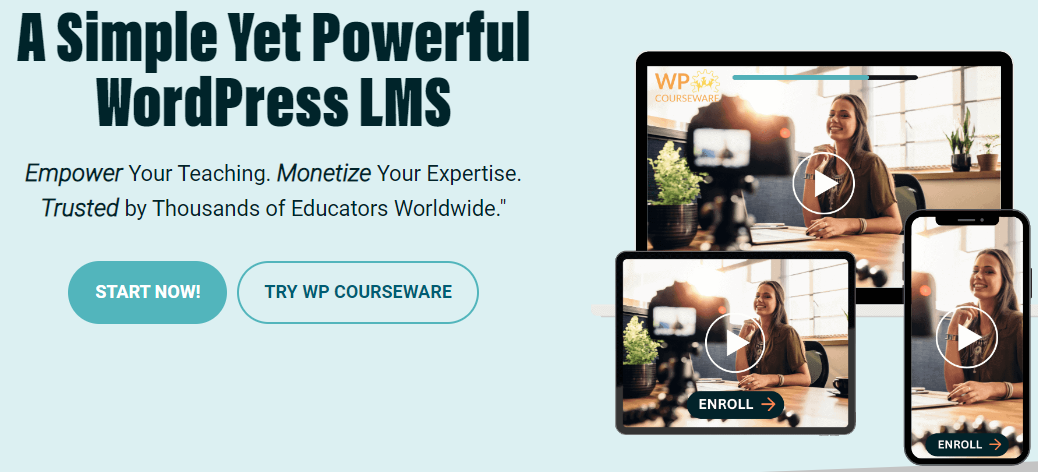
WP Courseware is a clear and user-friendly LMS plugin. It is well-known for its drag-and-drop course development and content management capabilities. WP Courseware is suitable for those seeking a simple but efficient solution.
Key Features:
- Drag-and-Drop Course Builder: WP Courseware provides a drag-and-drop course builder that makes it easier to create and organize courses. This function is very useful for newcomers who may be unfamiliar with WordPress’s more advanced features.
- Flexible Content Delivery: The plugin enables drip-feed content, so you can arrange lessons over time. This is useful for keeping students engaged and ensuring that they absorb the material at a consistent rate.
- Quizzes and Surveys: WP Courseware offers a variety of quiz and survey tools, allowing you to measure student comprehension and gather feedback on your courses. You can construct sophisticated quizzes with various question kinds and modify the grading choices.
- Membership Integration: The plugin works with major membership plugins such as MemberPress and WooCommerce, allowing you to create membership-based courses or sell individual courses.
- Student Progress Tracking: WP Courseware provides robust student progress tracking, allowing teachers and students to track course completion rates. This feature is useful for optimizing course design and keeping students on track.
Price: WP Courseware pricing starts at $149 per year for a two-site license. There are also higher-tier plans available that offer licenses for more sites and additional support options.
10. Teachable

Teachable is a standalone online course platform that also offers WordPress integration. It’s a great option for those who want the power of a dedicated course platform with the flexibility of WordPress.
Key Features:
- Hosted Platform: Teachable is a hosted platform, so you won’t have to worry about the technical aspects of running your website. This allows you to concentrate on creating and selling courses instead of worrying about hosting, security, or updates.
- Customizable Sales Pages: Teachable provides a robust sales page builder that can help you construct high-converting landing pages for your courses. This can greatly boost course sales and revenue.
- Advanced Analytics: The platform features sophisticated analytics, which allow you to monitor student development, course completion rates, and sales performance. This data is crucial for fine-tuning your courses and boosting your marketing efforts.
- Flexible Course Pricing: Teachable provides several pricing options, including one-time payments, subscriptions, and payment plans. This flexibility enables you to select the price strategy that best suits your company.
- WordPress Integration: The Teachable WordPress plugin enables you to effortlessly integrate your Teachable courses into your WordPress website. This allows you to utilize WordPress for your main website while Teachable hosts and manages your courses.
Price: Teachable starts at $39 per month for the Basic plan, which includes all of the necessary features. There are also higher-tier plans that include more features and lower transaction fees.

Discussion
The best online course plugin for you depends on your specific needs and preferences. If you’re looking for an all-encompassing solution, LearnDash is a top contender. LifterLMS and MemberPress provide excellent options for those interested in membership-based e-learning. Teachable is a great choice for those who prefer a hosted platform, while Sensei and WP Courseware are solid options that integrate well with WordPress and WooCommerce.
Ultimately, the choice of the best online course plugin should be based on your individual requirements, budget, technical expertise, and the specific features that align with your e-learning goals. Consider your unique circumstances when making your decision.
Interesting Reads:
10 Best WordPress Community Plugins (Compared)


