
Managing an online store is more than just adding products and waiting for sales. Sometimes, your customers and business partners need flexible payment options that make transactions smoother. That’s where WooCommerce Plugins to Split Payments come into play. They give you the ability to divide payments across multiple parties, offer deposit options, and make your store stand out with customer-friendly solutions.
If you’ve ever wished you could share payments between vendors, let buyers pay in parts, or even collect deposits before fulfillment, this guide is for you. We’ll explore the 5 Best WooCommerce Plugins to Split Payments, explain why they’re important, and show you how they can transform your WooCommerce store into a powerhouse of flexibility.

What Does Splitting Payments Mean in WooCommerce?
Splitting payments in WooCommerce is the process of dividing a single payment into multiple portions. For example, if a customer buys a product, the payment could be split between the store owner, a vendor, and even a partner affiliate. Alternatively, a customer could split their purchase into deposits or installments instead of paying the full amount upfront.
This concept has grown in popularity as more businesses move online and want to offer flexibility. With WooCommerce Plugins to Split Payments, you no longer need complex coding or manual bookkeeping. These tools simplify everything while ensuring the transaction process remains smooth and transparent.
Additionally, splitting payments builds trust with customers and vendors alike. When buyers see that you allow deposits or installments, they are more likely to complete the purchase. Similarly, vendors appreciate getting their fair share automatically, without waiting for manual adjustments.
Why Use WooCommerce Plugins to Split Payments?
Offering payment-splitting features is not just about convenience—it’s a business strategy. By using WooCommerce Plugins to Split Payments, you expand your audience reach and encourage hesitant customers to take action.
For example, a customer who cannot pay $500 upfront for a service might commit happily to a $250 deposit followed by a balance payment later. This reduces cart abandonment rates and increases conversion rates.
On the vendor side, splitting payments creates clarity. If you run a multi-vendor marketplace, dividing the earnings automatically between sellers ensures no disputes or delays. This builds stronger vendor relationships and enhances loyalty to your platform.
In short, these plugins make transactions flexible, reduce financial friction, and enhance overall business efficiency.
How WooCommerce Plugins to Split Payments Work
At their core, these plugins act as intermediaries between your WooCommerce payment gateways and your business logic. They configure rules for splitting payments, whether by percentage, flat amount, or installments.
Most plugins integrate seamlessly with popular payment gateways like PayPal, Stripe, and WooCommerce Payments. After setup, when a customer completes a transaction, the plugin automatically divides the payment according to your chosen configuration.
Some plugins even allow advanced features like:
- Handling refunds with split logic.
- Scheduling payments over time.
- Managing commissions for affiliate partners.
- Offering partial deposits upfront.
This automation saves you countless hours of manual tracking while ensuring that all stakeholders get their fair share of the transaction.
The 5 Best WooCommerce Plugins to Split Payments
1. WooCommerce Deposits
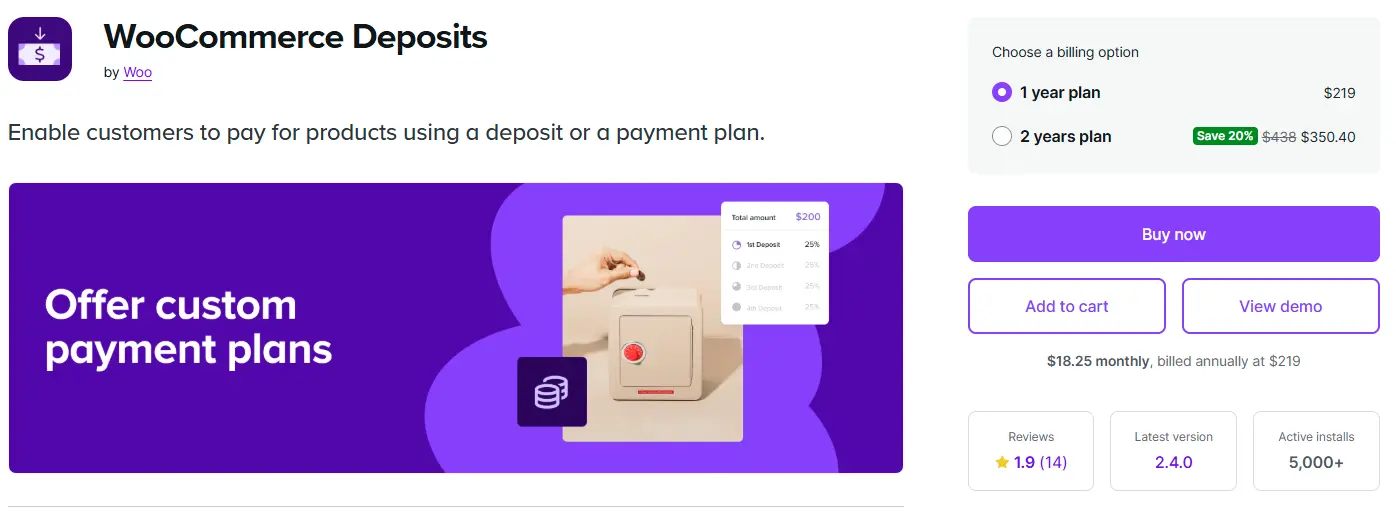
WooCommerce Deposits is one of the simplest yet most effective plugins for partial payments. It allows customers to pay a deposit or choose a flexible payment plan at checkout. Perfect for stores selling high-value products, it reduces cart abandonment and encourages buyers to commit even when they cannot pay the full amount upfront.
Key Features:
- Accept deposits or partial payments during checkout.
- Offer fixed amounts or percentage-based deposits.
- Enable or disable deposits on specific products.
- Allow customers to choose between full payment and a deposit.
- Integrates with WooCommerce’s native payment gateways.
2. YITH WooCommerce Multi Vendor & Deposits

YITH WooCommerce Multi Vendor & Deposits goes beyond simple deposits. It’s designed for marketplace-style stores, making it easy to split payments between vendors while also offering installment and deposit options for customers. It’s a strong solution for business owners who want flexibility for both sides of the transaction.
Key Features:
- Split payments automatically between vendors.
- Accept deposits, partial payments, and installment plans.
- Customize deposit rules by product or category.
- Vendors receive automatic payouts through supported gateways.
- Works seamlessly with the YITH plugin ecosystem.
3. Dokan Pro
Dokan Pro is a full-featured multi-vendor marketplace plugin with robust split-payment features. It makes managing vendor commissions effortless while supporting multiple payment gateways. Vendors gain independence with dashboards and tools to manage their earnings, making it ideal for large-scale marketplace platforms.
Key Features:
- Supports split payments through PayPal Adaptive and Stripe Connect.
- Automatic vendor commission payouts.
- Vendor dashboards with earnings and analytics.
- Advanced marketplace features like product and order management.
- Flexible commission rules based on percentage or flat fees.
4. WC Vendors Pro
WC Vendors Pro is another powerful marketplace plugin designed to simplify split payments. It allows instant commission distribution and provides vendors with greater control over their stores. With PayPal and Stripe integration, it ensures smooth, automated payments for every transaction.
Key Features:
- Commission management with flexible structures.
- Instant payments via PayPal or Stripe.
- Vendor store customization options.
- Scalable for both small and large marketplaces.
- Detailed sales reports for vendors and admins.
5. MultiVendorX
MultiVendorX is a versatile and customizable plugin for managing multi-vendor stores. Its split-payment system is highly adaptable, allowing payouts through various rules such as percentage, flat rate, or custom logic. With its comprehensive vendor dashboard, it ensures transparency and smooth financial management.
Key Features:
- Real-time commission distribution.
- Multiple split-payment rule options.
- Vendor dashboards with advanced analytics.
- Supports multiple payment gateways.
- High customization for niche business models.
Key Benefits of Using Split Payment Plugins
By now, it’s clear that WooCommerce Plugins to Split Payments provide incredible advantages. Let’s recap the main benefits:
- Boosted Conversions: Customers love flexible payment plans.
- Vendor Satisfaction: Automatic commission payouts build trust.
- Time-Saving: Automates complex calculations and transactions.
- Scalability: Perfect for growing businesses and marketplaces.
- Reduced Risk: Deposits protect your business against cancellations.
These plugins create win-win situations for everyone involved.
Choosing the Right Plugin for Your Business
Not all plugins are built the same, so choosing the right one requires analyzing your needs.
- If you need simple deposit management, go with WooCommerce Deposits.
- If you run a multi-vendor marketplace, YITH WooCommerce or Dokan Pro are excellent options.
- For more advanced commission structures, MultiVendorX gives maximum flexibility.
Before making a decision, always test the plugin in a staging environment to ensure compatibility with your existing setup.
Tips to Maximize Split Payment Plugins
To get the most out of these plugins:
- Configure rules clearly before launch.
- Communicate split-payment options transparently to customers.
- Keep payment gateway compatibility in mind.
- Update plugins regularly for security and functionality.
These simple practices ensure smooth performance while keeping both vendors and customers happy.
Comparing Top Split Payment Plugins: WooCommerce vs YITH
Two of the most recognized solutions for split payments in WooCommerce are WooCommerce Deposits and YITH WooCommerce Multi Vendor/Deposits. Let’s break them down in a comparison table for clarity.
| Feature | WooCommerce Deposits | YITH WooCommerce Deposits & Multi Vendor |
|---|---|---|
| Payment Type | Supports deposits and partial payments | Supports deposits, installments, and multi-vendor payouts |
| Ease of Use | Simple interface, minimal setup | More options, but slightly complex for beginners |
| Integration | Compatible with WooCommerce core and popular gateways | Compatible with WooCommerce core and the YITH ecosystem |
| Best For | Store owners needing simple deposit handling | Multi-vendor stores and advanced split scenarios |
| Support | WooCommerce official support | YITH dedicated plugin support |
Both plugins shine in their own way. If you need straightforward deposit management, WooCommerce Deposits is enough. But if you want comprehensive split payments, especially across vendors, YITH WooCommerce is the stronger contender.

Closing Remarks: The Power of Payment Flexibility
The digital shopping landscape is all about convenience and trust. By adding WooCommerce Plugins to Split Payments to your store, you empower customers with more buying options and keep vendors satisfied with automatic payouts.
From WooCommerce Deposits to YITH WooCommerce and beyond, the options are versatile and tailored to different needs. Whether you want to reduce cart abandonment, streamline marketplace management, or simply offer flexible deposits, these plugins give you the tools to thrive.
In a competitive market, payment flexibility is not just a feature—it’s a necessity. Choosing the right plugin today could be the game-changer your WooCommerce store needs tomorrow.
Interesting Reads:
How to Recover Abandoned WooCommerce Carts with Email, SMS & Facebook Messages
Does Salesforce integrate with WooCommerce?
How to Automate Inventory Management Between WooCommerce and Lightspeed POS