
Running a WooCommerce store means ensuring shoppers find what they need quickly and effortlessly—because in eCommerce, convenience is everything. When customers struggle to browse products or navigate categories, they’re far more likely to leave without making a purchase. This is where WooCommerce Navigation Tools Plugins come into play. These powerful add-ons go beyond the default WooCommerce setup, offering features like advanced filtering, mega menus, product sliders, and live search.
By streamlining product discovery and creating a smoother shopping journey, these plugins help reduce bounce rates, improve customer satisfaction, and ultimately drive higher conversions. In this guide, the 10 best options have been carefully curated, complete with key features, pricing insights, and practical usability tips to help store owners make the right choice for their business. Whether you manage a small boutique shop or a large-scale online marketplace, the right navigation tools can make the difference between casual visitors and loyal, returning customers.

What are WooCommerce Navigation Tools Plugins?
WooCommerce Navigation Tools Plugins are specialized extensions designed to improve product browsing and site navigation. They add smart features like product sliders, enhanced layered navigation, mega menus, advanced filtering, and search tools. By upgrading the default WooCommerce navigation, these plugins help customers shop more smoothly, leading to higher sales and better user satisfaction.
For online stores with multiple categories or large product inventories, these plugins can significantly reduce bounce rates. They guide users seamlessly through your catalog, improving both functionality and aesthetics. This makes navigation more intuitive and encourages repeat purchases.
Also Read: Best WooCommerce Plugins Frequently Bought Together
How to Use WooCommerce Navigation Tools Plugins
Installing and using navigation plugins is straightforward. Here’s a step-by-step breakdown:
- Choose the Right Plugin: Identify the plugin that fits your store’s needs (filtering, product slider, mega menu, etc.).
- Install the Plugin: From the WordPress dashboard, go to Plugins > Add New and upload the plugin file or search directly.
- Activate: After installation, activate the plugin to enable features.
- Configure Settings: Customize the plugin via WooCommerce or dedicated plugin settings. Options typically include display preferences, layout styles, and navigation rules.
- Test User Experience: Navigate your store as a customer would, ensuring that menus, filters, and sliders work smoothly.
- Monitor Performance: Track customer behavior and conversions to confirm the plugin is improving store usability.
Following these steps ensures a seamless integration that directly benefits your customers’ shopping journey.
List of the Best WooCommerce Navigation Tools Plugins
Below is a carefully curated list of the top 10 WooCommerce Navigation Tools Plugins. Each plugin has been chosen for its reliability, user experience, and ability to optimize navigation for better sales.
- Ajax-Enabled Enhanced Layered Navigation for WooCommerce
- YITH WooCommerce Product Slider Carousel
- WooCommerce Mega Menu
- WooCommerce Products Filter (WOOF)
- FacetWP
- Product Finder for WooCommerce
- Advanced Woo Search
- WooCommerce Category Accordion
- WooCommerce Menu Cart
- Beaver Builder WooCommerce Modules
1. Ajax-Enabled Enhanced Layered Navigation for WooCommerce

This plugin enhances the default WooCommerce layered navigation with Ajax functionality, making product filtering instant and smooth. Instead of reloading pages, customers see updated results in real-time. This not only saves time but also keeps users engaged while browsing through product categories.
Ideal for stores with large inventories, the plugin enables advanced filter styles like dropdowns, color swatches, checkboxes, and radio buttons. By offering visually appealing and intuitive filtering, it ensures customers find their desired products quickly.
Key Features
- Real-time Ajax product filtering without reloading
- Supports multiple filter styles (dropdown, checkbox, swatch)
- Improves site speed and user experience
- Highly customizable for different themes
Pricing: Starts at $39 (annual license).
2. YITH WooCommerce Product Slider Carousel
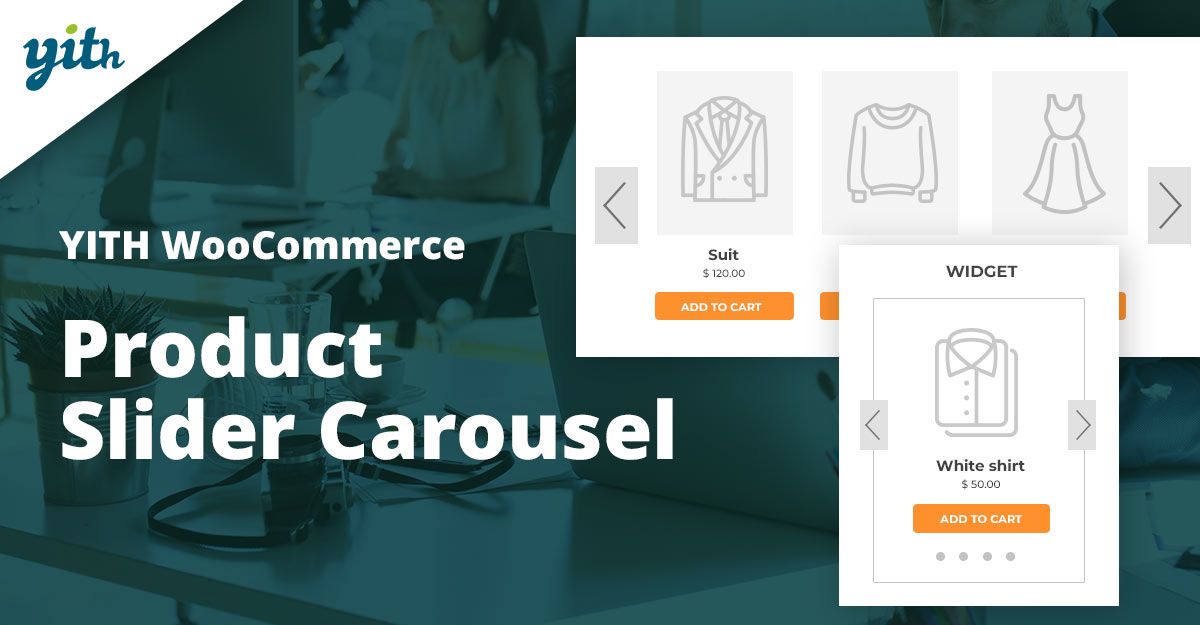
The YITH WooCommerce Product Slider Carousel plugin introduces dynamic product sliders to your online store. Instead of static grids, it displays items in an attractive, rotating carousel. This helps highlight bestsellers, featured products, or seasonal collections directly on the homepage or product pages.
The plugin is highly customizable, allowing store owners to define the number of items per slide, autoplay settings, and responsive display. It improves browsing by showcasing multiple products in a small space without overwhelming the layout.
Key Features
- Customizable product sliders and carousels
- Responsive design for mobile and desktop
- Supports autoplay and navigation controls
- Highlight featured or best-selling products
Pricing: Free version available, premium starts at €59.99/year.
3. WooCommerce Mega Menu
WooCommerce Mega Menu plugins expand standard navigation into feature-rich dropdowns. These menus allow you to showcase categories, images, icons, and even promotional banners in your main navigation bar. This improves navigation by consolidating important product categories into a single structured view.
For stores with diverse categories, mega menus reduce clutter and streamline access to product lines. They are visually appealing and can be tailored to match brand aesthetics.
Key Features
- Create multi-column dropdown menus
- Embed images, icons, and widgets
- Drag-and-drop menu builder
- Mobile-friendly layouts
Pricing: Starting at $49/year.
4. WooCommerce Products Filter (WOOF)
WOOF is one of the most popular WooCommerce product filtering plugins. It provides customers with advanced search and filtering options based on categories, attributes, tags, and price ranges. The filters can be displayed as dropdowns, radio buttons, or checkboxes.
With its Ajax-powered filtering, shoppers see results instantly. The plugin also supports shortcode integration, making it easy to embed filters anywhere in your store.
Key Features
- Ajax-enabled product filtering
- Multiple filter display types
- Supports shortcode and widget integration
- Developer-friendly customization
Pricing: Starts at $39 (one-time).
5. FacetWP
FacetWP offers advanced faceted search functionality, giving customers the power to filter products by multiple criteria simultaneously. It is known for its speed, thanks to Ajax-based updates and indexing technology.
This plugin is perfect for large WooCommerce stores with complex product data. It helps users narrow down search results quickly, reducing friction during the shopping process.
Key Features
- Ajax-powered faceted search
- Supports custom fields and post types
- SEO-friendly indexing
- Highly scalable for large catalogs
Pricing: Starts at $99/year.
6. Product Finder for WooCommerce
This plugin functions as a product quiz or guided search tool, helping customers discover items that suit their needs. By answering a set of questions, users receive tailored product recommendations.
It is particularly useful for stores selling technical or customizable products where customers may need guidance in selecting the right product variation.
Key Features
- Guided product search quizzes
- Customizable questionnaire builder
- Ajax-powered results display
- Improves conversion rates
Pricing: Starts at $49/year.
Also Read: Best WooCommerce Plugins Zoom Magnifier
7. Advanced Woo Search
Advanced Woo Search is a live search plugin that enhances WooCommerce’s basic search feature. It shows instant product results as customers type, complete with thumbnails, titles, and prices.
Fast and lightweight, this plugin improves product discovery and saves time for customers who know what they want.
Key Features
- Ajax-powered live search
- Search by product title, SKU, or content
- Displays images and prices in results
- Compatible with most themes
Pricing: Free version available, premium starts at $69/year.
8. WooCommerce Category Accordion
This plugin allows you to display product categories in an accordion-style menu. Customers can expand or collapse categories for easy navigation, especially helpful for stores with multiple nested categories.
It saves space on the sidebar and provides a neat browsing experience without overwhelming the user with too many categories at once.
Key Features
- Accordion-style collapsible category lists
- Supports nested categories
- Customizable styling
- Widget and shortcode support
Pricing: Starts at $25 (one-time).
9. WooCommerce Menu Cart
WooCommerce Menu Cart adds a shopping cart icon to your site’s navigation menu. Customers can quickly view and access their cart from any page, improving the checkout experience.
The plugin offers customization options, such as showing cart totals, item counts, and dropdown mini-carts for added convenience.
Key Features
- Add cart icon to navigation menu
- Display cart total and item count
- Supports dropdown mini-cart
- Responsive design
Pricing: Free version available, premium starts at $29/year.
10. Beaver Builder WooCommerce Modules
Beaver Builder WooCommerce Modules enhance navigation by allowing you to design custom product layouts, grids, and sliders with a drag-and-drop builder. It integrates seamlessly with WooCommerce, giving you design flexibility.
Great for users who want complete control over their store’s look and navigation, this plugin makes advanced design accessible without coding.
Key Features
- Drag-and-drop WooCommerce layouts
- Custom product grids and carousels
- Responsive design
- Integrates with the Beaver Builder theme
Pricing: Starts at $99/year.
Also Read: How to Customize Coupon Design with Smart Coupons in WooCommerce
Plugin Pricing Comparison Table
| Plugin | Key Features | Pricing |
|---|---|---|
| Ajax-Enabled Enhanced Layered Navigation | Real-time Ajax filtering, multiple filter styles | $39/yr |
| YITH WooCommerce Product Slider Carousel | Customizable sliders, autoplay, responsive | Free / €59.99/yr |
| WooCommerce Mega Menu | Multi-column menus, drag & drop builder | $49/yr |
| WOOF (Products Filter) | Ajax filters, shortcode support | $39 one-time |
| FacetWP | Faceted search, scalable indexing | $99/yr |
| Product Finder for WooCommerce | Guided product quizzes, Ajax results | $49/yr |
| Advanced Woo Search | Live Ajax search, images in results | Free / $69/yr |
| WooCommerce Category Accordion | Accordion menus, nested categories | $25 one-time |
| WooCommerce Menu Cart | Cart icon in menu, dropdown mini-cart | Free / $29/yr |
| Beaver Builder WooCommerce Modules | Drag-and-drop product layouts | $99/yr |

Why Navigation Plugins Matter
Choosing the right WooCommerce Navigation Tools Plugins can transform the way customers interact with your online store. From advanced product filters and live search functionality to dynamic sliders and mega menus, these tools ensure shoppers find what they’re looking for with minimal effort. Improved navigation not only enhances user satisfaction but also directly contributes to higher conversions and sales.
Every store has unique needs, so selecting the best plugin depends on factors like product variety, target audience, and design preferences. Whether opting for Ajax-powered filters, a sleek product carousel, or a guided product finder, these navigation tools make browsing intuitive and enjoyable. With the right setup, your WooCommerce store can stand out and deliver a seamless shopping experience that keeps customers coming back.
Interesting Reads:
Best WooCommerce Plugins Quick Order Forms
Best WooCommerce Plugins Minimum Maximum Quantity
How to Migrate WooCommerce Orders and Coupons with the Import Export Plugin