Downloading YouTube videos has become an essential task for many of us. Whether it’s for offline viewing, creating presentations, or saving tutorials for future reference, the need for reliable tools is universal. If you’ve been searching for the 10 best software to download YouTube videos, you’re in the right place. Let’s explore the top tools that make downloading a breeze.

Why Downloading YouTube Videos Is a Game-Changer
We’ve all been there—relying on stable internet to watch your favorite content only for it to buffer endlessly. Downloading videos eliminates this problem. Moreover, it allows you to:
- Access Content Anytime: Enjoy videos offline, whether on a plane or in areas with poor connectivity.
- Preserve Useful Resources: Save tutorials, lectures, or recipes for future use.
Now that you know the benefits, let’s dive into the software options to help you get started.
1. 4K Video Downloader
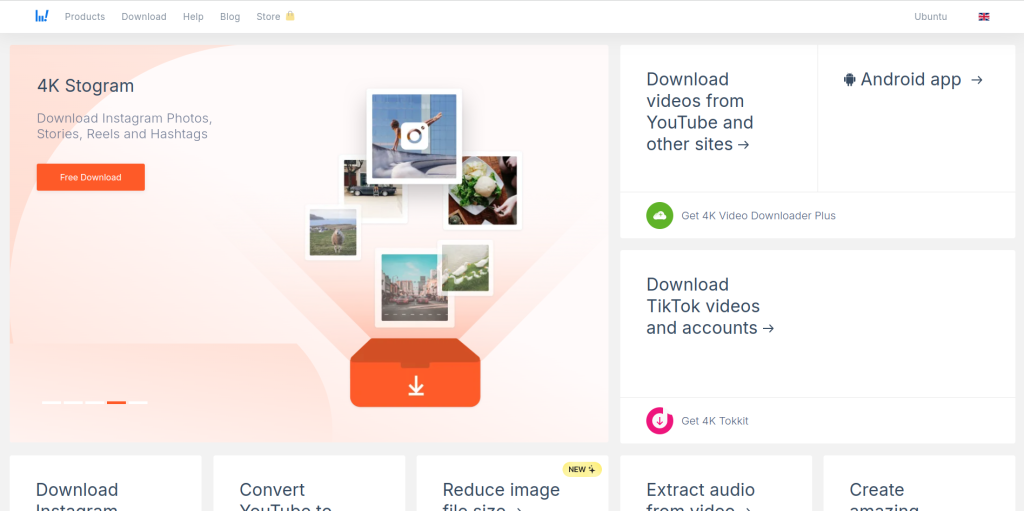
Reliable and User-Friendly
If you want something straightforward and efficient, 4K Video Downloader tops the list. This tool offers multiple download options, including videos, playlists, and subtitles.
Key Features
- Supports high-quality downloads up to 8K.
- Allows extraction of subtitles.
Pros
- Easy-to-use interface.
- Supports multiple formats (MP4, MKV, MP3).
Cons
- Limited features in the free version.
2. YTD Video Downloader
A Trusted Classic
YTD Video Downloader has been a favorite for years due to its simplicity. It supports converting YouTube videos to various formats as well.
Key Features
- Video conversion tools included.
- Download from multiple websites, not just YouTube.
Pros
- Simple and effective.
- Great for beginners.
Cons
- Ads in the free version.
3. SnapDownloader
All-in-One Solution
Looking for a versatile tool? SnapDownloader supports over 900 websites, making it a comprehensive choice for video downloads.
Key Features
- Batch download capability.
- Supports resolutions up to 8K.
Pros
- Fast downloads.
- Excellent customer support.
Cons
- Requires a paid subscription for full features.
4. WinX YouTube Downloader
Speed Meets Efficiency
For users who value quick downloads, WinX YouTube Downloader is an excellent option. It supports multiple file formats and resolutions.
Key Features
- Download entire playlists.
- Hardware-accelerated for faster processing.
Pros
- High-speed performance.
- Free version available.
Cons
- Advanced features require premium access.
5. Videoder
A Modern and Intuitive App
Videoder is a mobile-friendly app that also works on desktops, making it a versatile option. Its sleek design and robust features set it apart.
Key Features
- Multi-threaded downloads for speed.
- Built-in browser for easy video selection.
Pros
- Elegant and modern interface.
- Completely free.
Cons
- Ads in the app version.
6. iTubeGo YouTube Downloader
For Serious Downloaders
If you’re looking to download videos in bulk or need support for high-quality resolutions, iTubeGo is a fantastic choice.
Key Features
- Built-in browser for direct downloads.
- Supports 10,000+ websites.
Pros
- Batch downloads supported.
- Secure and privacy-focused.
Cons
- Premium pricing might deter casual users.
7. Freemake Video Downloader
A Time-Tested Tool
Freemake has been around for ages, known for its versatility and ease of use. It’s perfect for casual users.
Key Features
- Downloads videos, playlists, and channels.
- Converts videos to multiple formats.
Pros
- Free and reliable.
- Works on multiple platforms.
Cons
- Watermark added in the free version.
8. ClipGrab
Lightweight Yet Powerful
For those who need something quick and simple, ClipGrab delivers. This lightweight tool is easy to install and use.
Key Features
- Converts videos into MP3 or MP4.
- Built-in search functionality.
Pros
- Minimalistic interface.
- No-frills functionality.
Cons
- Limited advanced features.
9. ByClick Downloader
The All-Rounder
ByClick Downloader is ideal for users who need a tool that works seamlessly with social media platforms.
Key Features
- Supports downloads from Facebook, Instagram, and more.
- One-click download options.
Pros
- User-friendly setup.
- Supports HD and 4K resolutions.
Cons
- Requires a license for advanced features.
10. Airy YouTube Downloader

Clean and Professional
If you want a no-nonsense downloader, Airy is your go-to tool. It’s lightweight yet powerful enough for high-quality downloads.
Key Features
- Saves entire playlists.
- Integrates with browsers for one-click downloads.
Pros
- Minimalist design.
- Easy browser integration.
Cons
- Limited to YouTube.
Comparison Table: 10 Best Software to Download YouTube Videos
| Software | Key Features | Pros | Cons |
|---|---|---|---|
| 4K Video Downloader | 8K downloads, subtitle extraction | User-friendly, multi-format support | Free version is limited |
| YTD Video Downloader | Converts videos, multi-platform | Simple, effective | Ads in free version |
| SnapDownloader | Batch downloads, 8K support | Fast, versatile | Requires subscription |
| WinX YouTube Downloader | Playlist downloads, high-speed | Reliable, free option available | Premium needed for extras |
| Videoder | Multi-threaded, mobile-friendly | Sleek design, free to use | Ads in free version |
| iTubeGo | 10,000+ websites, secure | Batch download, privacy-focused | Premium pricing |
| Freemake Video Downloader | Playlists, multi-format | Reliable, free option | Watermarks in free version |
| ClipGrab | Built-in search, MP3 conversion | Lightweight, minimalist | Lacks advanced features |
| ByClick Downloader | Social media support, HD/4K | Easy to use, wide compatibility | Paid for full features |
| Airy YouTube Downloader | Browser integration, playlists | Clean interface, simple | Limited to YouTube |
How to Choose the Right Tool
Selecting the best software depends on your needs:
- For Simplicity: Try 4K Video Downloader or ClipGrab.
- For Bulk Downloads: SnapDownloader or iTubeGo are excellent.
- For Advanced Users: Freemake or Airy offer extra features for enthusiasts.
Experiment with a few options to find what works best for your workflow.

Closing Remarks
Downloading YouTube videos doesn’t have to be complicated. With the 10 best software to download YouTube videos, you can save your favorite content effortlessly. Whether you prioritize speed, quality, or privacy, there’s a tool tailored for your needs. Start exploring today and elevate your offline video experience!
Interesting Reads:
10 Best Software to Develop Apps
10 Best Software to Write Resume
The Differences Between HTML, CSS, and PHP