In today’s digital world, creating interactive and fillable forms is essential, whether you’re gathering data, processing orders, or creating surveys. Luckily, there are powerful tools available that make creating fillable forms simple and efficient. With these tools, you can collect responses, analyze data, and manage everything smoothly—all while giving your forms a professional look.
But with so many options out there, how do you choose the best one? In this post, we’ll break down the 10 best software for fillable forms, so you can pick the tool that’s right for you.

1. JotForm: The All-Rounder for Easy Form Building

JotForm is one of the most popular tools for creating fillable forms, and it’s easy to see why. This software is designed with ease of use in mind, allowing anyone—from beginners to professionals—to create forms in minutes. With its drag-and-drop interface and hundreds of templates, JotForm makes creating forms simple and fun.
The platform offers a range of integrations, from payment processors to CRMs, making it a powerful tool for business users. JotForm’s free version is also quite generous, providing access to basic features without a monthly fee, which is great for those just starting.
Key Features
- Drag-and-drop form builder
- Integration with popular apps like PayPal and Google Sheets
- Generous free plan with basic features
Pros:
- User-friendly interface
- Great for beginners and professionals
- Hundreds of customizable templates
Cons:
- Limited submissions on free plan
- Some advanced features require a paid subscription
2. Adobe Acrobat: The Go-To for Professional PDFs
Adobe Acrobat has long been the standard for working with PDFs, and it shines in the fillable form space as well. This software offers tools for creating interactive PDF forms with text fields, radio buttons, checkboxes, and more, making it ideal for professionals and businesses that need polished, secure forms.
Adobe’s editing capabilities let you convert static PDFs into interactive, fillable forms with ease. Though it’s a more expensive option, Adobe Acrobat provides advanced features and reliable performance, making it worth considering if you need high-quality, secure forms.
Key Features
PDF form creation and editing
Converts regular PDFs into interactive forms
Highly secure with advanced editing tools
Pros:
- Professional-grade tools
- Ideal for secure, complex forms
- Industry-standard software
Cons:
- Higher price tag
- Steeper learning curve for beginners
3. Google Forms: Free and Accessible for Everyone
If you’re looking for a completely free option, Google Forms is a fantastic choice. This tool, part of the Google Workspace suite, is accessible, easy to use, and integrates seamlessly with Google Sheets for data analysis. Google Forms is ideal for surveys, quizzes, and simple data collection.
While it lacks the customization options of some other software, Google Forms is unbeatable in terms of accessibility and simplicity. And with Google’s commitment to data privacy and security, it’s a reliable choice for collecting information from respondents.
Key Features
- Free with a Google account
- Real-time responses in Google Sheets
- Collaborative features for teamwork
Pros:
- 100% free to use
- Simple interface
- Real-time data tracking in Sheets
Cons:
- Limited design customization
- Basic functionality without advanced features
4. Typeform: Beautiful Forms that Engage
Typeform is known for its interactive, conversational forms that create a unique experience for respondents. Instead of overwhelming users with a list of questions, Typeform displays one question at a time, making it feel more engaging and personal. This is a great choice if you want to boost response rates and create visually appealing surveys.
While Typeform’s free plan has some limitations, its pro plans offer extensive customization and branding options, making it an excellent tool for businesses looking to create engaging and beautiful forms.
Key Features
- Conversational one-question-at-a-time design
- Customizable templates and layouts
- Built-in analytics for response tracking
Pros:
- Unique and engaging format
- Strong customization options
- Useful analytics tools
Cons:
- Limited free version
- Pricier than basic form tools
5. Wufoo: Simplified Form Building with Excellent Reporting
Wufoo is another popular form builder, especially for users who prioritize ease of use and reporting. With customizable templates and a user-friendly interface, Wufoo makes it easy to create forms and analyze responses. It integrates with popular third-party tools, including Mailchimp and Dropbox, to streamline your data flow.
Wufoo also offers a free version, but its paid plans provide more functionality, making it a good choice for businesses that need powerful form-building and data collection.
Key Features
- Customizable templates
- Integrations with major apps
- Built-in reporting and data analysis
Pros:
- Easy to navigate
- Great reporting capabilities
- Variety of customization options
Cons:
- Limited features in free version
- Premium plans can be pricey
6. Formstack: Advanced Features for Businesses
Formstack is a form builder with business-oriented features, making it perfect for organizations that need more than just basic form functionality. With Formstack, you can use conditional logic, approval workflows, and integrations with major CRMs, helping you build complex forms with ease.
While Formstack is more expensive than some other options, it’s a worthwhile investment for businesses that need scalable and secure solutions for collecting and managing data.
Key Features
- Conditional logic and workflows
- Integrates with CRMs and business tools
- Secure form creation options
Pros:
- Excellent for business and enterprise use
- Advanced form logic and workflows
- Secure, professional-grade features
Cons:
- More expensive than simpler tools
- May have a learning curve for beginners
7. Zoho Forms: Comprehensive Form Tool for Teams
Zoho Forms is part of the Zoho Suite and ideal for teams and businesses that already use Zoho products. This form builder offers a range of features, from conditional logic to automated email notifications, making it a great choice for team collaboration and data collection.
While Zoho Forms offers a free plan with limited features, its paid versions unlock powerful tools for advanced users and businesses. It’s especially beneficial if you’re already familiar with the Zoho ecosystem.
Key Features
Integrates with Zoho and other apps
Automated email notifications
Good for collaborative projects
Pros:
- Great for Zoho users and teams
- Supports detailed customization
- Integrates with Zoho CRM
Cons:
- Limited features in free plan
- Best suited for Zoho users
8. Cognito Forms: Built for Calculations and Payments
Cognito Forms is a unique tool that allows users to add calculations and accept payments through forms, making it ideal for order forms, registrations, and applications. This software supports complex calculations, making it highly versatile for businesses with specific needs.
While Cognito offers a generous free version, paid plans provide more advanced features like payment collection and complex conditional logic.
Key Features
- Advanced calculations and payment processing
- Multiple form field options
- Good for order and application forms
Pros:
- Useful for calculation-based forms
- Great for payment collection
- Excellent free version
Cons:
- Paid plans needed for advanced features
- May be too advanced for basic needs
9. Paperform: Document-Style Form Builder
Paperform is different from traditional form builders, with a document-style layout that allows users to create forms as easily as writing a document. This makes it versatile, allowing users to create payment forms, surveys, and landing pages.
Paperform integrates with several payment gateways and third-party apps, making it ideal for businesses that want a flexible, all-in-one solution. However, it lacks a free plan, which might be a drawback for some users.
Key Features
- Unique document-style design
- Integrates with payment gateways
- Great for eCommerce and business use
Pros:
- Versatile document-style forms
- Supports payments
- Multiple integrations
Cons:
- No free plan
- Subscription cost for advanced features
10. Formidable Forms: Best WordPress Form Plugin
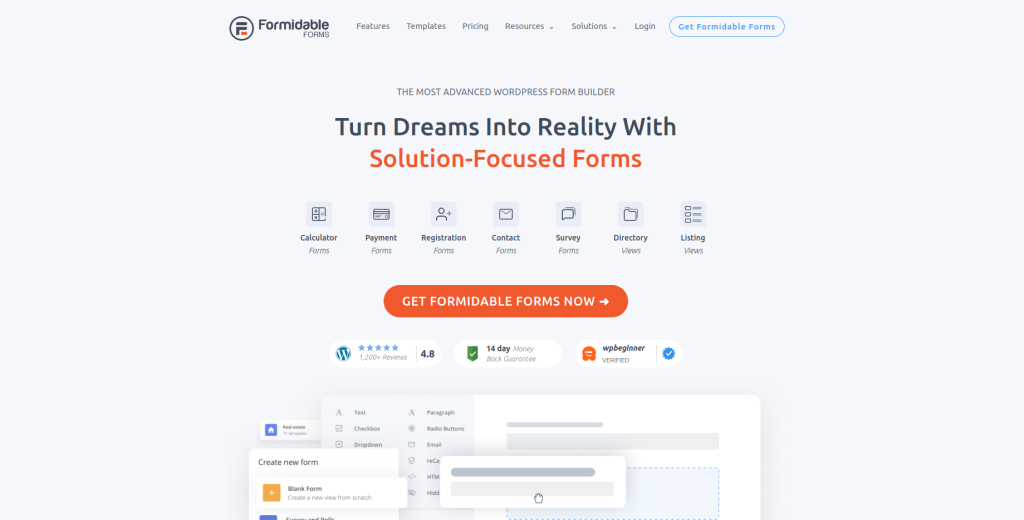
For WordPress users, Formidable Forms is an excellent choice. This plugin integrates seamlessly with WordPress, allowing users to create fillable forms, surveys, and applications right on their site. It offers a range of advanced options, including conditional logic and file uploads.
While Formidable Forms offers a free version, its paid plans are ideal for those who need more features, making it a solid choice for businesses that use WordPress as their main platform.
Key Features
- Integrates with WordPress
- Supports conditional logic and file uploads
- Free and premium versions available
Pros:
- Perfect for WordPress users
- Great customization options
- Easy integration with site content
Cons:
- Limited free version
- Requires WordPress for use
Comparison Table: 10 Best Software for Fillable Forms
| Tool | Key Features | Pros | Cons |
|---|---|---|---|
| JotForm | Drag-and-drop, integrations | Beginner-friendly, customizable | Limited submissions on free plan |
| Adobe Acrobat | PDF editing and creation | Professional, secure | High price, steeper learning curve |
| Google Forms | Free with Google account, Google Sheets sync | Free, easy to use | Limited customization |
| Typeform | Conversational forms, analytics | Engaging, beautiful forms | Limited free plan |
| Wufoo | Templates, app integrations | User-friendly, excellent reports | Limited features in free plan |
| Formstack | Advanced logic, secure options | Business-oriented, workflow management | Expensive |
| Zoho Forms | Integrates with Zoho CRM, team collaboration | Great for teams, customizable | Limited free plan |
| Cognito Forms | Payment options, calculations | Good free plan, supports payments | Paid plan for advanced features |
| Paperform | Document-style, flexible design | Unique style, supports payments | No free version |
| Formidable Forms | WordPress plugin, conditional logic | Ideal for WP users, customizable | Requires WordPress |

Wrapping Up
With so many options in the 10 best software for fillable forms, you’re bound to find the perfect fit for your needs. Each of these tools has unique features tailored for different types of users and businesses. Whether you’re looking for a free option like Google Forms or a feature-rich platform like Adobe Acrobat, you can make fillable form creation a breeze.
Interesting Reads: