Digital art is no longer just a niche hobby; it has grown into a global creative movement. Artists, illustrators, and designers are constantly seeking tools that balance simplicity with advanced features. One tool that gained immense popularity is the Kleki Paint Tool, known for its web-based platform and accessibility. However, as art evolves, creators often crave more advanced functionality and flexibility. That’s where exploring Kleki Paint Tool Alternatives becomes essential.
The 10 best Kleki Paint Tool Alternatives available in 2025. From lightweight browser-based applications to full-featured professional suites, these tools provide unique strengths to empower both beginners and experienced digital artists.

What Are Kleki Paint Tool Alternatives?
Kleki is a free, browser-based digital drawing application, perfect for quick sketches or basic artwork. While it’s user-friendly, it has limited advanced features. This has led many artists to explore Kleki Paint Tool Alternatives—programs that provide enhanced brushes, layering systems, blending modes, and advanced export options.
These alternatives range from open-source software to premium digital art programs. Many of them also work offline, support stylus pressure sensitivity, and integrate with professional workflows. For instance, while Kleki is great for practice, tools like Krita or Procreate offer industry-grade options for illustration, concept art, and animation.
By experimenting with these alternatives, artists can unlock their creative potential without being limited by platform restrictions.
Why Consider Kleki Paint Tool Alternatives?
There are several reasons why artists look beyond Kleki for their creative work:
- Professional-grade features: Advanced layering, vector editing, and brush customization.
- Offline access: Work without depending on internet connectivity.
- Device compatibility: Tools optimized for tablets, styluses, and desktops.
- Animation support: Some alternatives provide frame-by-frame animation capabilities.
- Export versatility: Save work in multiple formats like PSD, SVG, or TIFF.
Choosing the right alternative depends on your workflow. For example, if you’re a beginner who enjoys casual sketching, browser-based tools like Aggie.io are great. On the other hand, professionals creating concept art might prefer Krita or Clip Studio Paint.
How to Choose the Right Kleki Paint Tool Alternative
When evaluating Kleki Paint Tool Alternatives, artists should consider:
- Ease of use: Is the interface intuitive for beginners?
- Compatibility: Does it work with your device (Windows, Mac, iOS, or Android)?
- Stylus support: Does it recognize pressure sensitivity and tilt?
- Features offered: Layers, blending, 3D tools, or animation options.
- Community and support: Large communities often provide tutorials, plug-ins, and assets.
- Cost: Free vs paid versions with premium features.
By carefully analyzing these factors, you can select a tool that fits both your skill level and artistic ambitions.
The 10 Best Kleki Paint Tool Alternatives in 2025
1. Krita
Krita is one of the most powerful open-source painting tools available today. Designed by artists, for artists, it offers professional-grade features free of charge.

- Advanced brush engine with customizable settings
- Animation support with onion-skinning
- Layer management and blending modes
- Support for tablets and styluses
Krita is especially suited for concept artists, illustrators, and animators looking for an all-in-one creative suite.
2. Procreate
Procreate has become the go-to iPad drawing app, loved by professionals worldwide. Its sleek design and powerful engine make it ideal for both sketches and polished artworks.
- Over 200 brushes with custom options
- Time-lapse recording of art creation
- Intuitive gesture controls
- Robust layering system
Though available only on iOS, Procreate remains one of the most popular Kleki Paint Tool Alternatives for mobile artists.
3. Clip Studio Paint
Clip Studio Paint bridges the gap between illustration and comics, offering specialized tools for line art and storyboarding.
- Vector layers for clean linework
- 3D model integration for reference
- Comic panel and speech bubble tools
- Animation capabilities
Artists creating manga, comics, or character designs will find Clip Studio Paint to be an excellent step up from Kleki.
4. MediBang Paint
MediBang Paint is a lightweight yet feature-rich drawing app that’s completely free. It provides cross-platform access, making it versatile.
- Cloud saving for project portability
- Built-in comic creation tools
- Wide variety of brushes and tones
- Available on Windows, Mac, iOS, and Android
Its easy learning curve makes MediBang a strong contender among Kleki Paint Tool Alternatives.
5. Paint Tool SAI
Paint Tool SAI is lightweight, fast, and optimized for digital painting. Many artists love it for its responsiveness.

- Smooth brush engine for natural strokes
- Easy-to-use interface
- Lightweight software with low system requirements
- Basic but effective layer management
It’s particularly well-suited for artists working on anime or stylized illustrations.
6. Autodesk SketchBook
SketchBook is another powerful drawing app, originally premium but now free for individual use.
- Natural brush feel with customizable settings
- Full-screen workspace for distraction-free drawing
- Supports PSD and layered exports
- Works seamlessly across devices
Its simplicity, combined with professional functionality, makes it a solid alternative to Kleki.
7. GIMP (GNU Image Manipulation Program)
GIMP is an open-source software that doubles as both a painting and photo editing program.
- Customizable brushes and filters
- Full image editing capabilities
- Plug-in and community support
- Cross-platform availability
While its interface may be intimidating, its flexibility makes it a powerful tool.
8. FireAlpaca
FireAlpaca is lightweight software known for being beginner-friendly.
- Simple and intuitive interface
- Comic templates and perspective tools
- Multiple brush types for digital art
- Free to use
It’s an excellent choice for beginners seeking a quick and easy Kleki replacement.
9. Aggie.io
Aggie.io is an online collaborative drawing tool, perfect for teams and group projects.
- Real-time collaboration on one canvas
- Layer support and simple brushes
- No installation required—browser-based
- Free to use
This makes it ideal for collaborative brainstorming and art sessions.
10. Corel Painter
Corel Painter is a premium-grade painting application known for its realistic brushes.
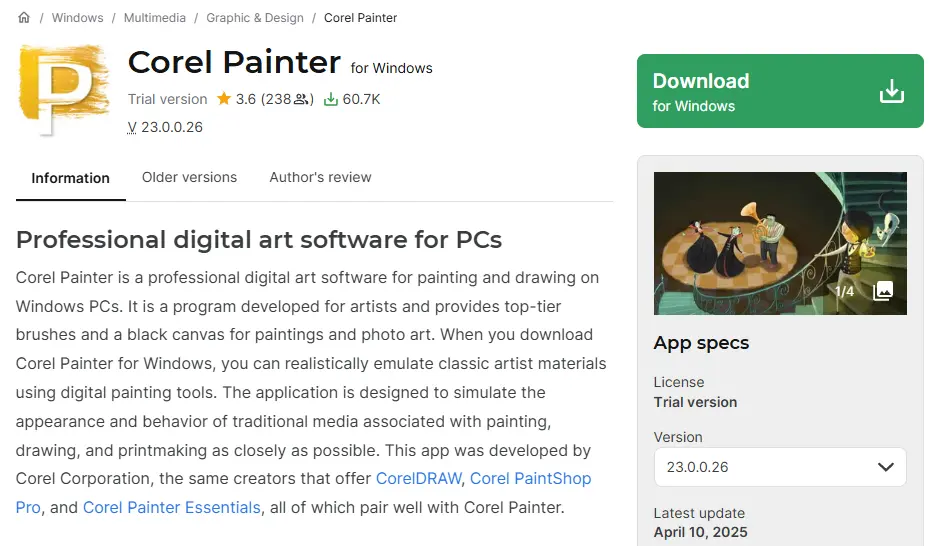
- Over 900 brushes mimicking real-world tools
- Advanced texture and color blending
- Canvas and paper texture simulation
- Tailored for professional artists
For serious digital painters seeking unmatched realism, Corel Painter is a top-tier option.
Comparison Table
| Tool | Best For | Key Features | Cost | Platforms |
|---|---|---|---|---|
| Krita | Professional artists | Brushes, animation, layering | Free | Windows, Mac, Linux |
| Procreate | iPad users | 200+ brushes, time-lapse, layering | Paid | iOS only |
| Clip Studio Paint | Comic creators | Vector tools, 3D models, animation | Paid | Win, Mac, iOS, Android |
| MediBang Paint | Beginners | Cloud saving, brushes, cross-platform | Free | Win, Mac, iOS, Android |
| Paint Tool SAI | Anime artists | Smooth strokes, lightweight software | Paid | Windows |
| SketchBook | Casual/pros | PSD export, brushes, full-screen mode | Free | Win, Mac, iOS, Android |
| GIMP | Advanced users | Brushes, plug-ins, photo editing | Free | Win, Mac, Linux |
| FireAlpaca | Beginners/comics | Simple interface, templates | Free | Windows, Mac |
| Aggie.io | Collaboration | Real-time online drawing, layers | Free | Browser-based |
| Corel Painter | Professionals | Realistic brushes, textures, blending | Paid | Windows, Mac |
How to Use Kleki Paint Tool Alternatives Effectively
To maximize these tools:
- Experiment with brushes: Explore different brush engines to find your style.
- Leverage layers: Use non-destructive editing for flexibility.
- Try cross-platform workflows: Save projects in cloud-based apps for portability.
- Practice regularly: The more you use advanced features, the faster you’ll master them.
- Join online communities: Many tools have vibrant forums for tutorials and asset sharing.
Advanced Tips for Artists Transitioning from Kleki
- Start small: If Kleki feels familiar, begin with simpler alternatives like FireAlpaca or MediBang.
- Upgrade gradually: Move toward advanced platforms like Krita or Clip Studio Paint as your skills grow.
- Use pressure-sensitive devices: Invest in a tablet or stylus for natural brush strokes.
- Learn shortcuts: Keyboard shortcuts can speed up your workflow significantly.
- Experiment with exports: Learn which file types work best for print, web, or collaboration.

Final Thoughts
While Kleki offers a great introduction to digital art, it is limited in features compared to modern tools. By exploring Kleki Paint Tool Alternatives, artists can find platforms that better match their needs—whether it’s for casual sketching, professional illustration, or collaborative projects. From Krita’s powerful brush engine to Procreate’s sleek design and Corel Painter’s realism, there’s an option for everyone in 2025.
Interesting Reads:
The Best Video Editing Software 2025
10 Best IG Follower Export Tools to Track and Analyze Instagram Data in 2025
Vanilla by Higher Logic Review 2025 – Pricing, Features, and Alternatives