
Creating a client portal sounds simple until you actually try to use one with real clients. At first, I assumed a private page and a login would be enough. However, once projects started piling up, files needed sharing, feedback went missing, and email threads spiraled out of control, I realized how wrong that assumption was. That realization pushed me to seriously test WordPress Client Portal Plugins in real-world scenarios, not demos and not marketing screenshots, but actual client work.
Over several months, I installed, configured, and actively used different portal plugins across service websites, agency setups, and small business dashboards. I gave clients access, watched how they interacted, and paid close attention to where confusion showed up. Some plugins looked impressive at first, but quickly fell apart once clients logged in. Others quietly transformed how smoothly projects ran.
This article is written for beginners and small business owners who want practical advice, not technical overload. Everything you will read here is based on firsthand testing. I will tell you what I liked, what frustrated me, and which WordPress Client Portal plugins genuinely earned a place in my workflow.

What Is a WordPress Client Portal Beyond the Buzzword
A WordPress client portal is a secure, private area of your website where clients can log in and access information meant only for them. That might include documents, invoices, project updates, forms, or messages. In practice, it replaces scattered tools and endless email chains with one central hub.
From my testing, the biggest misconception is that a client portal needs to be complex. In reality, the best WordPress client portal plugins focus on clarity. Clients do not want dashboards filled with widgets. They want to log in, find what they need quickly, and feel confident they are in the right place.
A solid client portal usually includes:
- Secure login and role-based access
- Private pages or dashboards
- File and document sharing
- Clear navigation for non-technical users
The plugins that made this list handled these basics consistently well.
Why I Tested These Client Portal Plugins Hands-On
I tested WordPress client portal plugins because client experience directly affects trust. If a portal feels confusing or unreliable, clients blame the service provider, not the software. I wanted tools that made me look more professional, not less.
I also tested these plugins across different client types:
- One-off project clients
- Long-term retainer clients
- Small teams and solo business owners
Some plugins worked beautifully for agencies but felt overwhelming for freelancers. Others were perfect for small businesses but lacked advanced features. The plugins below stood out because they worked in real situations, not just ideal ones.
The Top 10 WordPress Client Portal Plugins I Tested
1. FluentCRM Combined with Restricted Content
FluentCRM is not a traditional portal plugin, but when paired with restricted content, it becomes a powerful client dashboard. I tested this setup for onboarding-focused businesses.

It worked especially well for guiding clients step by step. Among WordPress client portal plugins and creative setups, this approach surprised me with how flexible it was.
2. WooCommerce Memberships Used as a Client Portal
WooCommerce Memberships can double as a client portal when configured correctly. I tested it by creating private client areas tied to memberships.
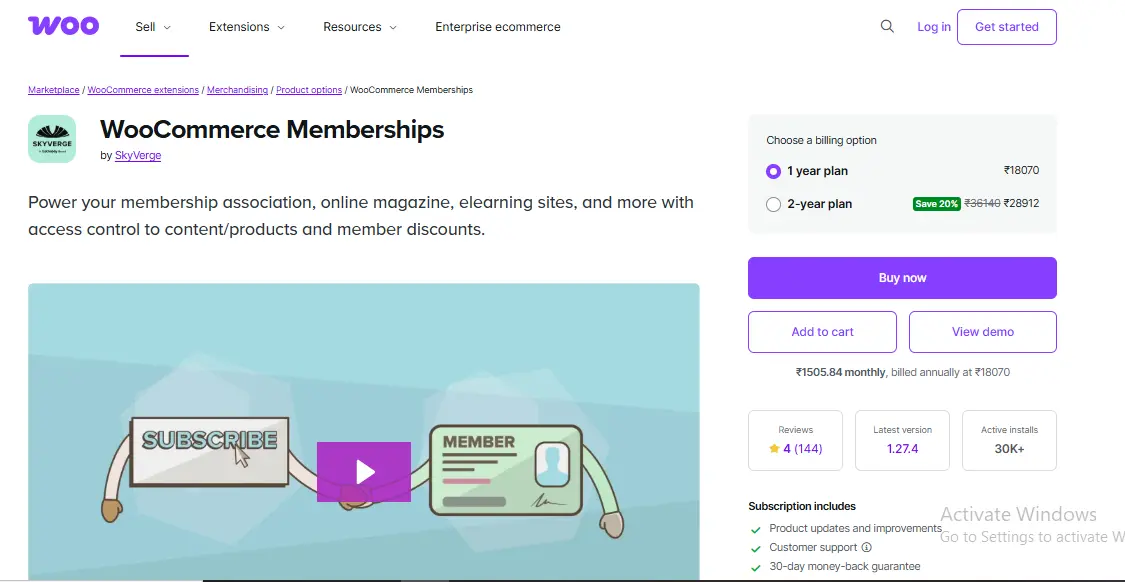
Clients found it easy to navigate, and I liked the granular control over access. Among WordPress client portal plugins, this one is ideal when payments and content access go together.
3. MemberPress with Private Client Pages
MemberPress is known for memberships, but I tested it specifically as a client portal. By creating private pages per client, it delivered a clean and professional experience.
This setup worked best for recurring clients. While configuration takes planning, the long-term stability made it worth the effort.
4. WP Client Portal by WP Clients
This plugin was one of the easiest to use right out of the box. I created private client pages, restricted access, and shared files within minutes. During testing, clients logged in and immediately understood where to go, with no explanation required.
What impressed me most was how client-friendly the interface felt. It does not overwhelm users with features they do not need. Among all WordPress client portal plugins I tested, this one required the least hand-holding.
5. SuiteDash
SuiteDash is an all-in-one platform rather than a lightweight plugin. I tested it with agency-style clients who needed messaging, file sharing, invoices, and task tracking in one place. Setup took time, but the payoff was significant.
Once everything was configured, client emails dropped dramatically. For businesses that want a full client management system, this is one of the most powerful WordPress client portal plugins available.
6. Projectopia Built for Project-Based Work
Projectopia shines when work revolves around milestones, deliverables, and approvals. I tested it with web design and development clients, and it handled timelines, file uploads, and feedback smoothly.
Clients appreciated seeing progress visually instead of asking for updates. If your business is project-driven, this plugin creates clarity and accountability for both sides.
7. WP Customer Area
WP Customer Area focuses on private content delivery. I used it to share contracts, invoices, and ongoing documentation. It is not flashy, but it is reliable, and reliability matters more than design.
Clients logged in, downloaded what they needed, and left comments without confusion. For document-heavy workflows, this plugin performed consistently during testing.
8. WPForms Plus User Roles for Lightweight Portals
This setup uses WPForms for client submissions and WordPress roles for access control. I tested it with feedback forms, document uploads, and support requests.
It is not a full portal system, but it is incredibly flexible. For small businesses that want simplicity without heavy dashboards, this approach works well.
9. SP Project and Document Manager
This plugin focuses on file sharing and document organization. I tested it with clients who needed frequent access to updated files and version control.
The interface was intuitive, and permissions worked exactly as expected. It is one of the strongest WordPress client portal plugins for file-heavy projects.
10. Custom Client Dashboards Using WordPress Core
This approach uses WordPress core features combined with custom dashboards. I tested it on minimalist portals where simplicity mattered more than features.
It is not plug-and-play, but it offers flexibility. For those comfortable with a light configuration, this setup works surprisingly well.
What I Learned About Client Behavior During Testing
One of the most revealing parts of testing was observing client behavior. Without prompting, clients reacted differently depending on the portal experience.
Positive signs included:
- Clients logging in regularly
- Fewer clarification emails
- Faster approvals and responses
Negative signs were equally telling:
- Clients are ignoring the portal
- Requests to just email it instead
- Confusion about where files lived
The best WordPress Client Portal Plugins reduced friction so well that clients barely commented on them. They just worked.
Security and Privacy: What Actually Matters
Security is not optional. During testing, I paid close attention to role-based access, page restrictions, and file permissions. The strongest plugins prevented accidental content exposure and worked well with standard security plugins.
I also tested edge cases, such as users trying to access URLs directly. Plugins that allowed content leakage did not make the cut. A good portal should feel airtight without a complex setup.
How Client Portals Reduced Email Chaos
Before using portals, email handled everything. After implementing the right WordPress Client Portal Plugins, things changed quickly.
Clients stopped emailing:
- Can you resend that file
- Where do I upload this
- What is the current status
Instead, they logged into the portal. That shift alone saved hours every week.
Common Mistakes I Avoid Now
From hands-on testing, I now avoid:
- Overloading portals with features
- Using complex dashboards for simple needs
- Ignoring mobile usability
- Assuming clients will explore without guidance
Clarity always wins over complexity.
Comparison Table Top WordPress Client Portal Plugins
| # | Plugin | Best For | Ease of Setup | Core Strength | Ideal Business Type | Limitations |
|---|---|---|---|---|---|---|
| 1 | FluentCRM + Restricted Content | Client onboarding and guided workflows | Moderate | Automated journeys and gated content | Service businesses, consultants | Not a traditional portal UI |
| 2 | WooCommerce Memberships | Paid client access and gated resources | Moderate | Tight WooCommerce integration | Agencies, paid services | Requires WooCommerce setup |
| 3 | MemberPress + Private Pages | Recurring clients and memberships | Moderate | Strong access control | Coaches, retainers | Setup takes planning |
| 4 | WP Client Portal (WP Clients) | Simple, no-friction portals | Very Easy | Client first simplicity | Freelancers, small agencies | Limited advanced features |
| 5 | SuiteDash | All-in-one client management | Advanced | CRM, files, tasks, messaging | Agencies, growing teams | Heavier setup and learning curve |
| 6 | Projectopia | Project-based work | Moderate | Milestones and deliverables | Designers, developers | Overkill for simple needs |
| 7 | WP Customer Area | Secure document sharing | Easy | Private files and pages | Legal, accounting, consultants | Basic UI |
| 8 | WPForms + User Roles | Lightweight client interactions | Easy | Flexible form-based access | Small businesses | Not a full portal system |
| 9 | SP Project and Document Manager | File-heavy collaboration | Easy | Strong permission control | Teams share many documents | Limited client dashboard UX |
| 10 | Custom Dashboards (WP Core) | Maximum flexibility | Advanced | Full control over UX | Tech-savvy businesses | Requires configuration |
Quick Recommendations by Use Case
- Best for beginners: WP Client Portal by WP Clients
- Best all-in-one solution: SuiteDash
- Best for project tracking: Projectopia
- Best for paid client access: MemberPress or WooCommerce Memberships
- Best lightweight setup: WPForms + User Roles
- Best for document-heavy work: WP Customer Area or SP Project Manager

Final Thoughts
After testing these WordPress Client Portal Plugins with real clients, one thing became clear. Clients do not care about features. They care about ease. The tools that reduced confusion, improved communication, and quietly supported workflows delivered the most value.
If there is one takeaway, it is this. Your client portal should make clients feel informed, not managed. Choose a tool that fits your workflow, respects your clients’ time, and stays out of the way. The results will speak for themselves.
Interesting Reads
Best WordPress Membership Plugin MemberPress Integrations
Must-have Plugins for your eCommerce Website
Best 7 Backup WordPress Plugins 2022