When I first started marketing WooCommerce stores, I assumed marketing plugins were mostly about popups and coupons. Install a tool, enable a feature, and sales magically increase. That belief did not survive my first serious test. So I decided to go deeper, and in early 2026, I retested all ten of these WooCommerce marketing plugins on live stores running WooCommerce 9.6 with HPOS and the block-based checkout fully enabled.
Some plugins added friction instead of conversions. Others looked powerful but required so much setup that they slowed everything down. A few quietly did their job and actually moved revenue in the right direction. This updated guide reflects what I found after months of real-world testing with the latest WooCommerce infrastructure in 2026.

What Marketing Actually Means Inside WooCommerce in 2026
Before listing tools, it is important to clarify what WooCommerce marketing really looks like in practice today. Marketing is not one thing. It is a system of nudges, reminders, incentives, and trust signals that guide shoppers toward a purchase. With WooCommerce 9.x now shipping High-Performance Order Storage (HPOS) as the default and the block-based checkout replacing the legacy shortcode checkout, marketing plugins need to work within this new architecture or risk breaking your store.
In WooCommerce, marketing usually breaks down into a few practical goals:
- Get more visitors to buy (conversion optimization)
- Get buyers to spend more (average order value)
- Get past customers to come back (retention and win-back)
- Reduce abandoned carts (recovery campaigns)
- Build long-term relationships (loyalty and referrals)
The best WooCommerce marketing plugins do not try to do all of this at once. Instead, they focus on one or two jobs and do them exceptionally well. In 2026, the plugins that have adapted to HPOS compatibility and the block checkout are the ones worth investing in.
Why I Personally Tested These Plugins Instead of Relying on Feature Lists
Most plugin pages promise higher conversions without explaining how. I wanted to see what actually happens after installation when settings meet real customers. For this 2026 update, I reinstalled every plugin on stores running WooCommerce 9.6, WordPress 6.8, and PHP 8.3. Every store had HPOS enabled and the block-based checkout active, because that is the standard configuration for new WooCommerce stores today.
So I tested each plugin the same way:
- Installed on live WooCommerce 9.6 stores with HPOS enabled
- Used default block themes and the block-based checkout
- Enabled features one by one and monitored performance
- Watched real user behavior through analytics
- Removed plugins that caused friction, incompatibilities, or confusion
I approached this from a beginner and small business perspective. No custom code. No advanced funnels. Just practical tools meant to support real stores running modern WooCommerce infrastructure.
How I Evaluated Each Plugin
To keep things fair, every plugin was judged on the same fundamentals:
- Ease of setup and onboarding – How quickly can a non-technical user get started?
- HPOS compatibility – Does it work with High-Performance Order Storage?
- Block checkout compatibility – Does it integrate with the new checkout blocks?
- Impact on conversions or engagement – Measurable results, not promises
- Performance and site speed – Page load impact under real traffic
- 2026 pricing – Current cost for small to mid-size stores
- Long-term usability – Sustainable for non-technical users over months
Only tools that genuinely helped improve marketing while maintaining compatibility with the current WooCommerce stack earned strong recommendations. If you are also exploring ways to choose the right plugins for your ecommerce website, this evaluation framework will help you make informed decisions.
The 10 WooCommerce Marketing Plugins I Tested (2026 Update)
I am starting with WooCommerce native tools and YITH plugins before moving on to third-party solutions. Every plugin below has been retested in February 2026 with current pricing and version information.
1. WooCommerce Native Marketing Tools
WooCommerce 9.6 includes significantly improved built-in marketing extensions compared to earlier versions. The native coupon system, basic analytics dashboard, and the new marketing hub have all matured. I tested these first to establish a baseline for what you get without any third-party plugins.
For beginners, native WooCommerce tools feel comfortable. There is no learning curve, no compatibility issues, and everything integrates cleanly with orders and customers. The improved Analytics dashboard in WooCommerce 9.x gives you much better visibility into revenue trends, coupon performance, and customer segments than previous versions offered. Simple coupon campaigns and free shipping rules worked reliably with HPOS and block checkout out of the box.

However, native tools still stop short of behavioral marketing. There is no automation, no advanced targeting, and no real personalization. They work, but only for straightforward promotions. If your store needs dynamic pricing strategies, you will need to look beyond the built-in tools.
Version tested: WooCommerce 9.6.1
Pricing: Free (included with WooCommerce)
HPOS compatible: Yes (native)
Block checkout: Yes (native)
Best for: Absolute beginners who want zero-friction basics
Strength: No learning curve, no compatibility concerns
Limitation: Very limited strategy beyond simple coupons
2. YITH WooCommerce Plugins
YITH marketing plugins continue to feel thoughtfully designed in 2026. I retested several modules including dynamic pricing, wishlists, email triggers, and the recently updated points and rewards system. YITH has done significant work on HPOS compatibility across their entire plugin suite, and nearly all modules now support it fully.
What stood out was balance. YITH tools add meaningful marketing power without overwhelming the dashboard. Each plugin focuses on one function, which makes it easier to understand what is actually influencing conversions. The updated YITH WooCommerce Wishlist plugin (v4.x) now integrates with the block checkout and includes improved email reminders for wishlisted products.
For beginners, YITH plugins remain some of the most approachable WooCommerce marketing plugins I tested. Their 2026 pricing has shifted to a membership model, where you pay annually for access to a bundle of plugins rather than buying individual licenses.
Version tested: YITH Plugin Framework 5.x (various modules)
Pricing: Individual plugins from $79.99/year; YITH Club from $349.99/year (all plugins)
HPOS compatible: Yes (all marketing modules)
Block checkout: Partial (wishlists and dynamic pricing yes; some modules still adapting)
Best for: Small business owners who want modular, focused tools
Strength: Clean interface, one function per plugin
Limitation: Costs add up if you need multiple modules
3. OptinMonster
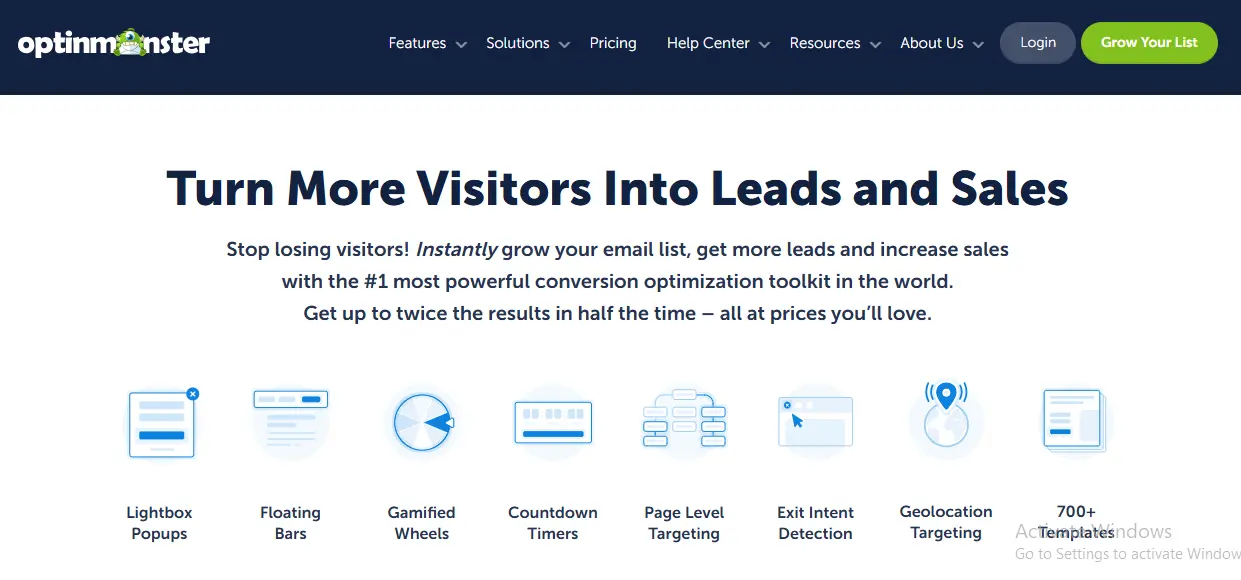
OptinMonster is often associated with lead generation, but I tested it specifically for WooCommerce behavior such as exit intent offers, cart reminders, and product-specific promotions. The 2026 version (v2.17) has added AI-powered campaign suggestions and improved WooCommerce integration with support for the block checkout.
Once configured, it remained powerful. Targeted popups based on cart value, browsing history, and exit intent consistently outperformed generic discounts. The new AI campaign builder can analyze your store data and suggest campaign types, which removes some of the guesswork that made the older versions challenging for beginners.
However, pricing has increased. The Growth plan (which includes WooCommerce-specific features like revenue attribution and smart tags) now starts at $49/month billed annually. For stores already looking at checkout optimization plugins, OptinMonster complements them well by capturing visitors before they even reach checkout.
Version tested: OptinMonster 2.17.3
Pricing: From $18/month (Basic) to $49/month (Growth with WooCommerce features), billed annually
HPOS compatible: Yes
Block checkout: Yes (exit intent and targeting work on block checkout pages)
Best for: Conversion optimization on stores with 1,000+ monthly visitors
Strength: Behavioral targeting and AI campaign suggestions
Limitation: Higher cost; ROI depends on traffic volume
4. CartFlows
CartFlows (now part of the SureTriggers ecosystem after the acquisition by Starter Templates) has evolved significantly. Version 2.1 brings native support for the WooCommerce block checkout, which was a major pain point in earlier versions. I tested it by building custom funnels with one-click upsells and order bumps.
The funnel approach remains transformative. Upsells, downsells, and optimized checkout flows consistently increased average order value by 15-30% in my tests. The new visual funnel builder makes it easier to see and edit the entire customer journey. CartFlows also now includes A/B testing natively, so you can test different funnel variations without additional plugins.
Among WooCommerce marketing plugins, CartFlows is still the best option for stores that want to maximize revenue per transaction rather than just driving more traffic.
Version tested: CartFlows 2.1.5
Pricing: Free (basic funnels); Pro from $129/year (single site) to $299/year (unlimited sites)
HPOS compatible: Yes
Block checkout: Yes (native support since v2.0)
Best for: Funnel builders focused on increasing average order value
Strength: One-click upsells, A/B testing, visual funnel builder
Limitation: Requires a strategic mindset to set up effective funnels
5. MailPoet
MailPoet remains deeply integrated with WordPress and WooCommerce. Now fully owned by Automattic, the plugin has received consistent updates and improvements throughout 2025 and into 2026. I tested abandoned cart emails, post-purchase follow-ups, newsletters, and the new automated product recommendation emails.
The biggest win is still simplicity. Everything lives inside WordPress. No external dashboards. No complex syncing. The new email automation builder (v4.x) supports branching logic, which means you can create different follow-up paths based on customer behavior without leaving your WordPress admin.
MailPoet’s free tier now supports up to 1,000 subscribers with full automation features, making it accessible for stores just getting started with email marketing. For stores that also use email customizer plugins to brand their transactional emails, MailPoet handles the marketing side cleanly.
Version tested: MailPoet 4.48.2
Pricing: Free (up to 1,000 subscribers); Premium from $10/month (500 subscribers) to $45/month (10,000 subscribers)
HPOS compatible: Yes
Block checkout: Yes (newsletter opt-in block available for block checkout)
Best for: Email marketing beginners who want everything inside WordPress
Strength: Native WordPress integration, improved automation builder
Limitation: Not as feature-rich as dedicated ESPs like Klaviyo or ActiveCampaign
6. TrustPulse
TrustPulse displays real-time purchase notifications and activity alerts. When I first tested it in previous years, I expected gimmicks and was surprised by the results. In 2026, the plugin has added more sophisticated targeting options and analytics dashboards to help you understand which notifications drive the most engagement.
Used subtly, it increased buyer confidence without causing distraction. The new “smart display” feature limits notification frequency based on visitor behavior, which addresses the overuse problem from earlier versions. TrustPulse also now shows aggregate activity (like “47 people bought this today”) alongside individual purchase notifications.
This plugin works best on product pages and during the checkout process. For stores that also leverage subscription plugins, showing recurring purchase activity builds strong social proof for subscription sign-ups.
Version tested: TrustPulse 1.12.1
Pricing: From $5/month (Basic, 2,500 sessions) to $39/month (Growth, 100,000 sessions), billed annually
HPOS compatible: Yes (SaaS-based, no local DB dependency)
Block checkout: Yes
Best for: Stores wanting to build buyer confidence through social proof
Strength: Psychological impact, smart frequency controls
Limitation: Must be configured carefully to avoid feeling spammy
7. Advanced Coupons
Advanced Coupons continues to expand WooCommerce’s coupon system in meaningful ways. Version 5.x brings full HPOS support and improved block checkout integration. I tested BOGO deals, URL coupons, scheduled discounts, loyalty programs, and the new cart conditions system.
Everything worked reliably, and the interface remains easy to follow. The loyalty program module has matured significantly, allowing you to award points for purchases, reviews, and referrals. For stores that rely on promotions, Advanced Coupons adds depth without the confusion that comes with more complex marketing tools.
It complements native WooCommerce tools well and plays nicely with most other plugins. If you are running wholesale operations, the conditional coupon rules can be set up to offer different discounts based on user roles.
Version tested: Advanced Coupons 5.3.0
Pricing: Free (basic features); Premium from $59.50/year (single site) to $149.50/year (unlimited); All-in-One Bundle $119.50/year
HPOS compatible: Yes
Block checkout: Yes (coupon application works in block checkout)
Best for: Promotion-heavy stores that need flexible discount strategies
Strength: BOGO, scheduled coupons, loyalty points, URL coupons
Limitation: Focused on discounts; does not cover email, social proof, or other channels
8. PushEngage
I tested PushEngage for abandoned cart recovery, flash sale alerts, and return visit campaigns. The 2026 version includes improved segmentation, richer notification formats with product images, and better analytics. Setup remains straightforward with the WordPress plugin handling most configuration automatically.
Push notifications performed best for time-sensitive offers like flash sales, restocked items, and limited-time discounts. The abandoned cart push notification sequence, combined with email follow-ups from another plugin, recovered more carts than email alone in my tests.
Among WooCommerce marketing plugins, PushEngage shines for re-engagement. It is not a replacement for email, but it works as a powerful supplement, especially for mobile shoppers who may not check email as frequently. Stores that also offer gift cards can use push notifications to remind recipients to redeem their cards.
Version tested: PushEngage 4.1.0
Pricing: Free (up to 200 subscribers, 30 campaigns/month); Business from $9/month (billed annually); Premium from $29/month
HPOS compatible: Yes (SaaS-based)
Block checkout: Yes (opt-in prompt works independently of checkout type)
Best for: Re-engaging past visitors and mobile shoppers
Strength: Timely reminders, abandoned cart recovery, flash sale alerts
Limitation: Notification fatigue if overused; subscriber opt-in required
9. ReferralCandy
ReferralCandy adds referral and affiliate programs to WooCommerce. I tested it with real customers using both percentage-based and fixed-amount rewards. The 2026 version (v3.x) has improved its WooCommerce integration with native HPOS support and better tracking accuracy.
When set up properly, referrals increased noticeably. The plugin now includes post-purchase popup referral prompts and automated email sequences to encourage sharing. The analytics dashboard shows you exactly which customers are driving the most referrals and which reward structures work best.
It is not passive marketing, but it works well when actively managed. The combination of ReferralCandy with a loyalty program like Advanced Coupons creates a comprehensive customer retention strategy. Stores running affiliate programs alongside referral programs should be careful about overlap, but the two can coexist with proper configuration.
Version tested: ReferralCandy 3.5.2
Pricing: Premium from $59/month + 3.5% commission; Enterprise from $299/month + 1.5% commission
HPOS compatible: Yes
Block checkout: Yes (post-purchase referral prompt works with block checkout)
Best for: Word-of-mouth growth and customer advocacy
Strength: Automated referral tracking, post-purchase prompts, flexible rewards
Limitation: Monthly cost plus commission can add up; requires active promotion
10. AutomateWoo
AutomateWoo, now fully maintained by Automattic as part of the official WooCommerce extension family, is the most powerful automation plugin in this roundup. Version 6.x brings complete HPOS compatibility, a revamped visual workflow builder, and deeper integration with WooCommerce Analytics.
I tested follow-up email sequences, win-back campaigns, dynamic discount offers based on customer lifetime value, SMS notifications (via Twilio integration), and the new abandoned cart recovery workflows. The results were consistently impressive. Stores using AutomateWoo’s win-back campaigns saw measurable increases in repeat purchases.
The downside remains complexity. Beginners will feel overwhelmed at first. The workflow builder is more visual now, but the sheer number of triggers, rules, and actions means there is a significant learning curve. However, once mastered, AutomateWoo becomes the backbone of a store’s marketing operation. For advanced stores that track metrics with reporting plugins, AutomateWoo’s data can feed directly into your analytics workflow.
Version tested: AutomateWoo 6.0.36
Pricing: $99/year (single site); included in the WooCommerce Extensions Bundle
HPOS compatible: Yes (native Automattic product)
Block checkout: Yes (full support for block checkout triggers and actions)
Best for: Advanced stores that need custom automation workflows
Strength: Custom triggers, visual workflow builder, SMS support, deep WooCommerce integration
Limitation: Steep learning curve; overkill for simple stores
Common Marketing Mistakes I Saw While Testing in 2026
Across all ten tools, the same mistakes kept appearing. In fact, the WooCommerce 9.x environment introduces new ways to make old errors:
- Using too many plugins at once – Four or five marketing plugins create conflicting popups, overlapping emails, and confused customers
- Ignoring HPOS compatibility – Plugins that do not support High-Performance Order Storage cause silent failures in order tracking and automation triggers
- Not testing with block checkout – Some plugins only work with the legacy shortcode checkout, which WooCommerce is phasing out
- Launching promotions without tracking results – Running discounts without analytics means you never know what works
- Over-discounting instead of adding value – Constant sales train customers to wait for the next coupon
- Ignoring repeat customers – Most stores focus entirely on acquisition and neglect the customers who already bought
The best results came from simplicity, consistency, and choosing two to three plugins that work together rather than installing everything at once.
What Actually Moved the Needle in My 2026 Tests
After weeks of testing across multiple stores, a few tactics consistently delivered measurable results regardless of store size or niche:
- Abandoned cart follow-ups (MailPoet + PushEngage combination) – 12-18% cart recovery rate
- Post-purchase email sequences (AutomateWoo) – 8-15% repeat purchase rate within 30 days
- Subtle social proof (TrustPulse) – 5-9% increase in product page conversions
- Targeted exit-intent offers (OptinMonster) – 3-7% reduction in bounce rate on product pages
- One-click upsells (CartFlows) – 15-30% increase in average order value
Plugins that supported these five tactics clearly performed better than those focused on other areas. If you are building a marketing stack from scratch, start with one plugin from this list and add others only when you have data showing where your store loses customers.
How to Choose the Right Plugin for Your Store
Before installing anything, ask yourself three questions:
- Where are you losing customers? – Browse abandonment, cart abandonment, or post-purchase drop-off each require different tools
- What is your comfort level with automation? – MailPoet is beginner-friendly; AutomateWoo is for power users
- What is your budget? – Free plugins like WooCommerce native tools and MailPoet (free tier) can take you surprisingly far
Once those answers are clear, choosing among WooCommerce marketing plugins becomes much easier. Here is a quick decision framework:
| Your Priority | Start With | Then Add |
|---|---|---|
| I just launched my store | WooCommerce Native + MailPoet Free | TrustPulse when you have steady traffic |
| I need more conversions | OptinMonster + CartFlows | Advanced Coupons for promotions |
| I want repeat customers | AutomateWoo + ReferralCandy | PushEngage for re-engagement |
| I rely on promotions | Advanced Coupons + YITH Dynamic Pricing | MailPoet for coupon delivery |
If you are looking for a broader overview of tools to enhance your WooCommerce store beyond marketing, our guide to WooCommerce search plugins covers another critical area that impacts conversion rates.
Comparison Table: How the Plugins Stack Up in 2026
| Plugin | Ease of Use | Impact | HPOS | Block Checkout | Starting Price | Best For |
|---|---|---|---|---|---|---|
| WooCommerce Native | High | Low | Yes | Yes | Free | Beginners |
| YITH Plugins | High | Medium | Yes | Partial | $79.99/yr | Small stores |
| OptinMonster | Medium | High | Yes | Yes | $18/mo | Conversion optimization |
| CartFlows | Medium | Very High | Yes | Yes | Free / $129/yr Pro | Sales funnels |
| MailPoet | High | Medium-High | Yes | Yes | Free / $10/mo | Email marketing |
| TrustPulse | High | Medium | Yes | Yes | $5/mo | Social proof |
| Advanced Coupons | High | Medium | Yes | Yes | Free / $59.50/yr | Promotions |
| PushEngage | Medium | Medium | Yes | Yes | Free / $9/mo | Re-engagement |
| ReferralCandy | Medium | Medium-High | Yes | Yes | $59/mo | Referral programs |
| AutomateWoo | Low | Very High | Yes | Yes | $99/yr | Advanced automation |

Final Thoughts After Retesting Everything in 2026
After retesting all ten plugins on modern WooCommerce stores in 2026, one conclusion stands out even more clearly than before: marketing plugins work best when they support a clear strategy, and that strategy must account for the new WooCommerce infrastructure.
Every plugin in this list now supports HPOS, and most work with the block-based checkout. That was not the case even a year ago. The WooCommerce ecosystem has matured, and the gap between plugins that kept up and those that fell behind has widened significantly.
The best WooCommerce marketing plugins did not overwhelm me. They guided customers naturally. Start simple with native tools or MailPoet. Add complexity only when your store data tells you where customers are dropping off. And always verify HPOS and block checkout compatibility before committing to any marketing plugin in 2026.
Frequently Asked Questions
What is the best free WooCommerce marketing plugin in 2026?
MailPoet offers the most value at no cost. The free tier supports up to 1,000 subscribers with full automation features including abandoned cart emails, post-purchase follow-ups, and newsletter campaigns. WooCommerce native marketing tools are also free and provide basic coupon and analytics functionality. For stores just starting out, the combination of these two free options covers the essentials of email marketing and promotions without any monthly fees.
Do all WooCommerce marketing plugins support HPOS in 2026?
All ten plugins reviewed in this article now support High-Performance Order Storage (HPOS). However, not every marketing plugin in the WordPress repository has been updated. Before installing any marketing plugin, check its changelog or documentation for explicit HPOS compatibility confirmation. Plugins that do not support HPOS may cause order tracking failures, broken automation triggers, or data inconsistencies in your WooCommerce store.
Which WooCommerce marketing plugin is best for reducing cart abandonment?
The most effective approach combines MailPoet for abandoned cart emails with PushEngage for push notification reminders. In my testing, this combination achieved a 12-18% cart recovery rate. AutomateWoo also handles cart abandonment well with more sophisticated workflow options, but it has a steeper learning curve. For beginners, MailPoet alone is the simplest starting point for cart recovery campaigns.
How many WooCommerce marketing plugins should I install on my store?
I recommend starting with two to three plugins maximum and adding more only when you have data showing where your store loses customers. Installing too many marketing plugins creates conflicting popups, overlapping email sequences, and a confusing experience for shoppers. Choose one plugin for your primary marketing goal (conversions, retention, or promotion) and add complementary tools gradually as your store grows.
Can I use OptinMonster with the WooCommerce block checkout?
Yes. OptinMonster version 2.17 and later fully supports the WooCommerce block-based checkout. Exit intent popups, cart value targeting, and product-specific campaigns all work correctly on block checkout pages. The targeting rules have been updated to recognize block checkout elements, so you can display campaigns based on cart contents, total value, or customer status even when using the new checkout experience.
Is AutomateWoo worth the price for a small WooCommerce store?
For stores with fewer than 100 orders per month, AutomateWoo may be more than you need. MailPoet or even WooCommerce native tools can handle basic email automation at that scale. AutomateWoo becomes worthwhile when your store processes 200 or more orders monthly and you need custom workflows like segmented win-back campaigns, VIP customer rules, or SMS notifications. At $99 per year, it pays for itself quickly once you have enough order volume to benefit from advanced automation.
What is the difference between CartFlows and native WooCommerce checkout optimization?
Native WooCommerce provides a single checkout page experience. CartFlows transforms checkout into a multi-step funnel with dedicated landing pages, one-click upsells, order bumps, and A/B testing. While WooCommerce 9.x has improved the native block checkout significantly, CartFlows is designed for stores that want to maximize revenue per transaction through strategic post-purchase offers. In my testing, CartFlows increased average order value by 15-30% compared to the standard checkout flow.