
Reign Theme Already Looks Amazing, Now Make It Interactive
If you are running a community site with the Reign Theme, you already have a professional, modern-looking platform. Reign gives you beautiful member profiles, activity feeds, groups, and a polished design that works with BuddyPress and BuddyBoss out of the box.
But here is what Reign does not have built in: a stories feature. And in 2026, stories are the single most effective way to drive daily engagement on any social platform.
The WP Stories plugin was built by the same team that created Reign Theme, Wbcom Designs. It is designed to work perfectly with Reign, matching the theme’s design language and integrating seamlessly with its community features.
Why Stories Matter for Reign Theme Sites
Your Reign-powered community site is competing for attention with Instagram, TikTok, and Snapchat. Your members spend hours on those platforms sharing quick visual moments. When they visit your community, they expect the same kind of experience.
How WP Stories Looks on Reign Theme
Activity Page
Story circles appear at the top of the Reign activity feed, above the posting form. The gradient ring borders complement Reign’s color scheme, and the story viewer overlay matches Reign’s modal styling.
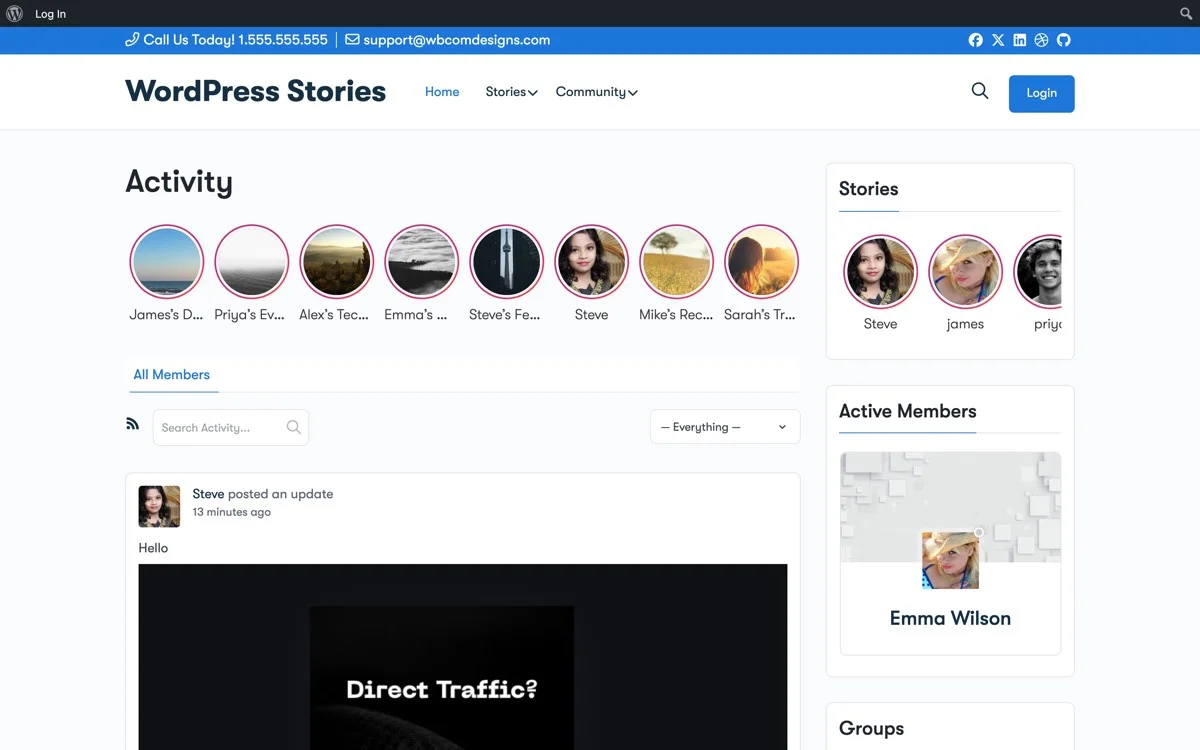
WP Stories on the Reign Theme Activity Feed, story circles integrate naturally with Reign’s design
The Story Viewer
When users tap a story, the full-screen viewer opens with blur backdrop, progress bars, and smooth cube transitions. It matches Reign’s modal styling perfectly.

Full-screen story viewer with gradient backdrop, navigation arrows, and auto-play
Member Profiles
The Stories tab sits naturally alongside Reign’s existing profile tabs (Activity, Profile, Messages, Friends). Story thumbnails, view counts, and the viewer list all use Reign’s typography and spacing.

Member profile on Reign Theme, Stories tab integrates alongside existing profile navigation
Three Display Styles to Match Your Design
Instagram Style
Circular avatars with gradient borders in a horizontal scroll. This is the default and most popular choice. It looks exactly like Instagram Stories and your users will instantly know how to use it.
Square Style
Card-based thumbnails showing story cover images. This style works well with Reign’s modern card-based layout and is great for showcasing story collections.
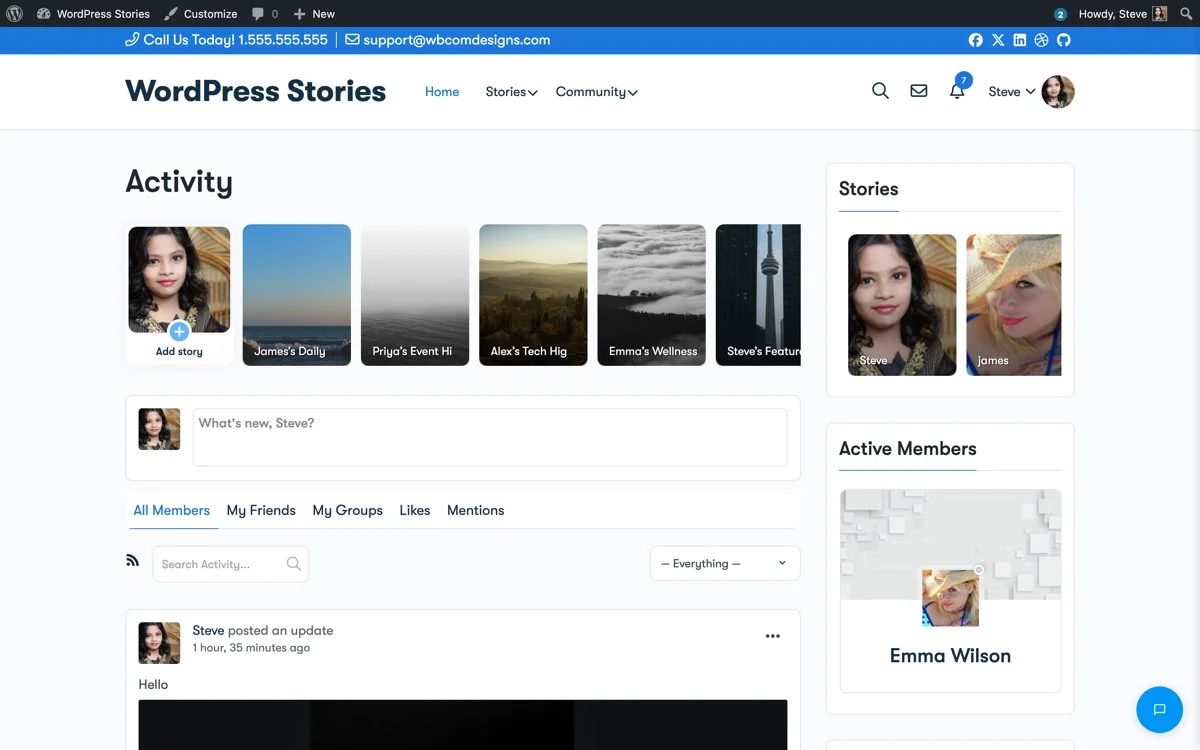
Square Style, modern card thumbnails that match Reign’s card-based design language
List Style
A compact vertical list with avatars, names, and timestamps. Perfect for Reign’s sidebar widgets where horizontal space is limited.
Key Features That Work With Reign
Built-in Image Editor
Users can crop, rotate, draw on, add text to, and apply filters to their images before posting. The editor is built with Vue.js and works perfectly on both desktop and mobile. No external tools needed.
Story Collections (Highlights)
Members can create permanent story collections with custom cover images, just like Instagram Highlights. These stay on their profile and in the story feed forever. Perfect for portfolios, announcements, or curated content.
Privacy Controls
Four visibility levels work with Reign’s user system:
- Everyone, Visible to all visitors
- All Members, Logged-in Reign community members only
- My Friends, Only BuddyPress friends
- Only Me, Private to the author
Story Likes with Heart Animations
Users can like stories with a tap. A beautiful heart animation plays, like counts update in real-time, and story owners can see who liked their content.
Auto-Expiration
Stories can automatically expire after 24 hours, just like Instagram. This creates a sense of urgency, members need to check back daily or they will miss stories.
Mobile Experience
Reign Theme is fully responsive, and WP Stories matches that perfectly on mobile devices.

Fully responsive on mobile, touch gestures, swipe navigation, and mobile-optimized story creation
Setup Guide for Reign Theme
- Install WP Stories, Upload and activate the plugin from your WordPress dashboard.
- Go to WP Stories Settings, Navigate to WB Plugins then WP Stories.
- Choose Instagram Style, In the General tab, select Instagram Style for the best match with Reign’s design.
- Enable BuddyPress Integration, In the Integrations tab, turn on all BuddyPress options.
- Configure User Roles, In User Publishing Options, enable all user roles and set visibility options.
- Add Widgets, Go to Appearance then Widgets and add the WP Stories Activity Feed widget to Reign’s right sidebar.
- Test, Log in as a member and create your first story.
Content Strategy for Story-Powered Communities
Once stories are live on your Reign site, here are some ideas to drive adoption:
- Admin stories, Create daily stories about community news, upcoming events, or behind-the-scenes content.
- Story challenges, Encourage members to share stories around weekly themes.
- Highlight new members, Create story collections welcoming new community members.
- Event coverage, Use stories to cover live events, meetups, or webinars in real-time.
- Product showcases, If your community includes vendors or creators, stories are perfect for showcasing new products.
Get Started
If you are already running Reign Theme with BuddyPress, adding stories takes less than 15 minutes. Same team, same design philosophy, seamless integration.
Get WP Stories and take your Reign community to the next level.