
If you’re running a website—whether it’s a blog, a business site, or an online store—search engine visibility is key. To help search engines understand and crawl your website effectively, you need two important files: robots.txt and sitemap.xml.
In this blog, we’ll walk you through how to create both, why they matter for SEO, and how to add them to your website. Whether you’re new to this or just looking to refresh your knowledge, we’ll explain everything in a friendly, step-by-step way.

What is robots.txt, and Why Does It Matter?
Think of the robots.txt file as a rulebook for search engine bots. When Googlebot or Bingbot visits your site, this file is the first thing they check. It tells them which pages they can crawl and which ones to stay away from.
For example, you might not want search engines to crawl your WordPress admin dashboard or certain internal folders. That’s where robots.txt becomes useful.
A properly configured robots.txt file helps manage server resources, avoid duplicate content issues, and improve crawl efficiency—which in turn helps boost your SEO ranking.
How to Create a robots.txt File?
Creating a robots.txt file is surprisingly simple. It’s just a plain text file with specific rules written in it.
Here’s an example:
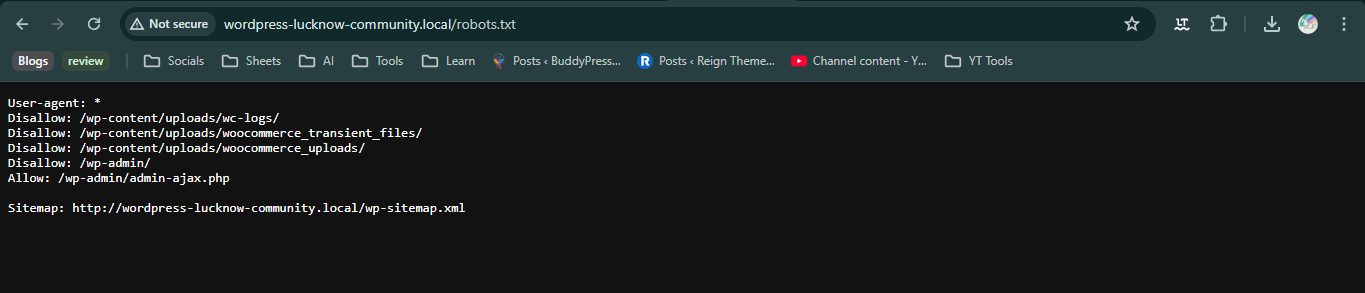
Let’s break that down:
-
User-agent: * means the rule applies to all bots.
-
Disallow: /wp-admin/ tells bots not to crawl your WordPress admin folder.
-
Allow: /wp-admin/admin-ajax.php lets bots access that specific file.
You can create this file using any text editor like Notepad (Windows) or TextEdit (Mac). Just make sure you save it as robots.txt.
Where to Place robots.txt on Your Site
Once you’ve created the file, you need to upload it to the root directory of your website. This means it should be accessible directly at:
If you’re using a hosting service like Bluehost or SiteGround, you can use their File Manager or FTP client like FileZilla to upload it.

For WordPress users, a plugin like Yoast SEO or All in One SEO can help you manage your robots.txt file directly from the WordPress dashboard—no coding required.
What is a Sitemap, and Why Is It Important?
A sitemap is like a directory of your website. It lists all the pages, blog posts, and other content that you want search engines to find and index.
There are two main types of sitemaps:
-
XML sitemaps for search engines
-
HTML sitemaps for human visitors
In terms of SEO, XML sitemaps are more crucial. They help search engines understand the structure of your website, discover new content, and index pages more efficiently. This leads to better visibility on Google and other search engines.
How to Create an XML Sitemap
If you’re using WordPress, this part is very easy. Most SEO plugins automatically generate an XML sitemap for you.
Example using Yoast SEO:
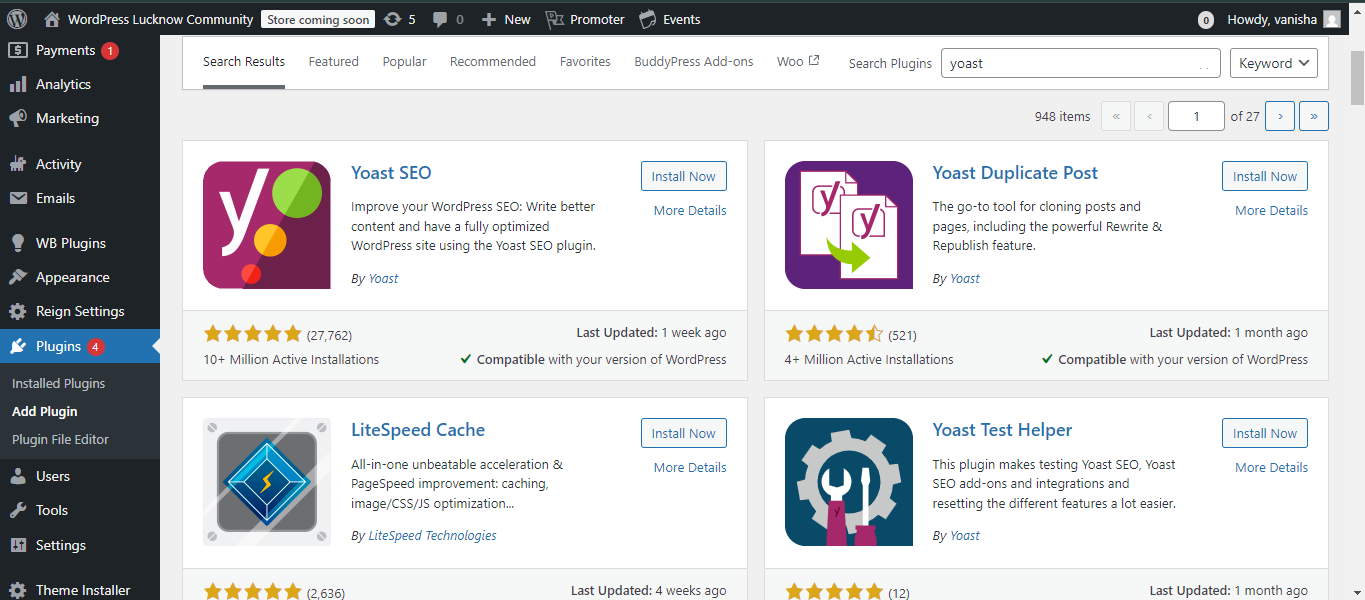
Once you install and activate Yoast SEO:
-
Go to SEO > General in your WordPress dashboard.
-
Click the Features tab.
-
Make sure XML sitemaps is turned on.
-
Click the question mark icon next to it, then “See the XML sitemap.”

Your sitemap will be located at:

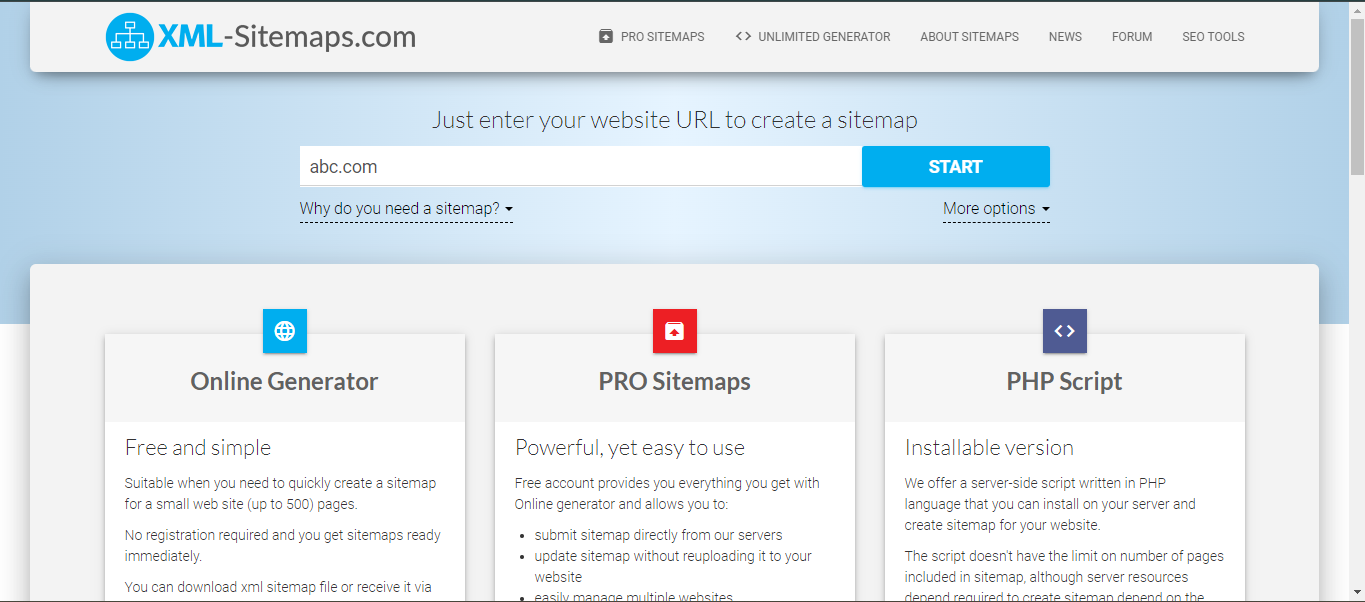
If you’re not using WordPress, you can use free online tools like:
These tools will scan your website and generate a downloadable XML sitemap file.
How to Add a Sitemap to Your Website
Once you have the sitemap file:
-
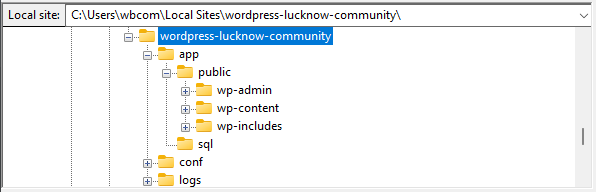
Upload it to your site’s root directory, so it’s accessible at:
-
Add your sitemap URL to your robots.txt file like this:
Sitemap: http://wordpress-lucknow-community.local/sitemap_index.xml
This tells search engine bots exactly where to find your sitemap, which helps improve how quickly and accurately your site is crawled and indexed.
Tips for Optimizing Your robots.txt and Sitemap
Here are some best practices you can follow:
-
Always test your robots.txt file with Google’s Robots Testing Tool to avoid blocking important pages accidentally.
-
Keep your sitemap updated regularly, especially if you add or remove pages.
-
Avoid disallowing important content like your homepage or blog posts.
-
Include only canonical versions of URLs in your sitemap to prevent duplicate indexing.
By following these tips, you’ll help search engines crawl and index your site efficiently, improving your overall search engine optimization performance.
Common Mistakes to Avoid
Even though robots.txt and sitemaps are simple to set up, a small mistake can hurt your SEO badly. Here are a few things to watch out for:
-
Blocking the entire website in robots.txt using Disallow: /
-
Including broken or outdated links in your sitemap
-
Forgetting to update the sitemap when new pages are added
-
Not submitting your sitemap to search engines
-
Overusing the Disallow command and hiding content that should be indexed
Double-checking these files regularly ensures your site remains SEO-friendly.
Wrapping up
In my experience, both robots.txt and sitemaps play a vital role in website SEO optimization. While they may seem technical at first, they are incredibly simple to create and maintain. They act as silent partners, helping your site get noticed by search engines while keeping unnecessary pages out of the spotlight.
If you’re using WordPress, SEO plugins make the entire process much easier. And if you’re running a custom-built website, manual methods give you full control. Either way, this is one area where a little effort goes a long way.

Need Help Setting It Up?
If you’re still unsure how to create or manage your robots.txt and sitemap.xml, or if you want to make sure your site is SEO-ready from top to bottom, don’t hesitate to reach out to Wbcom Designs.
We specialize in optimizing WordPress websites for better performance, visibility, and user experience. Whether you’re launching a new site or improving an existing one, our team can help you do it right.
Contact Wbcom Designs today and take the first step toward a more powerful online presence!
Interesting Reads
Local SEO Agency London Businesses Trust to Get Noticed and Grow