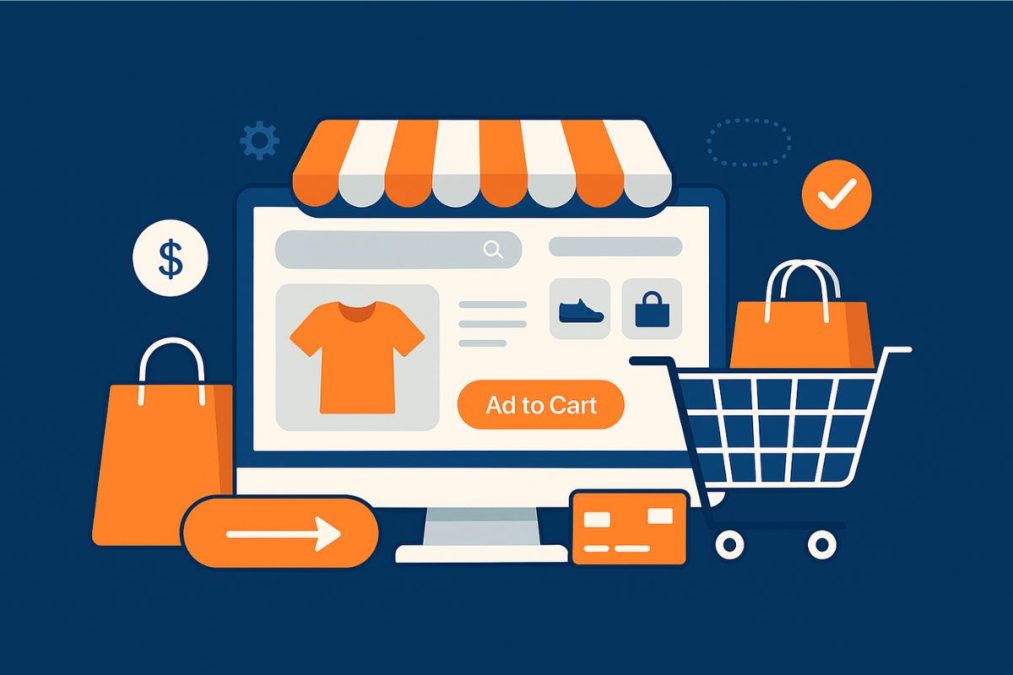
Online shopping isn’t just a trend—it’s the new normal. And in this digital-first marketplace, your e-commerce website isn’t just your storefront—it’s your brand, salesperson, and checkout counter all rolled into one. But great products alone won’t drive conversions. You need exceptional design.
In 2025, e-commerce website design is about more than just visuals. It’s about performance, trust, speed, mobile usability, and a seamless shopping experience. WordPress, combined with WooCommerce and a range of modern design tools, offers an unbeatable platform to create high-converting stores—if you know how to do it right.

What Is E-commerce Website Design?
E-commerce website design encompasses the visual, structural, and interactive elements that contribute to the effectiveness of an online store. From homepage layouts to product page aesthetics and checkout flow—everything is part of the design. Good design doesn’t just make your store look nice; it guides users to take action.
For WordPress users, this means combining the flexibility of the CMS with specialized themes, page builders, and WooCommerce—the world’s most popular e-commerce plugin. With these tools, even non-designers can create conversion-ready sites with custom features tailored to their audience.
Why Design Matters More Than Ever
Design directly impacts user trust, navigation, mobile usability, and ultimately, revenue. A confusing layout or a cluttered product page can derail even the most compelling offers. A clean, well-structured design, on the other hand, builds trust and speeds up the path to purchase.
What Good E-commerce Design Achieves:
- Establishes credibility within seconds
- Drives users toward conversions with minimal friction
- Supports SEO and mobile optimization
- Reduces bounce rates and cart abandonment
In short, smart design isn’t optional—it’s strategic.
The Core Principles of High-Converting E-commerce Design
1. Clear Navigation and Structure
Your visitors should be able to find what they’re looking for in seconds. Use a clear menu hierarchy, intuitive categorization, and visual breadcrumbs to make navigation easy.
Tool tip: Themes like Astra and Kadence offer header and menu builders perfect for streamlined navigation.
2. Mobile-First and Responsive Design
Over 70% of e-commerce traffic comes from mobile devices. Your design must adapt gracefully to all screen sizes.
Tool tip: Use Spectra (formerly Ultimate Addons for Gutenberg) to add responsive blocks and mobile-optimized sections in WordPress.
3. Fast Load Times
Speed is a major Google ranking factor and a conversion booster. Compress images, reduce scripts, and use optimized hosting.
Tool tip: WP Rocket and LiteSpeed Cache are powerful caching plugins to speed up your WooCommerce store.
4. High-Quality Product Pages
Each product page should be a mini landing page—clean images, zoomable views, benefit-focused descriptions, trust signals, and easy add-to-cart functionality.
Tool tip: Use WooCommerce and pair it with ProductX for modern product grids and dynamic filtering options.
5. Seamless Checkout Process
Cart abandonment is often caused by overly complex checkout flows. Simplify steps, offer guest checkout, and reduce required fields.
Tool tip: CartFlows lets you create high-converting checkout funnels inside WordPress with upsells, downsells, and thank-you pages.
Best WordPress Themes for E-commerce Design
WordPress themes play a pivotal role in your store’s design foundation. The right theme offers performance, layout flexibility, and WooCommerce integration.
1. BuddyX
Ideal for community-driven e-commerce sites, BuddyX is WooCommerce-ready and supports social features through BuddyPress. If you’re selling digital memberships, event tickets, or community merch, it’s a perfect fit.
Try BuddyX Theme
2. Astra
One of the most lightweight and customizable themes. It includes pre-built e-commerce starter sites and works seamlessly with Elementor and Gutenberg.
Explore Astra
3. Kadence
Known for its deep WooCommerce compatibility and performance-first design. You get advanced layout options, a header builder, and mobile customization.
Check out Kadence
Page Builders That Make E-commerce Design Easy
You don’t need to be a developer to create beautiful product pages or landing experiences. Visual builders give you drag-and-drop control.
1. Elementor Pro
With deep WooCommerce support and widgets for product grids, price tables, and carts, it’s perfect for custom storefronts.
2. Beaver Builder
A robust, stable builder that works great with WooCommerce for larger stores or agency-grade projects.
Explore Beaver Builder
3. Spectra for Gutenberg
If you want to keep it native, Spectra offers e-commerce-friendly Gutenberg blocks with built-in responsiveness and schema support.
Plugins to Supercharge Your E-commerce Design
Beyond design, you need function. These WordPress plugins enhance usability, engagement, and conversion.
- WooCommerce Variation Swatches – Add color and image swatches to variable product options.
- TrustPulse – Display real-time purchases as social proof.
- YITH Wishlist – Let users save products and reduce cart fatigue.
- Product Reviews Pro – Enhance credibility with advanced review features.
- MailPoet – Build and send emails right from your WordPress dashboard.
Homepage Design That Converts
Your homepage is your first impression. It should communicate value, showcase bestsellers, and guide users deeper.
Best Practices:
- Hero section with benefit-driven headline and CTA
- Category thumbnails or featured collections
- Social proof: Testimonials or real-time activity
- Promotional banners and seasonal offers
Use visual builders like Elementor or Spectra to design homepage sections with minimal effort.
Optimizing Product Pages for More Conversions
A well-designed product page combines visual appeal with sales psychology.
Tips for higher-converting pages:
- Use multiple product images (front, back, lifestyle)
- Include trust badges near “Add to Cart.”
- Show estimated delivery time
- Use scarcity tactics (e.g., “Only 3 left!”)
- Cross-sell related items using WooCommerce extensions
Real-World Use Cases
Local Boutique Store
A local fashion brand uses Astra + WooCommerce + CartFlows to create a sleek online shop with Instagram-style galleries and a one-page checkout.
Digital Product Seller
A solo entrepreneur builds a store for selling eBooks and downloads using Kadence and Easy Digital Downloads, optimizing pages with Spectra.
Subscription Box Service
A food subscription brand uses Elementor, Woo Subscriptions, and MailPoet to create a recurring revenue stream with custom checkout flows and automated emails.
Common Mistakes to Avoid
- Too many popups – Can distract and annoy users
- Unclear CTAs – Avoid vague buttons like “Learn More”; use “Buy Now” or “Add to Cart”
- Poor mobile design – Always test on devices before launch
- Slow product pages – Compress images and limit external scripts
- Missing contact info – Reduces trust. Include FAQs, support, and policies
Final Touches: Add Function, Keep It Fast
Here’s a quick checklist before launching your e-commerce site:
- Test checkout on mobile and desktop
- Optimize images with ShortPixel or Imagify
- Configure SEO with Rank Math or Yoast
- Set up backups with UpdraftPlus
- Add analytics using Site Kit by Google
These final steps ensure a stable, visible, and sales-ready online store.
Looking Ahead: E-commerce Design in 2025 and Beyond
As AI becomes more embedded in WordPress, expect even more intelligent design decisions, automated A/B testing, and real-time personalization. Builders like 10Web, ZipWP, and Bluehost WonderSuite are already introducing smart e-commerce features into their AI-powered design workflows.
The future isn’t just beautiful websites—it’s smart ones that adapt, sell better, and cost less to build.

Build E-commerce Sites That Sell
Design isn’t just decoration—it’s persuasion. With WordPress and the right design tools, you can create e-commerce experiences that rival enterprise stores without touching code.
Whether you’re just starting or optimizing a growing store, focus on structure, speed, mobile UX, and trust-building. Combine that with WordPress’s ecosystem of themes, builders, and plugins, and you’ll not only keep up—you’ll lead.
Interesting Reads:
eBay vs Facebook Marketplace: Which Is Better for Online Selling?
Using WooCommerce and Reign for a Seamless E-Commerce Experience
Building a Multi-Vendor Marketplace with Reign and WooCommerce